



You do not need a full WooCommerce store just to collect a service fee, registration payment, subscription, donation-style contribution, or simple order. The best WordPress payment plugins keep checkout short, support trusted gateways, and give you enough control over confirmations, receipts, recurring billing, and payment records without adding an unnecessary product catalog.
TL;DR
WP Simple Pay is my first choice for a Stripe-first payment setup without WooCommerce. Forminator is unusually generous if you want free Stripe and PayPal payment forms. WPForms is easy to use when payments are part of a broader lead or registration form. Gravity Forms is better for complex conditional payment workflows, while Fluent Forms is strong when you want fast forms plus payment automation.
Quick Comparison
| Plugin | Best for | Pricing model |
|---|---|---|
| WP Simple Pay | Stripe-first payment forms | Free Lite; paid plans add subscriptions and more payment methods |
| Forminator | Free Stripe and PayPal forms | Free core plugin |
| WPForms | Payments inside lead and registration forms | Free Lite; advanced payment features vary by plan |
| Gravity Forms | Complex payment workflows | Premium; payment add-ons depend on license |
| Fluent Forms | Fast, flexible payment forms | Free version; payment depth varies by Pro plan |
How I Chose These WordPress Payment Plugins
I focused on plugins that can accept real payments without requiring a traditional WooCommerce catalog. I checked gateway support, recurring-payment options, form flexibility, payment records, confirmation workflows, ease of setup, and whether a useful free or entry-level path exists. I also separated this intent from our WordPress form builder roundup and WooCommerce payment gateway roundup.
1. WP Simple Pay — Best for Stripe-First Payment Forms
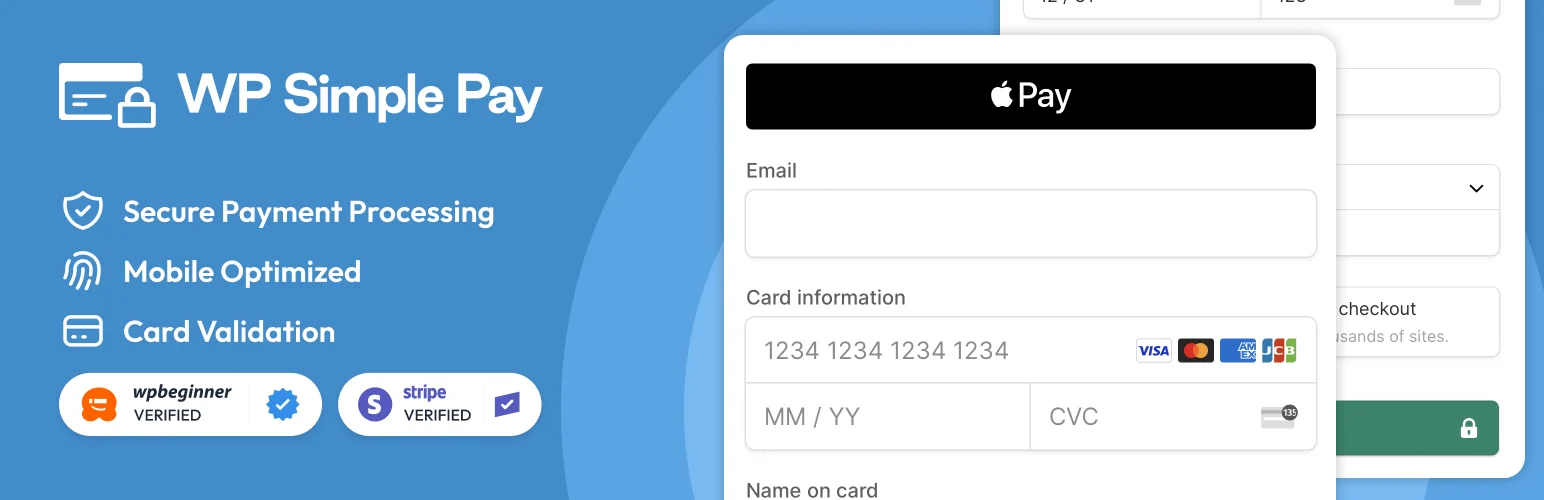
WP Simple Pay is the most focused option here. It is designed around accepting Stripe payments without building a full ecommerce store, which makes it a strong fit for consultants, service businesses, registrations, deposits and simple recurring billing.
Key features
- Stripe payment forms without WooCommerce
- One-time and recurring payments
- On-site and hosted payment options
- Apple Pay and Google Pay through supported Stripe methods
- Payment receipts and confirmations
- Coupons and subscription controls on paid plans
Pros
- Focused payment workflow
- Strong Stripe integration
- Good for services and subscriptions
Cons
- Stripe-centric rather than multi-gateway
- Advanced billing features require a paid plan
Pricing
A free Lite version is available. Paid plans add subscriptions, additional payment methods, coupons and more controls. Verify current plan details before purchasing.
2. Forminator — Best Free Option for Stripe and PayPal

Forminator stands out because Stripe and PayPal payment fields are available in the free plugin. It works well when payment is one part of a registration, quote, application or calculated order.
Key features
- Stripe and PayPal payment fields
- Fixed and variable amounts
- Calculation fields
- Registration and lead forms
- Conditional logic
- Quizzes and polls
Pros
- Useful payment features in the free plugin
- Flexible calculations
- Good beyond payments
Cons
- Less payment-specialized than WP Simple Pay
- Complex ecommerce still belongs in a store platform
Pricing
The core Forminator plugin is free. WPMU DEV offers paid services around its broader ecosystem.
3. WPForms — Best for Payments Inside Lead and Registration Forms

WPForms makes sense when payment is one step in a broader form workflow. You can collect contact details, select a service, calculate a fee, accept payment and send confirmations from the same form.
Key features
- Drag-and-drop form builder
- Stripe payments
- Additional gateway integrations on applicable plans
- Conditional logic
- Order and registration forms
- Email confirmations
Pros
- Beginner-friendly
- Good form and payment combination
- Large integration ecosystem
Cons
- Many advanced features depend on paid plans
- Not intended to replace a large store
Pricing
WPForms Lite is free. Gateway depth, conditional features and integrations vary across paid plans.
4. Gravity Forms — Best for Complex Payment Workflows
Gravity Forms is the option I would reach for when the payment form has many conditions, calculations, workflow steps or integrations. Its mature add-on ecosystem suits more demanding business processes.
Key features
- Advanced conditional logic
- Calculations and pricing fields
- Stripe and PayPal add-ons
- Recurring-payment workflows
- Webhooks and CRM integrations
- Detailed entry management
Pros
- Excellent for complex workflows
- Mature add-on ecosystem
- Strong developer controls
Cons
- No permanent free core version
- Can be overkill for one payment button
Pricing
Gravity Forms is premium. Payment integrations and advanced add-ons depend on the license tier.
5. Fluent Forms — Best for Fast, Flexible Payment Forms

Fluent Forms is a strong fit when you want a fast form builder, payment fields and automation in one workflow. It is especially useful on sites that already use other Fluent products.
Key features
- Visual form builder
- Stripe and PayPal integrations
- Conditional logic
- Calculation fields
- Conversational forms
- CRM and automation integrations
Pros
- Fast form workflow
- Good automation options
- Useful for service businesses
Cons
- Gateway availability varies by edition
- Not designed as a full ecommerce engine
Pricing
A free version is available. Payment integrations and advanced automation depend on the Pro plan and integration.
How to Choose the Right WordPress Payment Plugin
Choose a dedicated payment plugin when checkout itself is the main job. Choose a form builder when payment is one step in a registration, quote, booking, application or lead workflow. If you need products, inventory, tax, shipping, carts and order management, use an ecommerce platform instead.
Conclusion
For a simple Stripe-first setup, WP Simple Pay is the cleanest starting point. Forminator is the strongest free-first option when you also need flexible forms. WPForms and Fluent Forms fit broader form workflows, while Gravity Forms earns its place for complex conditional setups.
Frequently Asked Questions
Can WordPress accept payments without WooCommerce?
Yes. Payment-form plugins can collect Stripe, PayPal and other supported payments without a full WooCommerce store.
Which WordPress payment plugin is best for Stripe?
WP Simple Pay is the most Stripe-focused option here. Forminator is attractive if you need a free form builder with Stripe support.
Can I accept recurring payments?
Several options support recurring payments, but availability depends on the gateway and plugin plan.
Do payment plugins store card details in WordPress?
Well-designed integrations generally send sensitive card data through the payment processor rather than storing raw card details in WordPress.
When should I use WooCommerce instead?
Use WooCommerce when you need a product catalog, cart, shipping, tax, inventory, coupons and broader order management.

