



WordPress can link to a PDF without a plugin, but that is not the same as giving visitors a good reading experience. Brochures, reports, menus, portfolios, manuals, research papers, and protected documents often work better when the PDF stays inside the page with responsive controls instead of opening a new browser tab.
I look at PDF plugins in three groups: straightforward inline viewers, flipbook-style presentation, and broader document embedding platforms. The right choice depends on whether the document should feel like a normal reader, a magazine, or one embedded asset among many media types.
These five options cover those use cases in 2026. If the main problem is organizing PDFs in wp-admin, compare our WordPress media library plugins. If visitors need controlled file delivery rather than inline reading, see our WordPress download manager plugins.
TL;DR
- PDF Embedder: best overall for a clean self-hosted responsive PDF viewer that keeps documents on your own WordPress site.
- DearFlip: best for realistic 3D flipbooks, magazines, catalogs, and visually rich document presentation.
- EmbedPress: best for sites that need PDF viewing plus a broader system for embedding videos, maps, documents, social content, and more.
- PDF Poster: best feature-rich free option with multiple viewers, flipbook, slider, responsive controls, and newer watermark tools.
- FlowPaper: best for publishers that need a polished document-publishing platform with advanced PDF presentation and hosted or self-hosted workflows.
Quick Comparison
| Plugin | Best for | Free option | Main viewer style |
|---|---|---|---|
| PDF Embedder | Simple self-hosted PDF reading | Yes | Responsive document viewer |
| DearFlip | Catalogs and flipbooks | Lite version available | 3D/2D flipbook |
| EmbedPress | PDF plus many embed sources | Yes | Viewer and 3D flipbook options |
| PDF Poster | Feature-rich free PDF display | Yes | PDF.js, flipbook, slider and more |
| FlowPaper | Professional document publishing | Limited/trial options vary | Advanced document viewer |
How I Chose These Plugins
I compared responsive behavior, self-hosting, toolbar controls, flipbooks, Gutenberg support, large-file handling, downloads, watermarks, privacy, and whether the plugin is actively maintained. Current product information was checked in September 2026.
1. PDF Embedder – Best Overall Self-Hosted PDF Viewer
PDF Embedder is the option I would start with when the requirement is simply: keep the PDF on the page and make it easy to read. It renders the file inline, adapts to the page width, and provides page navigation and zoom controls without forcing visitors into a third-party viewer.
The self-hosted model is the main reason I like it. The PDF stays on your site rather than being passed through Google Docs or another hosted document service. Premium plans add features such as download controls, watermarks, and automatic PDF thumbnails depending on the tier.
Key features
- Responsive inline PDF viewer
- Gutenberg block and shortcode support
- Page navigation and zoom controls
- Self-hosted document rendering
- Works inside restricted or paid content areas
- Premium watermarks, thumbnails, and additional viewer controls
Pros: Focused, private, easy to use, and a strong fit when a PDF should behave like normal page content.
Cons: It is less visually dramatic than flipbook-focused tools.
Best for: Reports, guides, forms, manuals, menus, gated PDFs, and ordinary document reading.
Pricing: Free version available. Premium plans are sold separately with additional controls, watermarking, thumbnails, and other features.
2. DearFlip – Best for 3D Flipbooks and Catalogs

DearFlip is built for presentation rather than plain document reading. It can turn a PDF into a page-flipping experience that feels closer to a magazine, brochure, portfolio, or product catalog.
I would choose it when visual experience is part of the content itself. A normal PDF viewer is usually better for documentation and long technical reading, but a flipbook can work well for design-heavy brochures, annual reports, and showcase material.
Key features
- 3D and 2D flipbook presentation
- PDF-based catalogs and magazines
- Responsive desktop and mobile viewing
- Shortcode and WordPress embedding workflows
- Multiple viewing modes
- Commercial features for deeper customization
Pros: Strong visual presentation and better than a standard viewer for brochures, catalogs, and portfolio-style PDFs.
Cons: Page-flip effects can be unnecessary for accessibility-first or reference-heavy documents.
Best for: Product catalogs, magazines, portfolios, annual reports, and marketing brochures.
Pricing: A Lite/free option is available. DearFlip also offers commercial upgrades for more advanced flipbook features.
3. EmbedPress – Best All-in-One Embed Platform
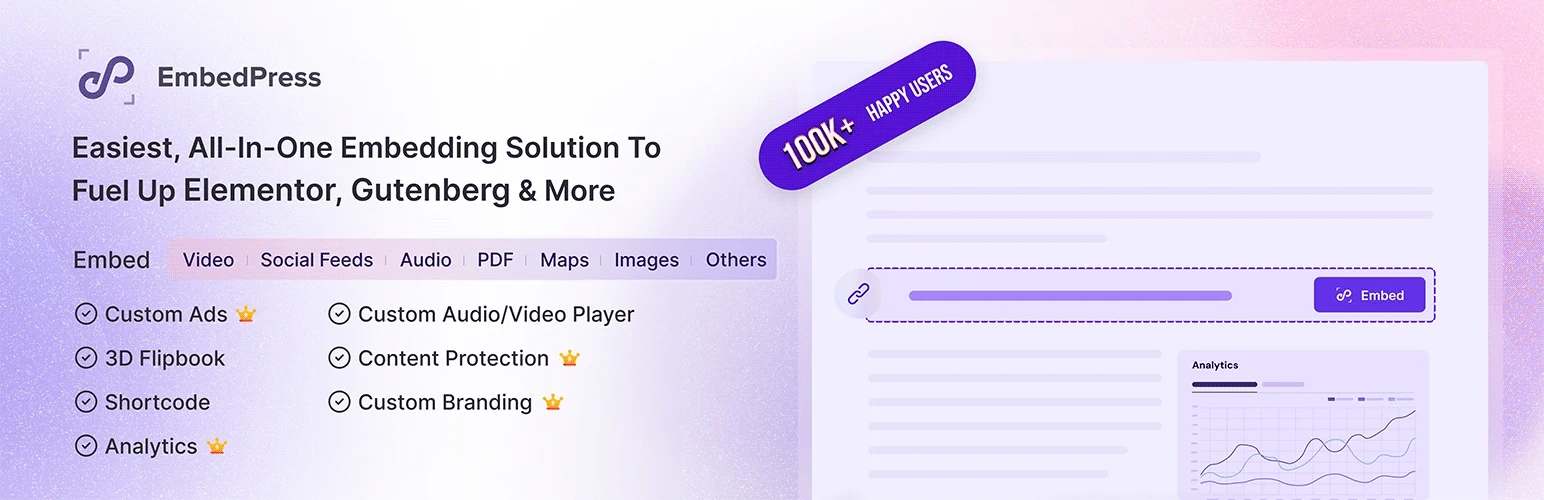
EmbedPress is much broader than a PDF plugin. It can embed PDFs, videos, maps, Google documents, social content, audio, and many other external sources through Gutenberg, Elementor, shortcodes, and other WordPress editing workflows.
That breadth is its advantage when a site embeds many content types. For PDFs specifically, it offers document viewing and flipbook-style presentation, but I would not install a large embed suite if PDFs are the only external media the site ever needs.
Key features
- PDF embedding and viewer tools
- 3D PDF flipbook options
- Gutenberg and Elementor integration
- Embeds for videos, maps, documents, audio, and social platforms
- Shortcode support for other builders
- Additional customization and review/embed features in Pro
Pros: One plugin can replace several separate embed utilities and works across common WordPress editors.
Cons: Broader than necessary if the site’s only embedding requirement is PDFs.
Best for: Marketing and content sites that regularly embed PDFs alongside many other external media sources.
Pricing: Free version available. EmbedPress Pro adds additional layouts, controls, and premium embed features.
4. PDF Poster – Best Feature-Rich Free PDF Viewer
PDF Poster has become a surprisingly broad PDF toolkit. The current free plugin includes multiple viewer styles, responsive sizing controls, a PDF.js viewer, flipbook and slider modes, print/download/fullscreen controls, social sharing, RTL support, and progressive loading for larger files.
I would test it when you want more presentation options before paying for a premium viewer. Its 2026 releases also added newer watermark and branding controls, although some watermark capabilities are positioned as Pro features.
Key features
- PDF.js viewer
- Flipbook, slider, and other viewer modes
- Responsive width and height controls
- Print, download, fullscreen, and social controls
- Progressive rendering for large files
- Watermark and branding options across free/Pro features
Pros: Generous free feature set, several viewer styles, and active development in 2026.
Cons: More settings and viewer modes mean more testing is needed across mobile devices and different PDF files.
Best for: Site owners who want several PDF presentation styles without immediately buying a premium plugin.
Pricing: Free version available, with a Pro edition for additional watermarking and advanced features.
5. FlowPaper – Best for Professional Document Publishing

FlowPaper is more of a document-publishing platform than a simple WordPress block. It focuses on polished PDF viewing, publication-style experiences, and larger professional document workflows.
I would consider it when documents are a major content product and the organization cares about advanced presentation, distribution, and reader experience. For a small business that embeds a few menus or PDFs each year, PDF Embedder or PDF Poster is simpler.
Key features
- Advanced PDF document viewer
- Publication and flipbook-style layouts
- Responsive document presentation
- Hosted and self-hosted product options depending on plan
- Tools for larger publishing workflows
- Professional customization and distribution features
Pros: Strong professional publishing focus and more suitable than lightweight plugins for document-heavy products.
Cons: More complex and potentially more expensive than a normal WordPress PDF viewer.
Best for: Publishers, catalogs, reports, digital magazines, and organizations where document presentation is a major part of the site.
Pricing: FlowPaper uses commercial licensing and service options. Check the current vendor plan for hosting, domain, and publishing requirements.
Which One Should You Choose?
PDF Embedder is the safest starting point for ordinary inline reading. DearFlip is better when the document should feel like a catalog or magazine. EmbedPress makes sense when PDFs are only one of many embed types. PDF Poster offers an unusually broad free feature set, while FlowPaper belongs in more professional document-publishing workflows.
Conclusion
PDF plugins solve very different presentation problems. PDF Embedder is my first choice for straightforward document reading, DearFlip for visual flipbooks, EmbedPress for multi-source embedding, and PDF Poster for a broad free toolkit. FlowPaper makes more sense when document publishing is a core product rather than a small feature on the site.
Frequently Asked Questions
What is the best PDF viewer plugin for WordPress?
PDF Embedder is the best general-purpose option for clean inline viewing. DearFlip is better for flipbooks, while PDF Poster offers more free presentation modes.
Can WordPress display a PDF without opening a new tab?
Yes. PDF viewer plugins render the document directly inside a post or page so visitors can read it without leaving the site.
Can I stop visitors from downloading a PDF?
Some premium viewers can hide download buttons or add watermarks, but browser-based display is not perfect DRM. A determined visitor may still capture or retrieve content, so use access control and realistic protection expectations.
Do PDF viewer plugins work on mobile?
Modern viewers are responsive, but large documents and complex flipbooks should still be tested on real phones because toolbar size, zoom behavior, and file weight affect usability.
Should I use a flipbook or a normal PDF viewer?
Use a normal viewer for manuals, forms, reports, and reference documents. Use a flipbook when visual browsing is part of the experience, such as catalogs, magazines, and portfolios.

