



WordPress normally sorts posts by date, but many sites need a deliberate order instead. A portfolio may want featured projects first. A documentation site may need chapters in sequence. WooCommerce stores may want products arranged manually. Custom post types often need drag-and-drop control that publish dates cannot provide cleanly.
I prefer post-order plugins that change the order without forcing editors to edit dates or add custom numeric fields manually. The key differences are which content types they support, whether taxonomies can be sorted too, and how safely they alter WordPress queries.
These five are established current choices. For broader backend organization, see our WordPress admin column plugins. If the content model itself needs work, compare our WordPress custom post type plugins.
TL;DR
- Post Types Order: best overall for drag-and-drop ordering of posts, pages, products, and custom post types with a huge install base.
- Simple Custom Post Order: best for a straightforward admin drag-and-drop workflow across posts, pages, taxonomies, and custom post types.
- Intuitive Custom Post Order: best for users who want ordering across posts, pages, custom post types, taxonomies, and multisite sites.
- Real Custom Post Order: best for a modern focused interface that supports posts, pages, WooCommerce products, and custom post types.
- WP Sort Order: best when you also need to drag and drop users, taxonomy terms, and other WordPress objects.
Quick Comparison
| Plugin | Best for | Taxonomy ordering | Free version |
|---|---|---|---|
| Post Types Order | General post/CPT ordering | Limited / separate options | Yes |
| Simple Custom Post Order | Simple broad sorting | Yes | Yes |
| Intuitive Custom Post Order | Posts + taxonomies + multisite | Yes | Yes |
| Real Custom Post Order | Modern content ordering | Content focused | Yes |
| WP Sort Order | Users + terms + content | Yes | Yes |
How I Chose These Plugins
I compared current maintenance, active installations, drag-and-drop usability, posts and page support, custom post types, WooCommerce products, taxonomy terms, multisite support, query behavior, and whether ordering can be limited to the content types that actually need it.
1. Post Types Order – Best Overall
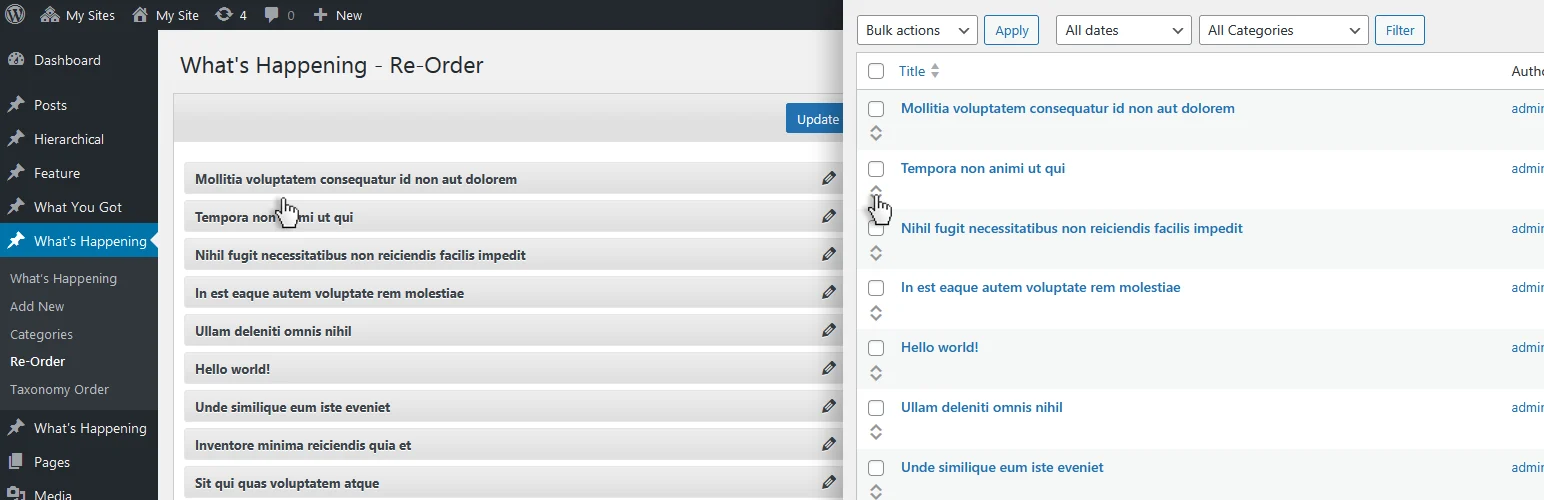
Post Types Order is the safest general recommendation because it is extremely widely used and focused on drag-and-drop sorting for posts and custom post types.
I would use it for products, portfolios, directories, team members, testimonials, and other custom content where editors need manual sequence control. The interface is familiar and avoids the awkward workaround of changing publish dates.
Key features
- Drag-and-drop post ordering
- Custom post type support
- WooCommerce product ordering use cases
- Sortable admin interface
- Automatic order integration with WordPress queries
- Configuration for which post types use custom order
Pros: Very large install base, mature, easy to use, and suitable for most normal post-order requirements.
Cons: Complex query customization can require testing to ensure custom order does not override intentional sorting elsewhere.
Best for: Most sites that need manual ordering of posts, products, portfolios, or custom post types.
Pricing: Free core plugin.
2. Simple Custom Post Order – Best Simple Broad Sorting Tool

Simple Custom Post Order is another very popular option and expands the idea beyond posts and pages to custom post types and taxonomies.
I like it when the admin team wants one straightforward drag-and-drop system without a large configuration layer. It works well on sites with several custom post types but simple ordering rules.
Key features
- Drag-and-drop ordering
- Posts and pages
- Custom post types
- Taxonomy ordering
- Simple enable/disable settings
- Current WordPress compatibility
Pros: Simple, broad content support, and easy for editors to learn.
Cons: Less granular than specialized ordering systems for per-category or per-context sorting.
Best for: Small and mid-sized sites that want one drag-and-drop ordering tool across several content types.
Pricing: Free.
3. Intuitive Custom Post Order – Best for Taxonomies and Multisite

Intuitive Custom Post Order supports posts, pages, custom post types, taxonomies, and multisite sites through a familiar drag-and-drop experience.
I would consider it when taxonomy terms matter as much as post entries, or when a multisite network needs a consistent ordering tool across several sites.
Key features
- Posts and page ordering
- Custom post type ordering
- Taxonomy term ordering
- Multisite support
- Drag-and-drop admin UI
- Per-content-type activation
Pros: Broad object support and useful for more complex editorial structures.
Cons: Not tested as recently as every other option in this list, so verify it on your exact WordPress/plugin stack before a large rollout.
Best for: Multisite, taxonomy-heavy websites, and sites that need ordering beyond posts alone.
Pricing: Free.
4. Real Custom Post Order – Best Modern Focused Alternative
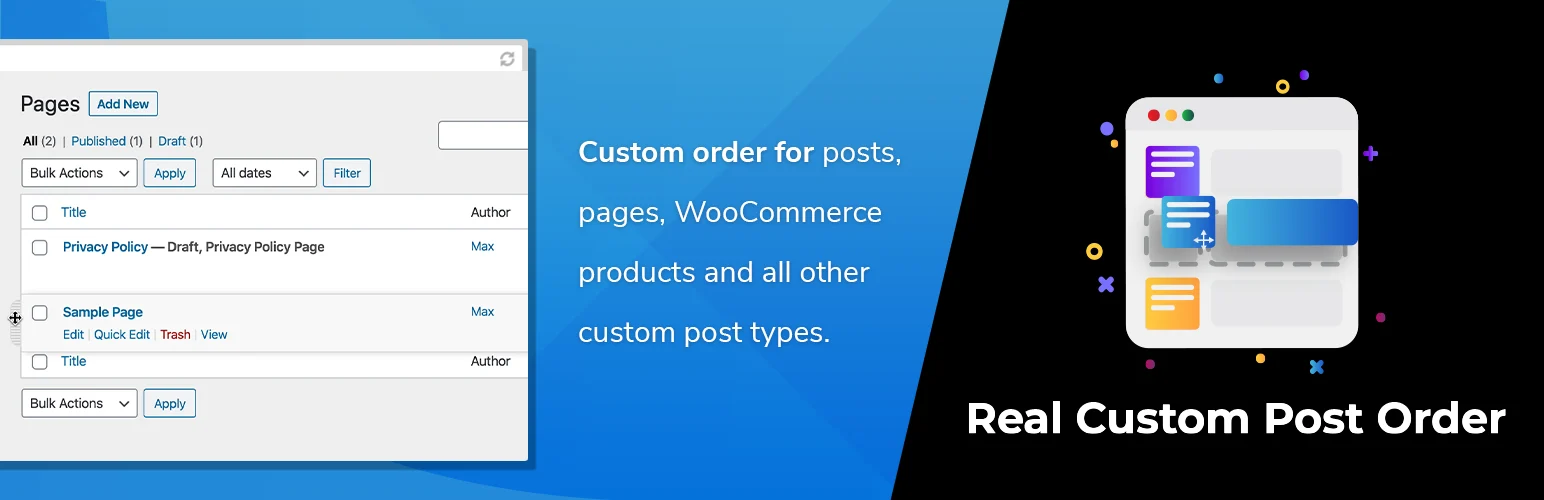
Real Custom Post Order by devowl.io provides a modern drag-and-drop ordering workflow for posts, pages, WooCommerce products, and custom post types.
I would test it when editor experience matters and the team wants a more current focused interface rather than a plugin that has accumulated years of settings and compatibility behavior.
Key features
- Drag-and-drop custom ordering
- Posts and pages
- WooCommerce products
- Custom post types
- Focused admin workflow
- Current WordPress compatibility
Pros: Clean interface, actively maintained, and good fit for standard post/product ordering.
Cons: Smaller install base than the three long-established leaders.
Best for: Modern WordPress and WooCommerce sites that want a focused ordering tool.
Pricing: Free version available.
5. WP Sort Order – Best for Users, Terms, and Content Together

WP Sort Order goes beyond posts by allowing drag-and-drop ordering for users, taxonomy terms, pages, posts, and custom post types.
That broader object support is the main reason to choose it. If a project needs custom sequence control for team members, categories, terms, and content at the same time, it can replace several narrower tools.
Key features
- Post and page ordering
- Custom post types
- Taxonomy term ordering
- User ordering
- Drag-and-drop interface
- Current WordPress compatibility
Pros: Broader object coverage than typical post-order plugins.
Cons: Smaller install base and fewer ecosystem resources than Post Types Order.
Best for: Directories, team sites, taxonomy-heavy projects, and admin workflows that need custom ordering across several object types.
Pricing: Free core plugin.
Which WordPress Post Order Plugin Should You Choose?
Post Types Order is the safest all-round choice. Simple Custom Post Order is excellent for a minimal broad workflow, Intuitive Custom Post Order is useful for taxonomies and multisite, Real Custom Post Order offers a more modern focused interface, and WP Sort Order is strongest when users and terms also need manual ordering.
After installing an ordering plugin, test archive pages, search results, widgets, REST API output, WooCommerce loops, and any custom queries. A custom order should only affect the places where you actually want manual sequencing.
Conclusion
Manual ordering is useful when sequence carries meaning. Post Types Order is my first choice for most sites, Simple Custom Post Order is an excellent simple alternative, and the other three are better for specific taxonomy, multisite, modern-interface, or user-ordering needs. Keep custom ordering limited to the content types that genuinely benefit from it.
Frequently Asked Questions
What is the best WordPress post order plugin?
Post Types Order is the safest general-purpose choice. Simple Custom Post Order is a strong alternative if you also want easy taxonomy ordering.
Can I reorder WooCommerce products with drag and drop?
Yes. Several plugins in this list can order WooCommerce products because products are a WordPress custom post type.
Can I reorder categories and tags?
Yes. Simple Custom Post Order, Intuitive Custom Post Order, and WP Sort Order include taxonomy-term ordering workflows.
Will a post order plugin change publish dates?
Normally no. These plugins store or use a custom menu/order value rather than rewriting the original publish date.
Can post ordering affect custom queries?
Yes. Some plugins modify default query ordering. Test custom loops, REST output, widgets, WooCommerce product queries, and any code that explicitly requests a different order.

