



Every extra account-creation step gives a visitor another reason to leave. On community, membership, course, or WooCommerce sites, social login can remove the password-creation step and let people sign in with an account they already use.
I only add social login when users genuinely benefit from having accounts. A blog does not need Facebook and Google buttons just because they look modern. The plugin also needs to handle account linking, email conflicts, redirects, privacy, and provider configuration cleanly.
These five plugins cover the strongest free-first, enterprise identity, WooCommerce, and all-in-one social options. If account access is part of a paid member area, pair this guide with our WordPress membership plugin comparison.
TL;DR: Best WordPress Social Login Plugins
- Nextend Social Login: best overall for Google, Facebook, and other common providers with a strong free version.
- miniOrange Social Login: best for enterprise identity needs and a large provider ecosystem.
- Super Socializer: best free all-in-one option for login, sharing, and comments.
- WooCommerce Social Login: best official WooCommerce extension for customer account and checkout login.
- LoginPress Social Login: best for sites already customizing WordPress login with LoginPress.
1. Nextend Social Login – Best Overall WordPress Social Login Plugin
Nextend Social Login lets users register and log in through providers such as Google, Facebook, and X, with additional providers and deeper integration options in Pro.
I like Nextend because the free plugin covers the social providers most sites actually need. The setup still requires creating apps or credentials with each provider, but the WordPress side is relatively clear once those keys are available.
Key features
- Google, Facebook, and other social login providers
- Social registration and existing-account linking
- Custom redirect behavior
- Login button styling
- WooCommerce and membership integrations in Pro
- Additional providers and user-data controls in premium plans
Pros: Strong free version, polished setup, popular providers covered, and good premium integration depth.
Cons: Provider app configuration can still be tedious, and advanced integrations require Pro.
Best for: Most membership, community, ecommerce, and user-account sites that need a dependable social login.
Pricing: Free version available; Pro licenses vary by site count.
2. miniOrange Social Login – Best for Enterprise Provider Coverage
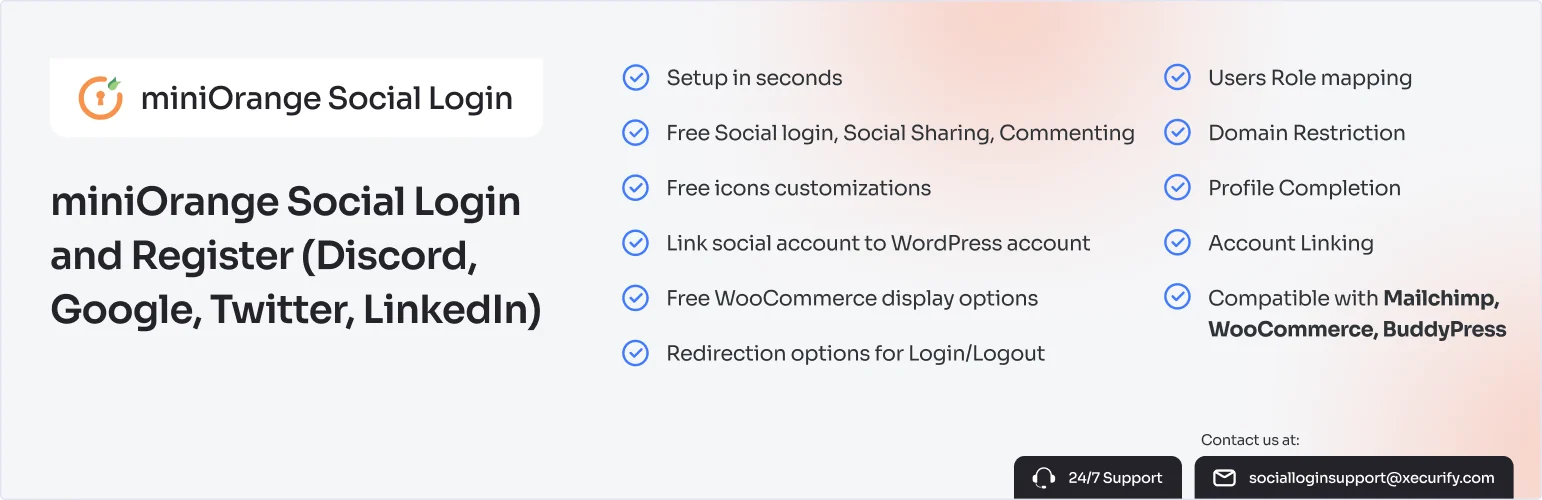
miniOrange Social Login supports a broad set of social identity providers and sits inside a larger identity, SSO, OAuth, and security ecosystem.
I would choose miniOrange when identity requirements are broader than three consumer social buttons. Organizations that also need SSO, role mapping, custom providers, or more controlled authentication benefit from having those options under one vendor.
Key features
- Large social identity provider catalogue
- OAuth and custom identity options
- Account linking and user registration
- Role and profile mapping in higher plans
- WooCommerce and membership integrations
- Enterprise SSO ecosystem
Pros: Broad provider support, enterprise identity options, strong SSO ecosystem, and flexible account mapping.
Cons: Pricing and configuration can become complex for a small site that only needs Google login.
Best for: Organizations with advanced identity requirements or non-standard login providers.
Pricing: Free/basic options available; premium pricing depends heavily on providers and feature tier.
3. Super Socializer – Best Free All-in-One Social Toolkit
Super Socializer combines social login, social sharing, and social commenting in one free WordPress plugin.
I consider it when a site genuinely needs more than login and wants to avoid several separate plugins. If login is the only requirement, I prefer a more focused tool so the admin and frontend stay simpler.
Key features
- Social login and registration
- Social sharing buttons
- Social commenting options
- Multiple provider support
- WooCommerce compatibility
- Button appearance and placement controls
Pros: Free, several social features in one plugin, useful WooCommerce support, and broad provider choices.
Cons: More features than a login-only site needs and the interface is less streamlined than Nextend.
Best for: Sites that want login, sharing, and social commenting from one free plugin.
Pricing: Free core plugin; companion products/add-ons may have separate pricing.
4. WooCommerce Social Login – Best Official WooCommerce Option
WooCommerce Social Login is an official marketplace extension designed around customer registration, account login, and checkout friction in WooCommerce.
I would use it when the store prefers official extensions and social login is mainly about reducing account friction during shopping. It is less attractive for a broad community site where WooCommerce is not central.
Key features
- Social login on My Account and checkout
- Customer account linking
- Multiple social providers
- WooCommerce customer data integration
- Login reporting and account controls
- Official WooCommerce marketplace support
Pros: WooCommerce-focused, official support path, smooth customer-account fit, and useful checkout placement.
Cons: Premium only and narrowly useful outside WooCommerce.
Best for: WooCommerce stores that want official social login at checkout and account pages.
Pricing: Paid annual license through WooCommerce.com.
5. LoginPress Social Login – Best for LoginPress Sites
LoginPress Social Login adds social providers to sites already using LoginPress to customize the WordPress login and registration experience.
I would choose it when the login page is already managed by LoginPress. Keeping visual customization and social authentication under the same system can reduce styling conflicts and admin duplication.
Key features
- Social login buttons on WordPress login
- Common provider integrations
- Registration and account connection
- LoginPress styling integration
- Redirect and login-page workflow controls
- Compatibility with customized WordPress login experiences
Pros: Natural fit for LoginPress, consistent login design, and focused provider workflow.
Cons: Less compelling if the site does not already use LoginPress.
Best for: Sites that already rely on LoginPress for branded login and registration pages.
Pricing: Premium feature available through LoginPress licensing; verify current plan requirements.
Social Login Checks I Never Skip
- Test what happens when the social email matches an existing WordPress account.
- Keep normal password or email login available as a fallback.
- Request only provider permissions the site genuinely needs.
- Test provider callback URLs on the production domain after launch.
- Review privacy disclosures because authentication sends data through a third party.
Conclusion
Nextend Social Login is the best starting point for most WordPress sites because its free version handles the common providers well. miniOrange is stronger for complex identity needs, while the official WooCommerce extension makes sense when social login exists mainly to simplify ecommerce accounts and checkout.
Social login should remove friction without making account ownership confusing. Keep a fallback login method, make account linking predictable, and avoid adding providers your audience does not use.
Frequently Asked Questions
What is the best WordPress social login plugin?
Nextend Social Login is the best overall option for most sites because it has a useful free version and supports the most common providers. miniOrange is better for more advanced identity requirements.
Is social login secure?
It can be secure when the provider uses modern OAuth/OpenID flows and the plugin is maintained correctly. Keep WordPress, the plugin, and provider credentials secure, and offer a fallback login path.
Does social login create a new WordPress user?
Usually yes for a new visitor. Good plugins can also link a social identity to an existing user when the account and email rules allow it. Test duplicate-email behavior before launch.
Which social login providers should I add?
Start with providers your audience already uses, commonly Google and sometimes Facebook or Apple depending on the site. More provider buttons are not automatically better.

