



A WhatsApp plugin is useful when the goal is simple: remove friction between a website visit and a real conversation. The best options do more than place a green icon in the corner. They let you control where the button appears, prefill useful messages, route visitors to the right agent, support WooCommerce pages, and track whether the chat prompt is actually being used.
This roundup focuses on WordPress plugins that create a direct WhatsApp or WhatsApp Business contact path. It does not include general live-chat platforms unless WhatsApp is a core part of the widget. For broader customer-support tools, see our WordPress live chat plugin comparison.
TL;DR: Best WordPress WhatsApp Plugins in 2026
Joinchat is the most mature WhatsApp-first option in this list, with 700,000+ active installations and strong CTA, WooCommerce and analytics features. Click to Chat is a good fit when you want lots of button styles and device-specific display control. Social Chat stands out for a polished chat-box experience and multi-agent features in Pro. WP Chat App is strong for WooCommerce and multiple agents. Chaty is the better fit when WhatsApp is only one of several contact channels you want to expose.
Quick Comparison
| Plugin | Best for | Active installs | Pricing |
|---|---|---|---|
| Joinchat | WhatsApp-first conversion flows | 700,000+ | Free; Premium is a yearly add-on |
| Click to Chat | Flexible button styles and targeting | 600,000+ | Free; Pro add-on available |
| Social Chat | Chat-box UI and multiple agents | 200,000+ | Free; Pro from $49/year for 1 site |
| WP Chat App | WooCommerce and agent routing | 100,000+ | Free; Pro currently from $29/year for 1 site |
| Chaty | WhatsApp plus other contact channels | 300,000+ | Free; paid plans from $15/month |
How We Chose These Plugins
The shortlist was checked against the current WordPress.org directory and the developers’ official documentation or pricing pages. We looked for active maintenance, a clear WhatsApp use case, useful display controls, mobile/desktop behavior, WooCommerce or lead-generation options where relevant, and enough differentiation to justify a place in the comparison. Install counts and versions can change, so the figures below reflect the WordPress.org data checked in September 2026.
1. Joinchat
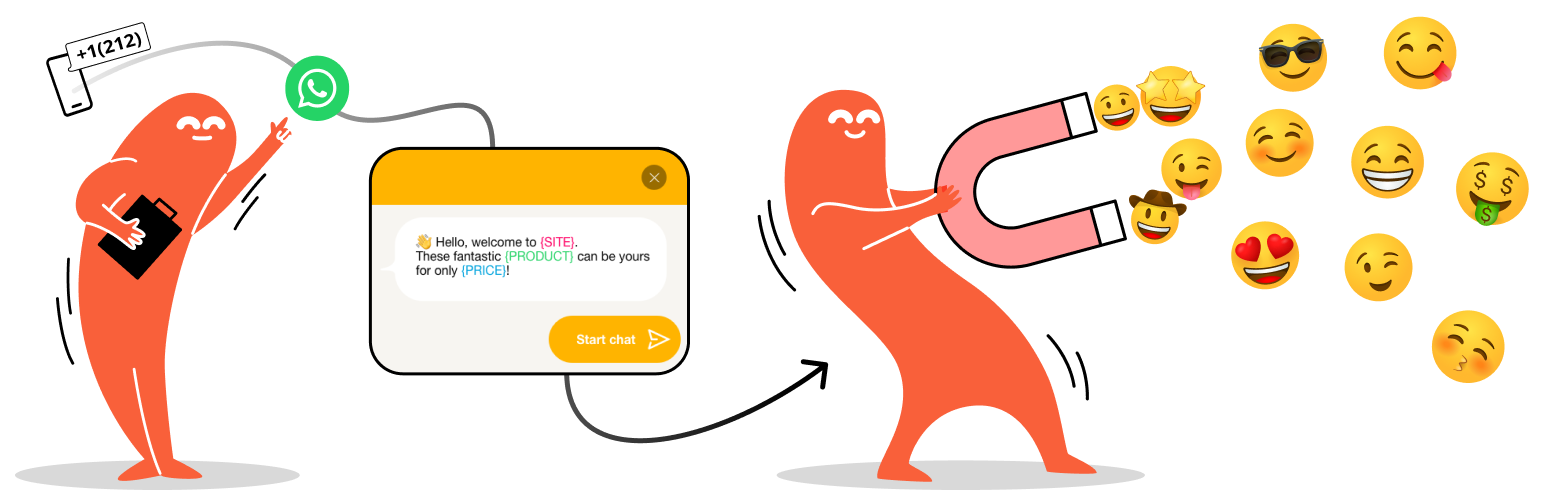
Joinchat is built specifically around turning a page visit into a WhatsApp conversation. Version 6.3.2 is listed on WordPress.org with 700,000+ active installations and compatibility tested through WordPress 7.1.1. The free plugin supports a floating WhatsApp button, call-to-action messages, dynamic start messages and WooCommerce-specific contact prompts.
The main strength is context. Instead of sending every visitor into the same generic chat, Joinchat can pass page, product and offer context into the conversation. Its official documentation also covers analytics integrations, triggers and richer chat behavior. Premium extends the setup with support agents, chat funnels, omnichannel options and more advanced tracking.
Key features
- Floating WhatsApp button with mobile and desktop behavior
- Dynamic prefilled messages that can include page or product context
- WooCommerce contact button and shop-specific CTAs
- Triggers and analytics integration
- Premium support-agent and chat-funnel tools
Pros
- Large install base and active maintenance
- WhatsApp-first workflow rather than a generic social widget
- Useful WooCommerce and conversion controls
Cons
- Advanced routing and funnel features require Premium
- Can be more functionality than a site needs if all you want is one static WhatsApp link
Pricing: The core plugin is free on WordPress.org. Joinchat Premium is sold as a yearly subscription through the developer. Best for: businesses that treat WhatsApp as a primary sales or support channel.
2. Click to Chat by HoliThemes
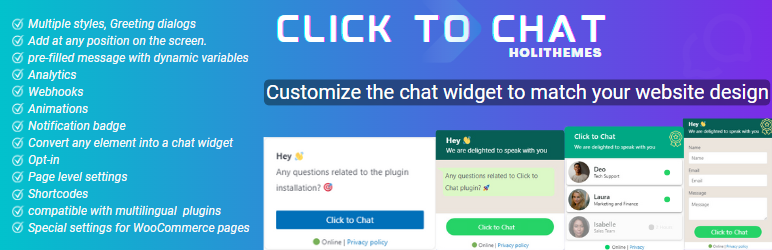
Click to Chat is a high-install, WhatsApp-focused plugin with 600,000+ active installations. It lets visitors open WhatsApp or WhatsApp Business from mobile and route desktop users to the desktop app or WhatsApp Web. The plugin includes multiple predefined styles, custom images or GIFs, shortcodes and custom elements that can turn an existing button into a WhatsApp trigger.
Its practical advantage is presentation control. You can use different styles and positions for mobile and desktop instead of forcing the same floating button everywhere. The developer also provides a Pro add-on for features such as working-hour rules and more advanced behavior.
Key features
- WhatsApp and WhatsApp Business click-to-chat links
- Multiple customizable button styles
- Custom image/GIF support
- Shortcodes and custom CSS-class/ID triggers
- Different mobile and desktop presentation options
Pros
- Simple core job with many display options
- Very large active install base
- Useful when the site already has its own custom CTA design
Cons
- The settings surface can feel extensive for a one-button setup
- Some advanced controls are part of the Pro add-on
Pricing: Free version on WordPress.org; a separate Pro add-on is available from HoliThemes. Best for: site owners who want fine control over the appearance and placement of a WhatsApp CTA.
3. Social Chat
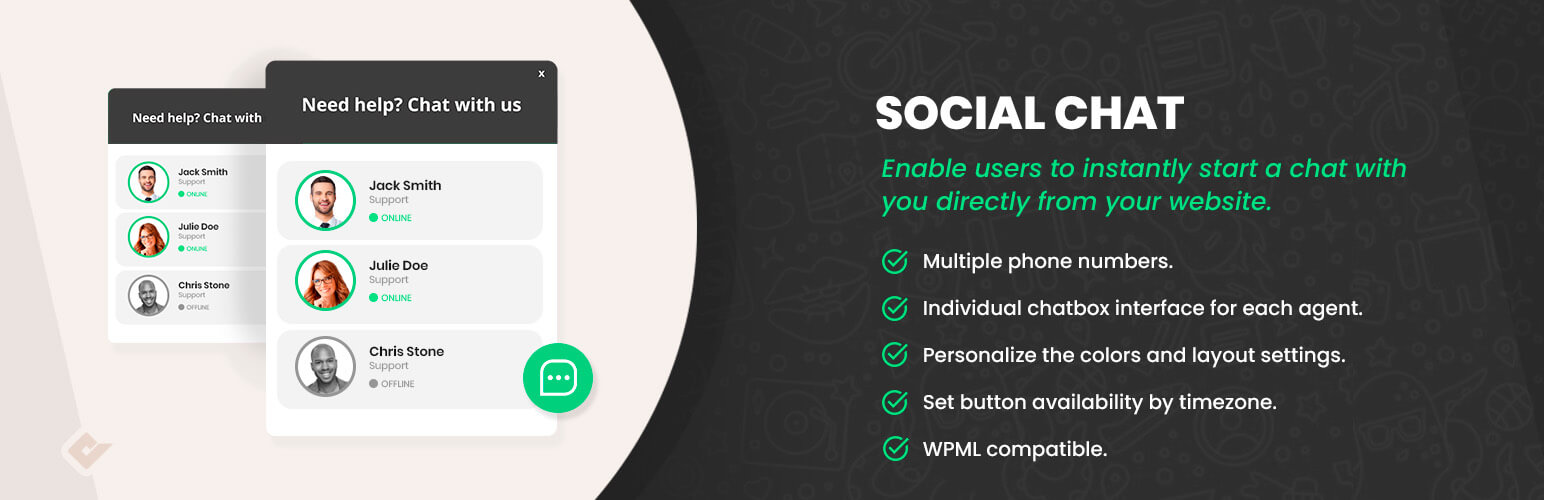
Social Chat by QuadLayers connects a WordPress site directly to a WhatsApp or WhatsApp Business number and supports preset first messages. The current WordPress.org listing shows 200,000+ active installations, version 8.6.4 and testing through WordPress 7.1.1.
The Pro version is most relevant when several people handle customer conversations. QuadLayers lists multiple agents, custom colors and icons, a chat-box interface and custom agent/user messages among the premium features. That makes it closer to a structured pre-chat experience than a bare click-to-WhatsApp link.
Key features
- WhatsApp click-to-chat button
- Preset opening messages
- Chat-box interface in premium plans
- Multiple agents in premium plans
- Visual customization options
Pros
- Clean focus on lead and support conversations
- Premium licensing supports single-site through unlimited-site use
- Well suited to teams that need agent choice
Cons
- The strongest team features are paid
- Less appropriate if you need many non-WhatsApp channels
Pricing: Free version available. Official annual pricing starts at $49/year for 1 site, with lifetime plans also offered. Best for: businesses that want a more structured WhatsApp chat-box and agent setup.
4. WP Chat App
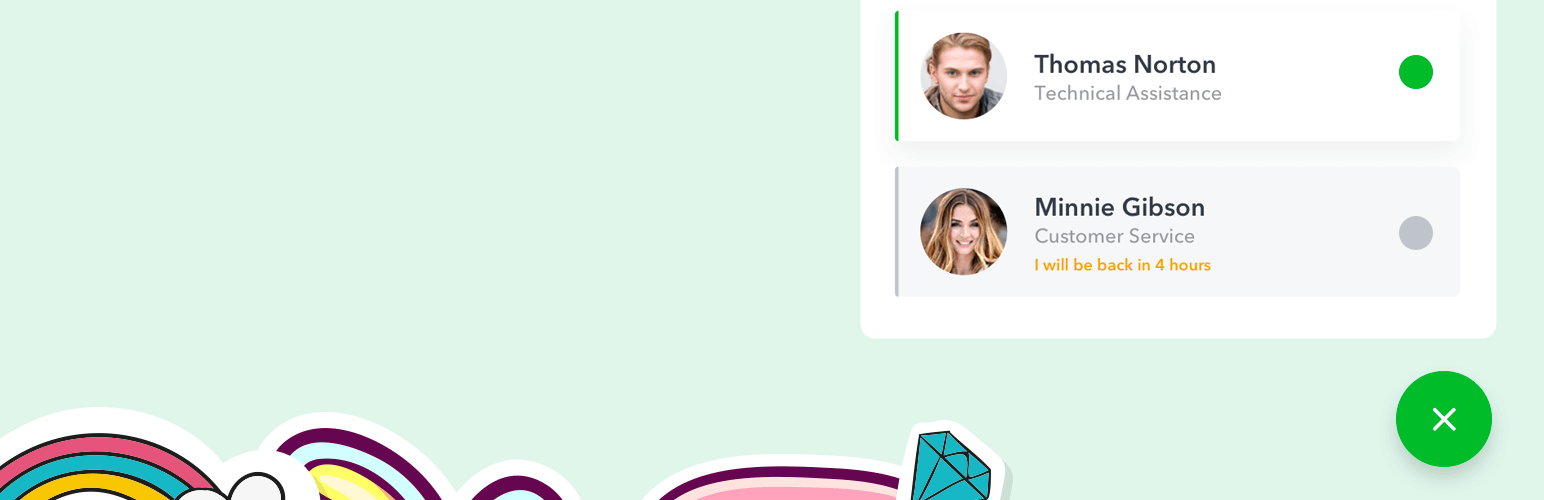
WP Chat App from NinjaTeam combines a floating WhatsApp widget with WooCommerce-oriented options. WordPress.org lists 100,000+ active installations and version 3.8.2. The free plugin can show a floating widget across selected pages and lets you configure agent details, colors, greetings and prefilled messages with dynamic shortcodes.
For stores, the plugin can add an Order on WhatsApp button to WooCommerce product pages. Pro expands the setup with custom availability/working hours and additional agent controls. This is useful when pre-sales questions are closely tied to specific products.
Key features
- Floating WhatsApp widget
- Agent name, title, greeting and color controls
- Prefilled messages with dynamic shortcodes
- WooCommerce Order on WhatsApp button
- Pro working hours and enhanced agent options
Pros
- Good WooCommerce fit
- Straightforward agent-oriented widget
- Strong WordPress.org rating and current compatibility
Cons
- Some scheduling and agent features require Pro
- Store owners may still need a separate help-desk tool for ticket-style support
Pricing: Free version available. NinjaTeam currently lists a discounted single-site annual plan from $29/year, with 5-site and unlimited-site plans plus lifetime licenses. Best for: WooCommerce stores that want product-level WhatsApp conversations.
5. Chaty
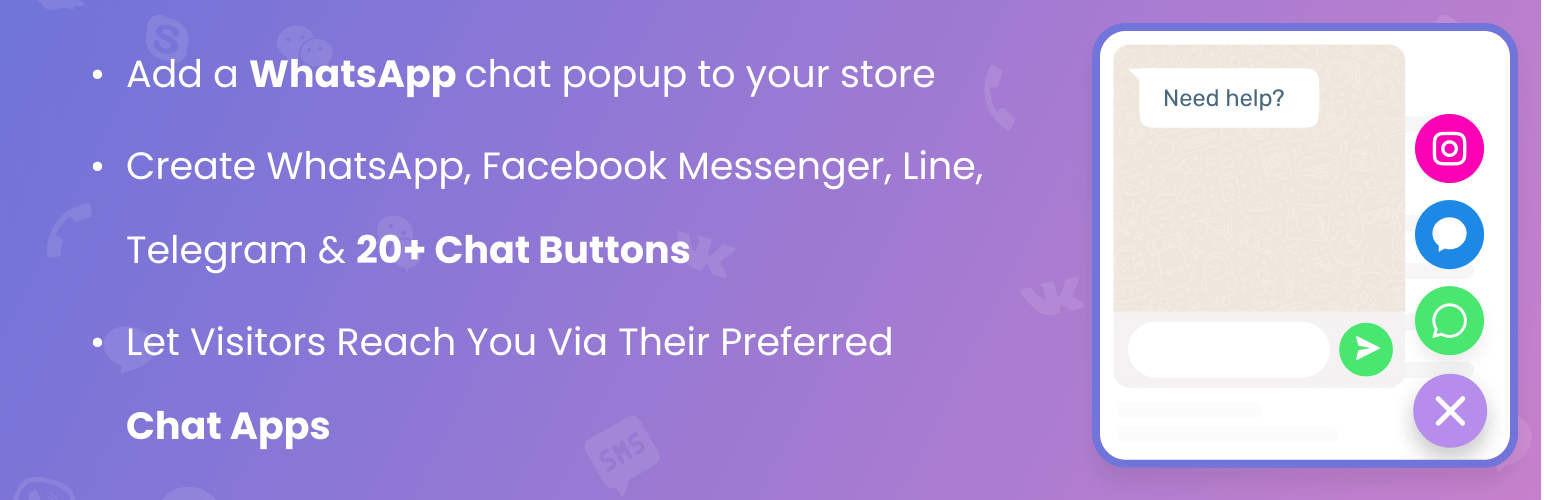
Chaty is different from the first four because it is a multi-channel contact widget rather than a WhatsApp-only plugin. Its WordPress.org listing shows 300,000+ active installations and version 3.6.1. WhatsApp and WhatsApp Business are supported alongside Messenger, Telegram, Instagram, email, phone, SMS and other channels.
That makes Chaty useful when visitors should be allowed to choose how they contact you. The free plan includes multiple channels, widget customization, triggers and page targeting. Paid plans add higher visitor limits and features such as traffic-source targeting, dynamic chat popups, analytics and multiple agents.
Key features
- WhatsApp plus 20+ contact channels
- Floating chat/contact widget
- Triggers and page targeting
- Contact form support
- Premium traffic-source targeting, analytics and multiple agents
Pros
- Useful when WhatsApp is one part of a broader contact strategy
- Strong targeting and trigger options
- Free tier is functional for smaller sites
Cons
- Not a WhatsApp-only experience
- Paid pricing is based partly on visitor volume
Pricing: Free plan available; official paid plans start at $15/month, with higher tiers for larger traffic volumes and advanced features. Best for: sites that want WhatsApp, phone, email and social messaging inside one contact widget.
Which WhatsApp Plugin Should You Choose?
Choose based on the conversation you want to create, not only the button design. Joinchat is a strong fit for WhatsApp-first conversion flows and WooCommerce context. Click to Chat is better when display flexibility matters. Social Chat and WP Chat App make more sense when agents or store conversations are central. Chaty is the practical choice when visitors need several contact channels.
If the real requirement is a persistent help-desk conversation rather than click-to-message, compare these options with dedicated WordPress help desk plugins and live chat plugins before installing overlapping widgets.
Final Take
A good WordPress WhatsApp plugin should make the next action obvious without becoming intrusive. Start with the smallest feature set that covers your workflow, test the button on both mobile and desktop, and confirm that prefilled messages still make sense on product, landing and support pages. For stores, product context and agent availability often matter more than decorative styling.
WordPress WhatsApp Plugin FAQs
Do I need WhatsApp Business to use these plugins?
Not always. Most click-to-chat plugins can open a normal WhatsApp number, although businesses often prefer WhatsApp Business for company profiles and customer communication.
Do WhatsApp plugins store the conversation inside WordPress?
Usually no. Click-to-chat plugins hand the conversation off to WhatsApp or WhatsApp Web. If you need ticket history inside WordPress, use a help-desk or live-chat system designed for that workflow.
Can I add a WhatsApp button to WooCommerce product pages?
Yes. Joinchat and WP Chat App both document WooCommerce-specific options, and other plugins can also place chat buttons on selected product pages.
Will a WhatsApp chat button slow down WordPress?
A lightweight button should have a small impact, but multi-channel widgets, tracking scripts and extra popups can add frontend work. Test Core Web Vitals after enabling any persistent chat widget.
Can I show different WhatsApp numbers for different departments?
Some premium plugins support multiple agents or routing. Check the exact agent and availability features before buying if sales, support and billing require separate numbers.

