



A WordPress help desk plugin turns scattered contact-form emails into a trackable support queue. The right plugin should make it clear who owns each ticket, what the customer already said, how quickly the team is responding, and whether repetitive issues can be automated or routed.
I compared ticket intake, agent management, priorities and statuses, automation, email notifications or piping, customer portals, WooCommerce context, reporting, permissions, and current maintenance. For a complete support stack, see our WordPress live chat plugins and knowledge base plugins.
TL;DR
- Fluent Support: best overall for a modern WordPress-native support team.
- SupportCandy: best flexible free-core ticketing system.
- Awesome Support: best modular help desk with many extensions.
- JS Help Desk: best traditional all-round ticketing workflow.
- WSDesk: best for WooCommerce-heavy support teams.
Quick Comparison
| Plugin | Best for | Pricing |
|---|---|---|
| Fluent Support | Modern WordPress-native support | Commercial/free options |
| SupportCandy | Flexible free-core ticketing | Free core + add-ons |
| Awesome Support | Modular help desk | Free core + extensions |
| JS Help Desk | Traditional ticketing | Free core + paid editions |
| WSDesk | WooCommerce support | Premium |
How I Chose These Help Desk Plugins
I looked for ticket systems that can replace an overflowing shared inbox. That means agents, statuses, internal notes, priorities, customer history, automation, and a front-end portal. I also considered whether support can stay inside WordPress without requiring a separate per-agent SaaS tool.
What to Look for in a WordPress Help Desk
A help desk should reduce inbox chaos, not create another complicated system. The most important features are clear ticket ownership, reliable email handling, customer history, and enough automation to route repetitive work without hiding important conversations from agents.
- Email workflow: Confirm how incoming replies, notifications, and mailbox connections are handled.
- Agent controls: Look for assignments, private notes, priorities, collision handling, and role permissions.
- Reporting: Useful metrics include first response time, resolution time, workload, and unresolved tickets.
- Customer context: WooCommerce, CRM, form, and membership data can save agents from switching screens.
1. Fluent Support – Best Overall
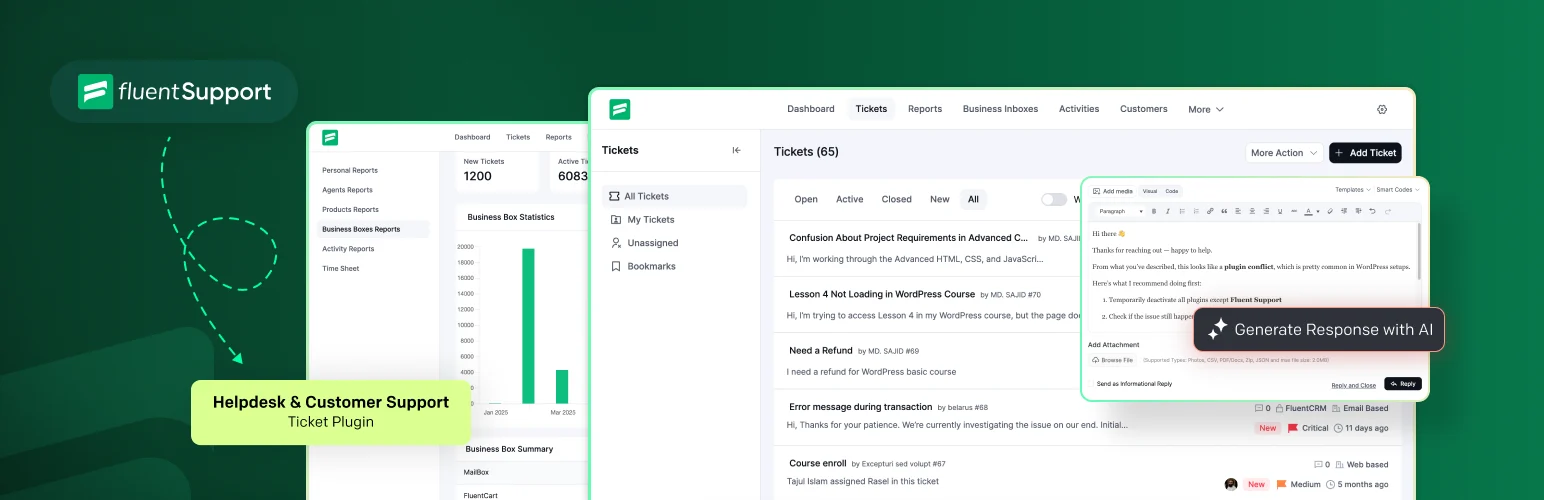
Fluent Support is a self-hosted help desk built for WordPress with ticket queues, agents, automation, customer portals, email piping, saved replies, and integrations across the Fluent ecosystem.
I would start here when the support team already works inside WordPress and wants a fast interface without paying per agent. Its integrations with WooCommerce, FluentCRM, and Fluent Forms are particularly useful when customer and form context matter during support.
Key features
- Ticket inbox and customer portal
- Multiple agents
- Automated workflows
- Email piping
- Saved replies and internal notes
- WooCommerce and Fluent ecosystem integrations
Pros: Fast interface, strong WordPress integration, and a self-hosted support model.
Cons: Advanced reporting and automation depend on the paid product, and email quality still depends on your mail setup.
Pricing: Commercial product with free/lite availability depending on the current offering.
2. SupportCandy – Best Flexible Free Core
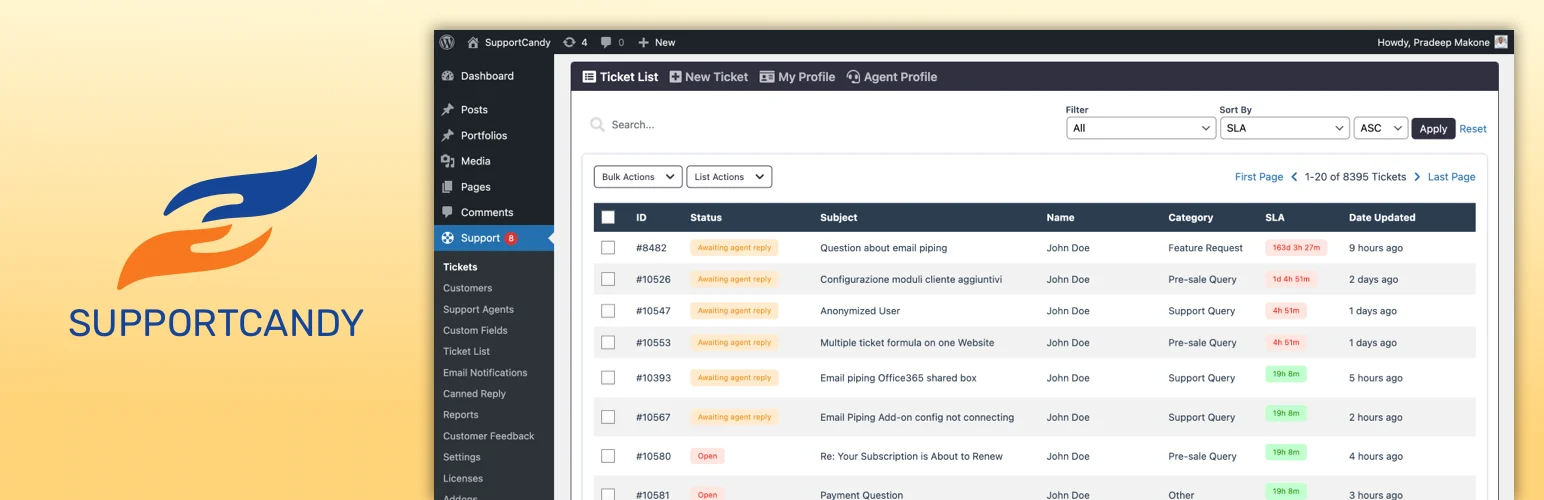
SupportCandy has a long history in WordPress and provides a flexible ticket system with custom statuses, fields, priorities, agents, notifications, and add-ons for more advanced service-desk workflows.
Key features
- Custom ticket fields
- Agent and customer roles
- Priorities and statuses
- Email notifications
- Customer ticket portal
- Premium add-ons for advanced workflows
Pros: Flexible free core and deep customization for different support processes.
Cons: The add-on model can become complex when you need many advanced features.
Pricing: Free core plugin with paid add-ons.
3. Awesome Support – Best Modular Help Desk
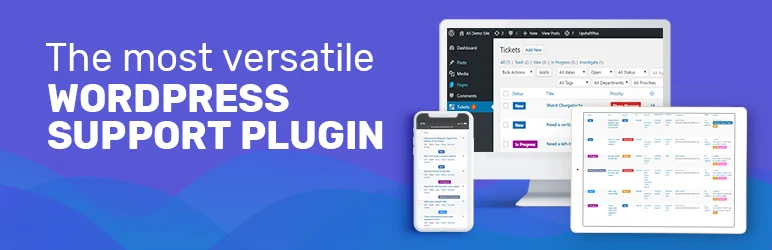
Awesome Support is a dedicated WordPress ticketing system with agents, departments, file uploads, private notes, priorities, and extensions. It suits teams that prefer to add features module by module.
Key features
- Ticket submission and portal
- Multiple agents
- File uploads
- Priorities and departments
- Private notes
- Paid extensions for automation and ecommerce
Pros: Mature ticketing model and a modular extension ecosystem.
Cons: The free interface feels more traditional, and feature expansion can require several add-ons.
Pricing: Free core plugin with premium extensions.
4. JS Help Desk – Best Traditional Ticket Workflow
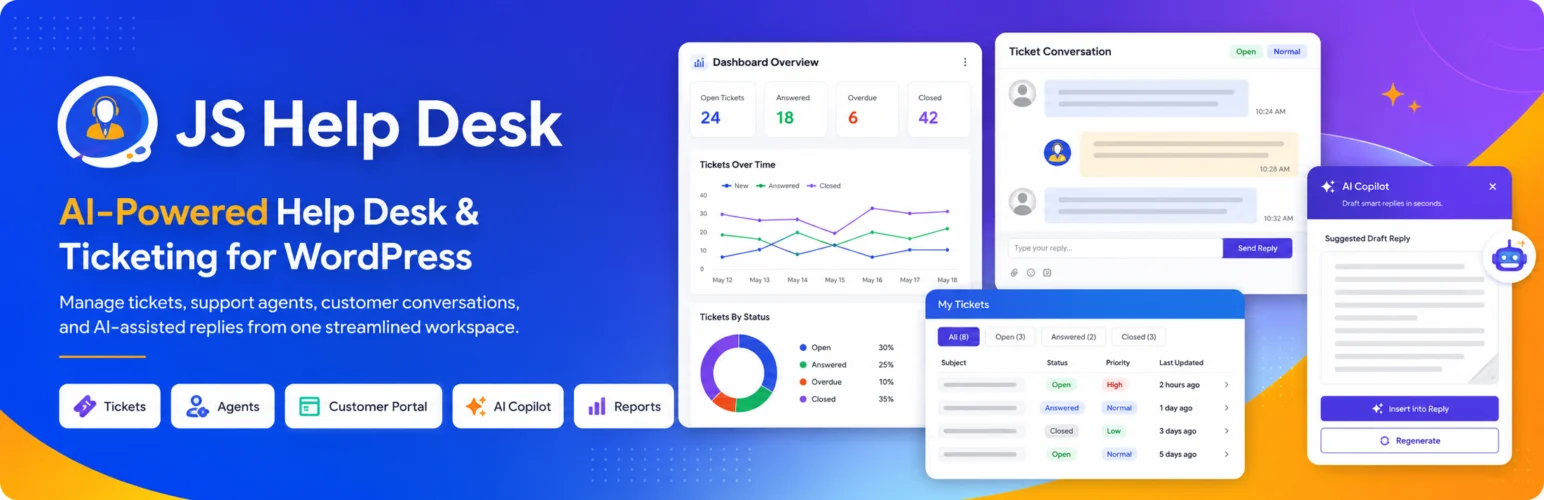
JS Help Desk includes tickets, departments, priorities, notifications, agent controls, and customer-facing support features. Paid editions add more automation, reports, and help-center tools.
Key features
- Ticket management
- Departments and priorities
- Email notifications
- Agent controls
- Knowledge base and FAQ options
- Reports and automation in paid plans
Pros: Broad support-desk feature set and an established WordPress presence.
Cons: The UI is less streamlined than newer competitors and many advanced features are premium.
Pricing: Free core plugin with paid editions.
5. WSDesk – Best for WooCommerce Support
WSDesk by ELEX is aimed at businesses that want a WordPress help desk with WooCommerce context, email piping, automation, agent management, and customer data close to the support conversation.
Key features
- Ticket management
- Email piping
- Agent assignments
- Automation rules
- WooCommerce customer context
- Reports and canned responses
Pros: Strong ecommerce fit and support workflows designed for WooCommerce stores.
Cons: Premium-first pricing makes it less attractive for a very small support desk.
Pricing: Premium plugin.
Which WordPress Help Desk Plugin Should You Choose?
Fluent Support is my first choice for a modern WordPress-native support desk. SupportCandy is a flexible free-core alternative, Awesome Support fits teams that like modular add-ons, JS Help Desk covers a broad traditional workflow, and WSDesk is a strong choice for WooCommerce-heavy support.
Conclusion
Move to a help desk when support ownership and history are becoming hard to manage in email. Start with a simple ticket workflow, then add automation only after you understand where the real support bottlenecks are.
Frequently Asked Questions
What is the best WordPress help desk plugin?
Fluent Support is my first choice for a modern WordPress-native workflow. SupportCandy is a strong alternative if you want a flexible free core.
Can customers reply to tickets by email?
Some help desk plugins support email piping or mailbox connections so customer replies can be added to the ticket automatically.
Do I need a help desk if I already have a contact form?
A contact form is enough for low support volume. A help desk becomes useful when several agents need ownership, status tracking, history, and reporting.
Which support ticket plugin is best for WooCommerce?
WSDesk and Fluent Support both make sense for WooCommerce stores because they can surface customer and order context.
Can WordPress handle a large support desk?
Yes, but ticket volume adds database writes, email jobs, and search load. Use reliable hosting and archive old support data when appropriate.

