



Testimonials are different from public review platforms. A testimonial is usually selected, approved, and presented by the business as social proof, while a review system often collects open customer ratings or imports feedback from Google, WooCommerce, or other platforms.
For testimonial plugins, I care about two sides of the workflow: collecting the story and displaying it well. A polished slider is not enough if staff have to copy testimonials manually forever, and a collection form is not useful if the output looks generic or is difficult to place across landing pages.
These five plugins cover submission forms, sliders, grids, Gutenberg blocks, shortcode placement, and lightweight presentation. For open review collection and external review sources, see our WordPress review plugins. For conversion-focused placement, compare our WordPress lead generation plugins.
TL;DR
- Strong Testimonials: best overall for collecting, managing, and displaying testimonials with a mature workflow and large install base.
- Real Testimonials: best for modern Gutenberg blocks, submission forms, sliders, grids, patterns, and visual presentation.
- Testimonial by RadiusTheme: best for responsive slider and grid showcases with straightforward design controls.
- WP Testimonials: best lightweight option for users who mainly want ready-made widget styles and simple testimonial display.
- Testimonial Slider: best for a basic custom-post-type testimonial workflow and responsive slider output.
Quick Comparison
| Plugin | Best for | Collection workflow | Pricing |
|---|---|---|---|
| Strong Testimonials | Complete testimonial management | Built-in collection forms | Free + paid |
| Real Testimonials | Modern blocks and visual layouts | Submission form block | Free + Pro |
| Testimonial by RadiusTheme | Slider and grid showcases | Manual/admin focused | Free + Pro |
| WP Testimonials | Quick widget-style display | Simple testimonial entries | Free |
| Testimonial Slider | Basic responsive slider | Custom post type | Free |
How I Chose These Plugins
I compared current maintenance, testimonial collection, moderation, slider and grid layouts, Gutenberg support, shortcode or widget placement, image and rating fields, responsiveness, and how easily non-technical editors can keep social proof updated over time.
1. Strong Testimonials – Best Overall Testimonial Plugin

Strong Testimonials remains the strongest all-round option because it handles both collection and presentation. You can manage testimonials inside WordPress, create submission forms, build views, and show feedback in lists, grids, or rotating layouts depending on the setup.
I would choose it when testimonials are an ongoing content type rather than a one-time design section. A service business that collects new customer stories every month benefits more from a repeatable form, approval, and publishing process than from a slider that someone has to rebuild manually.
Key features
- Testimonial collection forms
- Central testimonial management
- Multiple display views and layouts
- Images, names, company details, and custom fields
- Shortcode and view-based placement
- Video and advanced integrations in paid editions
Pros: Mature workflow, strong collection tools, large active install base, and suitable for long-term testimonial management.
Cons: The settings and view system can feel heavier than a simple block-only testimonial plugin.
Best for: Agencies, service businesses, consultants, SaaS sites, and teams that collect testimonials continuously.
Pricing: Free version available, with paid plans for video testimonials and additional advanced features.
2. Real Testimonials – Best for Modern Blocks and Visual Layouts

Real Testimonials received a major 2026 update with dedicated slider, carousel, grid, group, and submission-form blocks. It also added a large ready-pattern library and deeper integrations with popular page builders.
This is the plugin I would choose when editors work heavily in Gutenberg and want testimonials to feel like native design components. The submission form block also means collection and presentation can live in the same toolkit instead of using a separate form plugin.
Key features
- Testimonial slider, carousel, and grid blocks
- AJAX testimonial submission form
- Customer photo upload and moderation
- Large testimonial pattern library
- Gutenberg and major page-builder integrations
- Saved templates and advanced display options
Pros: Excellent modern editor experience, strong layout variety, and active WordPress 7.1 development.
Cons: The number of design options can be more than a basic brochure site needs.
Best for: Gutenberg-first sites, landing pages, agencies, and teams that want visually polished testimonial sections.
Pricing: Free version available, with a commercial Pro edition for additional layouts and advanced features.
3. Testimonial by RadiusTheme – Best for Slider and Grid Showcases
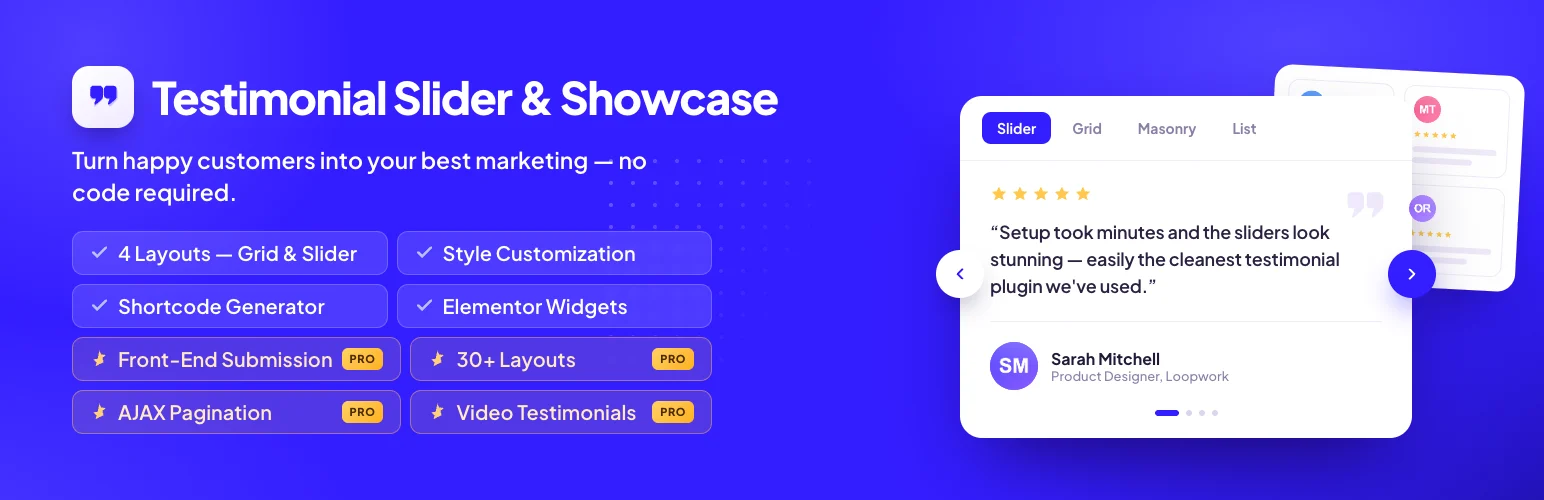
Testimonial by RadiusTheme focuses on presentation. It gives you responsive slider and grid layouts with styling controls designed to make customer quotes fit cleanly into business and marketing pages.
I would choose it when testimonials are already collected elsewhere and the main problem is displaying them consistently. It is a more focused showcase plugin than Strong Testimonials, which is better when the collection workflow itself matters.
Key features
- Responsive testimonial sliders
- Grid showcase layouts
- Customer image, name, company, and quote fields
- Color and layout customization
- Shortcode-based placement
- Commercial Pro layouts and controls
Pros: Clear presentation focus, useful free layouts, and easy to fit into normal marketing pages.
Cons: Less complete than Strong Testimonials or Real Testimonials for automated collection and moderation.
Best for: Small businesses and agencies that already have approved testimonials and mainly need polished display.
Pricing: Free version available, with a Pro edition for additional layouts and controls.
4. WP Testimonials – Best Lightweight Widget-Style Option

WP Testimonials by Trustindex is designed for quick testimonial presentation with a wide range of widget types and visual styles.
I would use it when the site owner wants to add testimonial sections quickly without building a larger collection system. It is especially useful for simple brochure sites where a few curated quotes need to appear in several places.
Key features
- Multiple testimonial widget types
- Ready-made visual styles
- Slider and display options
- Typography and spacing controls
- Simple testimonial entry workflow
- Free core plugin
Pros: Quick setup, several ready-made styles, and a lightweight display-first workflow.
Cons: Less sophisticated collection and moderation than the top two options.
Best for: Brochure sites and small businesses with a curated set of customer quotes.
Pricing: Free.
5. Testimonial Slider – Best Basic Slider Workflow
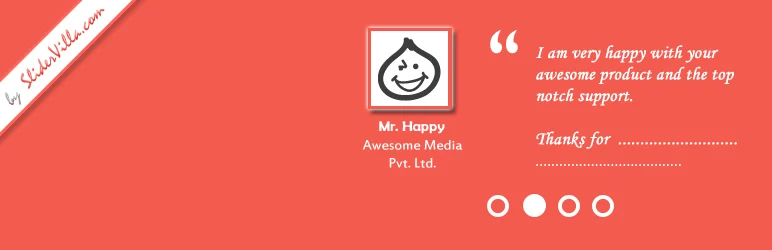
Testimonial Slider by Team Updraft uses a dedicated testimonial content type and outputs customer feedback in a responsive slider. It is simpler than the large testimonial suites and works well when that simplicity is exactly what you want.
I would consider it for an established site that already uses a traditional shortcode and custom-post-type workflow. For a brand-new Gutenberg-heavy site, Real Testimonials is the more modern direction.
Key features
- Dedicated testimonial custom post type
- Responsive slider output
- Customer image and identity fields
- Category-based organization
- Shortcode placement
- Free focused workflow
Pros: Focused, free, easy to understand, and maintained by an established WordPress team.
Cons: More traditional editing model and fewer modern block/pattern features than newer competitors.
Best for: Existing WordPress sites that want a straightforward testimonial slider without a larger suite.
Pricing: Free.
Which One Should You Choose?
Strong Testimonials is the safest all-round choice when collection and management matter. Real Testimonials is stronger for modern Gutenberg design and submission blocks. RadiusTheme’s plugin is a good display-first option, WP Testimonials is lightweight, and Testimonial Slider suits traditional shortcode-driven sites.
Whichever plugin you choose, keep testimonials specific. A quote like ‘Great service!’ adds very little trust. Strong testimonials explain the problem, what changed, and why the customer would recommend the business, ideally with a real name, role, company, or other verifiable context when the customer has approved it.
Conclusion
A testimonial plugin should make social proof easier to maintain, not just prettier. Strong Testimonials gives you the strongest complete workflow, Real Testimonials is the best modern block-first option, and the remaining three are useful when your needs are mainly presentation. Choose based on how often you collect new testimonials and who will maintain them after launch.
Frequently Asked Questions
What is the best WordPress testimonial plugin?
Strong Testimonials is the best general-purpose option because it supports both collection and display. Real Testimonials is better for modern Gutenberg blocks and visual layouts.
What is the difference between testimonials and reviews?
Testimonials are usually selected and presented by the business, often after customer permission. Reviews are typically open ratings or feedback collected through a review platform, ecommerce system, or public review source.
Can visitors submit testimonials from the frontend?
Yes. Strong Testimonials and Real Testimonials both support frontend collection workflows, with moderation before publication depending on your setup.
Should testimonials use a slider or grid?
Use a grid when several testimonials deserve to be visible at once. Use a slider when space is limited, but avoid hiding your strongest proof behind excessive autoplay or very slow rotation.
Do testimonials improve conversions?
Relevant, specific social proof can reduce uncertainty for buyers. The effect depends on placement, credibility, specificity, and how closely the testimonial matches the visitor’s problem or use case.

