
Editors ChoiceFreemium
Build multi-step WordPress automations with a visual workflow canvas, AI Agent, routers, APIs, webhooks, MCP, human approvals, logs, and hundreds…

FlowMattic has evolved from a WordPress automation plugin into a broader self-hosted automation and AI platform. Version 7 combines a visual workflow builder, 918+ integrations, AI agents, Jaadu AI-assisted building, MCP server and client capabilities, forms, PDF and image template builders, email templates, bookings, tables, custom apps, and AI assistants. The pricing model is unusually simple for automation software: current paid tiers include the full feature set and unlimited workflow/task executions, with price changing mainly by site allowance. That is attractive for high-volume WordPress automation where per-task SaaS fees would be expensive.
The core workflow engine supports triggers, actions, routers, conditions, loops, delays, retries, webhooks, schedules, and detailed run history. Around that engine sit AI agents with multiple model providers, an MCP layer for assistant-to-WordPress workflows, and a builder suite for forms, PDFs, images, email, bookings, and data storage. You can connect supported WordPress plugins and external services or build custom REST integrations. The platform is broad enough that architecture and ownership matter as much as the number of integrations.
You can automate lead routing, order operations, CRM updates, support notifications, scheduled reporting, document generation, membership workflows, content pipelines, AI-assisted enrichment, booking follow-ups, and cross-app data synchronization. The new builder suite also lets one workflow create a form response, generate a personalized PDF or image, send an email, and store structured data without installing a separate plugin for every step. Start with processes that already have a clear manual checklist; automation is much easier to validate when the expected outcome is known.
FlowMattic is effectively a paid product with a try-before-buy path. Every current annual tier includes unlimited workflows, unlimited task executions, premium integrations, the full feature set, priority email support, and one year of updates/support. The difference is site count. Pricing checked October 27, 2026 is $149/year for Personal (1 site), $249/year for Developer (5), $299/year for Plus (15), $399/year for Business (25), $449/year for Pro (50), and $549/year for Ultimate (100). Lifetime licenses are also available at higher one-time prices.
| Plan | Annual price | Sites | Workflows / executions | Feature set |
|---|---|---|---|---|
| Personal | $149/year | 1 site | Unlimited | Complete |
| Developer | $249/year | 5 sites | Unlimited | Complete |
| Plus | $299/year | 15 sites | Unlimited | Complete |
| Business | $399/year | 25 sites | Unlimited | Complete |
| Pro | $449/year | 50 sites | Unlimited | Complete |
| Ultimate | $549/year | 100 sites | Unlimited | Complete |
Personal is enough when one production site needs the complete FlowMattic feature set. There is no reason to buy a higher annual plan for a missing workflow module because the current tiers do not feature-gate the platform. A single business can therefore use AI agents, MCP, forms, builders, premium integrations, and unlimited executions on Personal. Upgrade only when additional licensed sites are genuinely needed, not because one workflow becomes more complex.
Developer covers up to 5 sites, Plus up to 15, Business up to 25, Pro up to 50, and Ultimate up to 100 sites. The operational question is whether those sites are maintained under one automation practice. An agency with many unrelated client configurations should still document credentials, workflow ownership, error handling, and offboarding per client even if one FlowMattic license covers the technical installations.
The visual builder is the operational center. Keep workflow names specific, label branches with business meaning, and avoid giant automations that mix unrelated responsibilities. A lead workflow might validate the payload, enrich it, route by score, notify sales, and log the result. Billing automation should be separate. Smaller workflows are easier to test, retry, and hand off. Use routers and conditions to make decision paths explicit instead of burying logic inside fragile text transformations.
n
Production automation needs more than a successful demo run. Test duplicate triggers, delayed callbacks, expired credentials, rate limits, empty fields, and provider outages. FlowMattic’s task history and newer run states help distinguish active, waiting, interrupted, and completed work. Define when a failed step can safely retry and when it must stop for human review. An automatic retry is helpful for a temporary API error but dangerous for a step that charges a card, sends a coupon, or creates a duplicate CRM record.
AI Agents can reason, call tools, and iterate through a task using supported AI providers. That can simplify workflows where a rigid set of conditions would be hard to maintain, such as classifying an inquiry and choosing a next action. Keep agent authority bounded. Give the agent the smallest tool set needed, set a clear system goal, and keep irreversible actions behind deterministic checks or approvals. Provider API usage is separate from the FlowMattic license, so model choice also affects operating cost.
n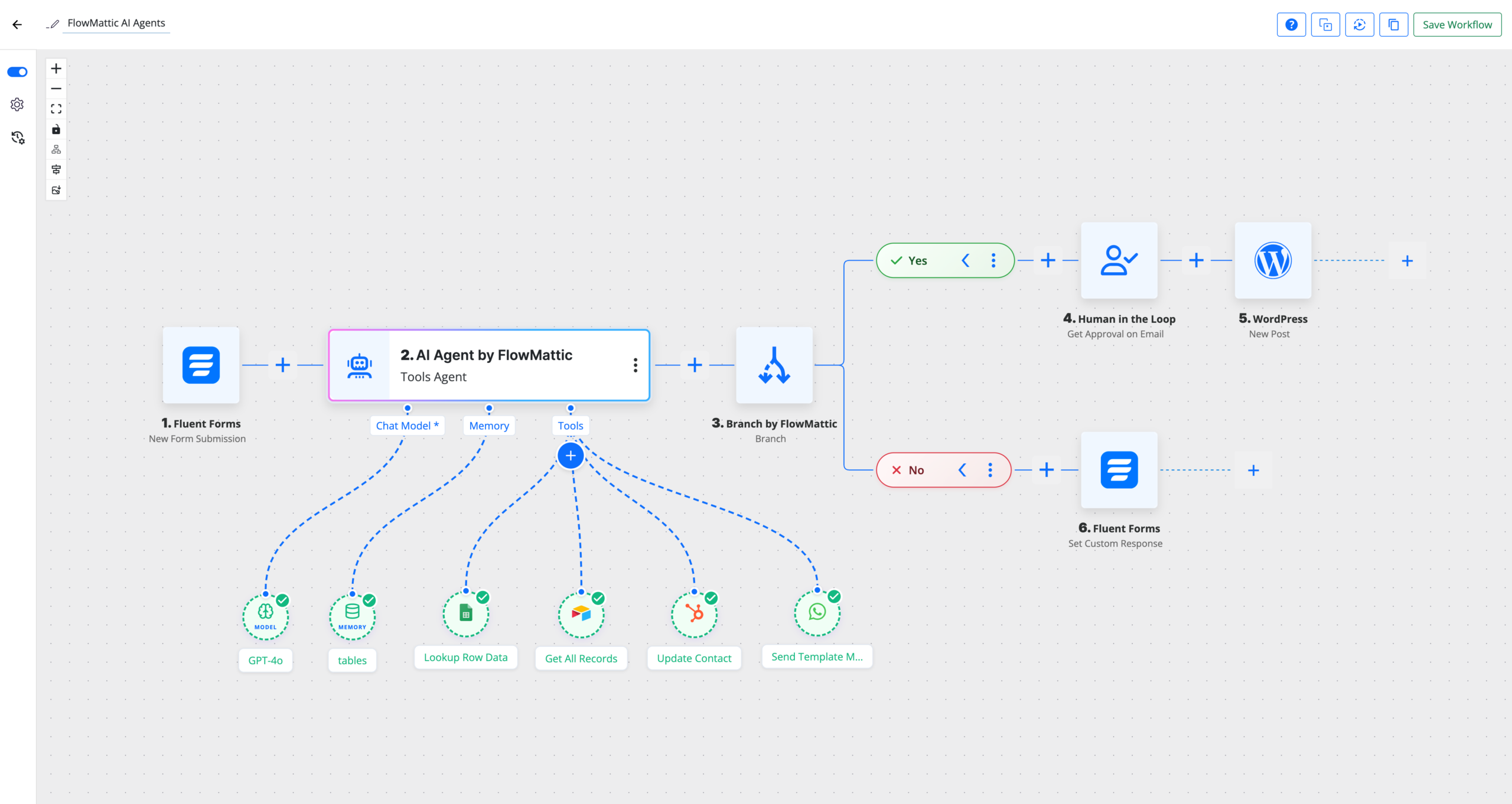
Jaadu is FlowMattic’s built-in AI builder for workflows and other builder surfaces. It can turn a plain-language description into triggers, steps, routes, and field mappings, then refine the result conversationally. Treat generated automation as a draft architecture. Review each connection, field mapping, condition, and credential scope before enabling the workflow. AI can reduce setup time, but it does not know whether a client’s CRM field, tax rule, or internal approval process carries a business constraint that was omitted from the prompt.
FlowMattic’s MCP server and client bridge WordPress automation with assistants such as ChatGPT, Claude, and coding tools. Connected assistants can expose or call supported workflow tools, while FlowMattic can also interact with external MCP capabilities. MCP expands the surface area of automation, so permission design matters. Separate read operations from writes, expose only required tools, keep authentication under organization ownership, and review activity logs. An assistant should not receive broad site-changing tools merely because the protocol makes them convenient.
n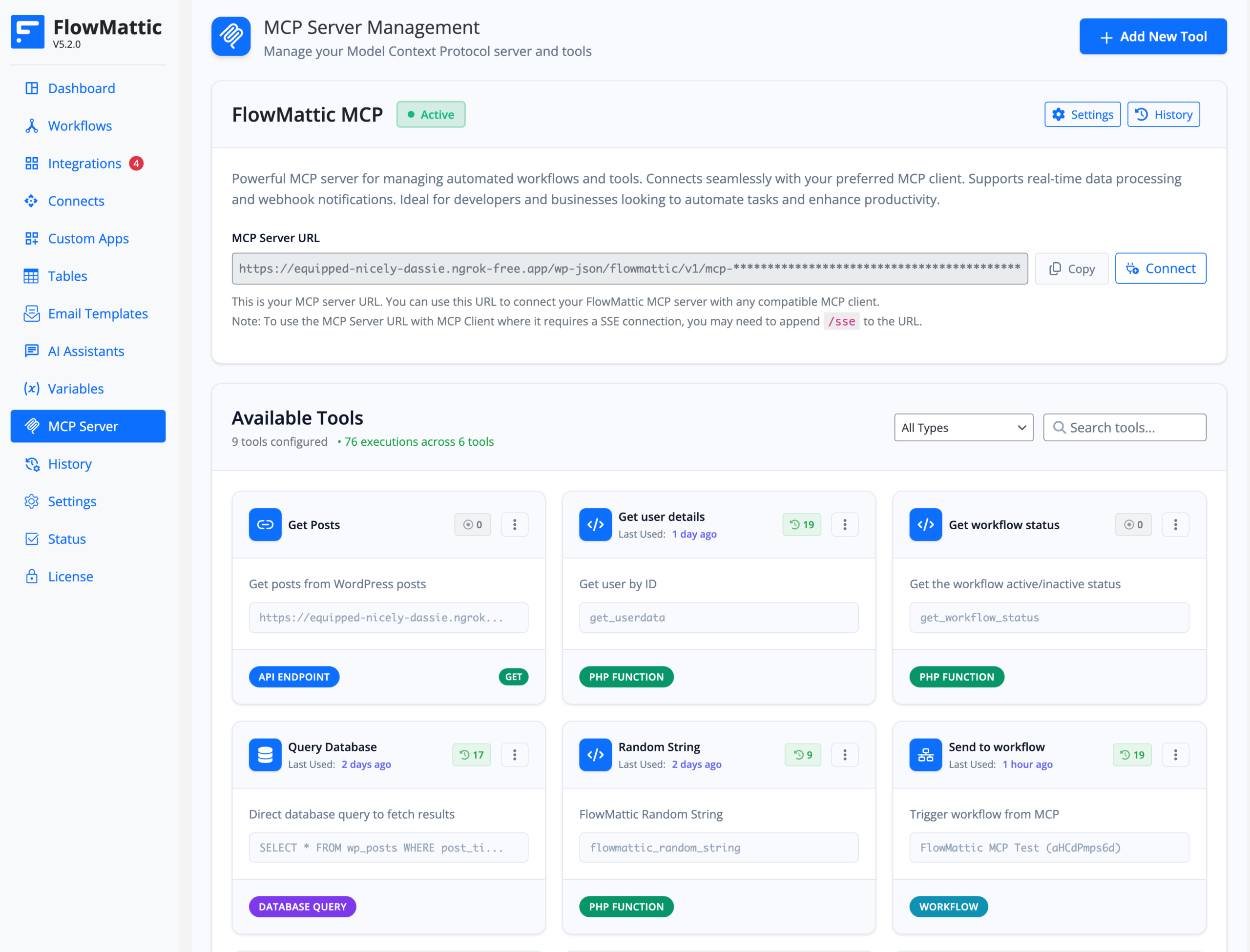
The integrated Form Builder can feed submissions directly into workflows, removing one plugin-to-plugin handoff. Design form fields around the downstream data model. If the CRM requires company size, country, consent status, and lead source, capture those values explicitly rather than parsing them later from a message. Validate file uploads and personally identifiable information before sending data to external AI or SaaS services. A form is part of the automation boundary, not just a visual front end.
n
The builder suite lets workflows create documents and communication assets from live data. PDF templates are useful for invoices, certificates, contracts, or summaries. Image templates can generate personalized graphics with tokens, and email templates keep transactional or operational messages consistent. Keep templates versioned when they affect legal or financial output. Dynamic data should have safe fallbacks so a missing customer name or order field does not produce a broken certificate, blank invoice label, or malformed email.
FlowMattic’s image template workflow can turn structured values into a rendered PNG, which is useful for certificates, social cards, badges, or personalized offers. The current image builder uses Cloudflare Browser Rendering, so that external account becomes part of the dependency chain. Test rate limits and failure handling before generating images in bulk. Store the final asset URL in a predictable field and decide whether failed rendering should retry, skip the record, or pause the workflow for review.
Bookings in the v7 platform can trigger the same automation engine as forms and app events. Use that to create confirmations, reminders, CRM updates, follow-up tasks, or post-meeting sequences. Scheduling logic should remain deterministic: availability, buffers, minimum notice, cancellation state, and time zone should not depend on an AI interpretation. Let AI enrich the workflow after the booking is valid, for example by summarizing intake details or preparing a follow-up draft.
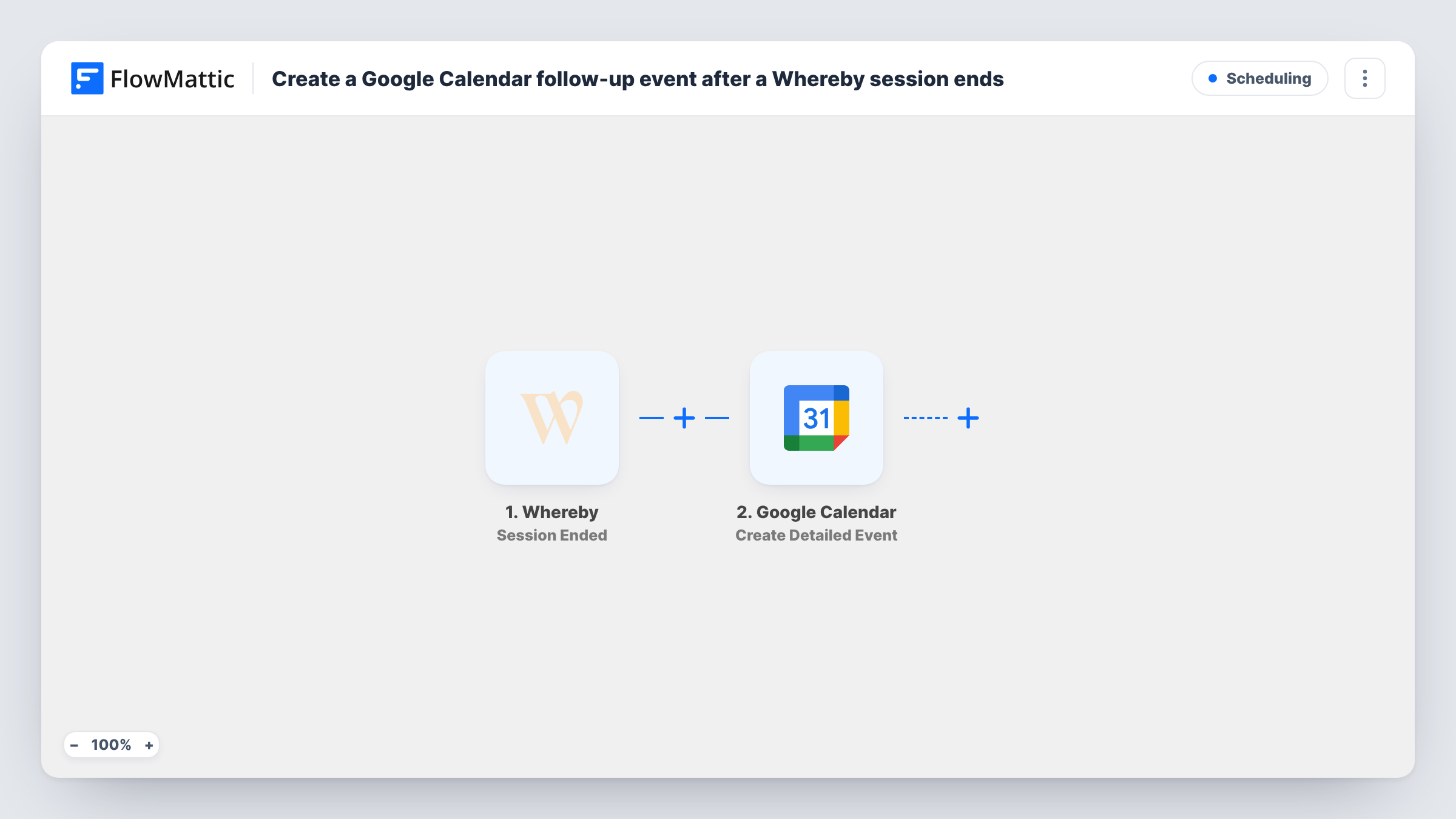
The catalog now spans hundreds of applications, but integration count should not drive architecture. Prefer native connections for the systems you actually use, then build a custom app against a documented REST API when necessary. Store credentials with the minimum scope supported by the service. For important workflows, document the endpoint, authentication owner, rate limit, and expected response fields. That reduces the risk of a future API change silently breaking a chain several steps later.
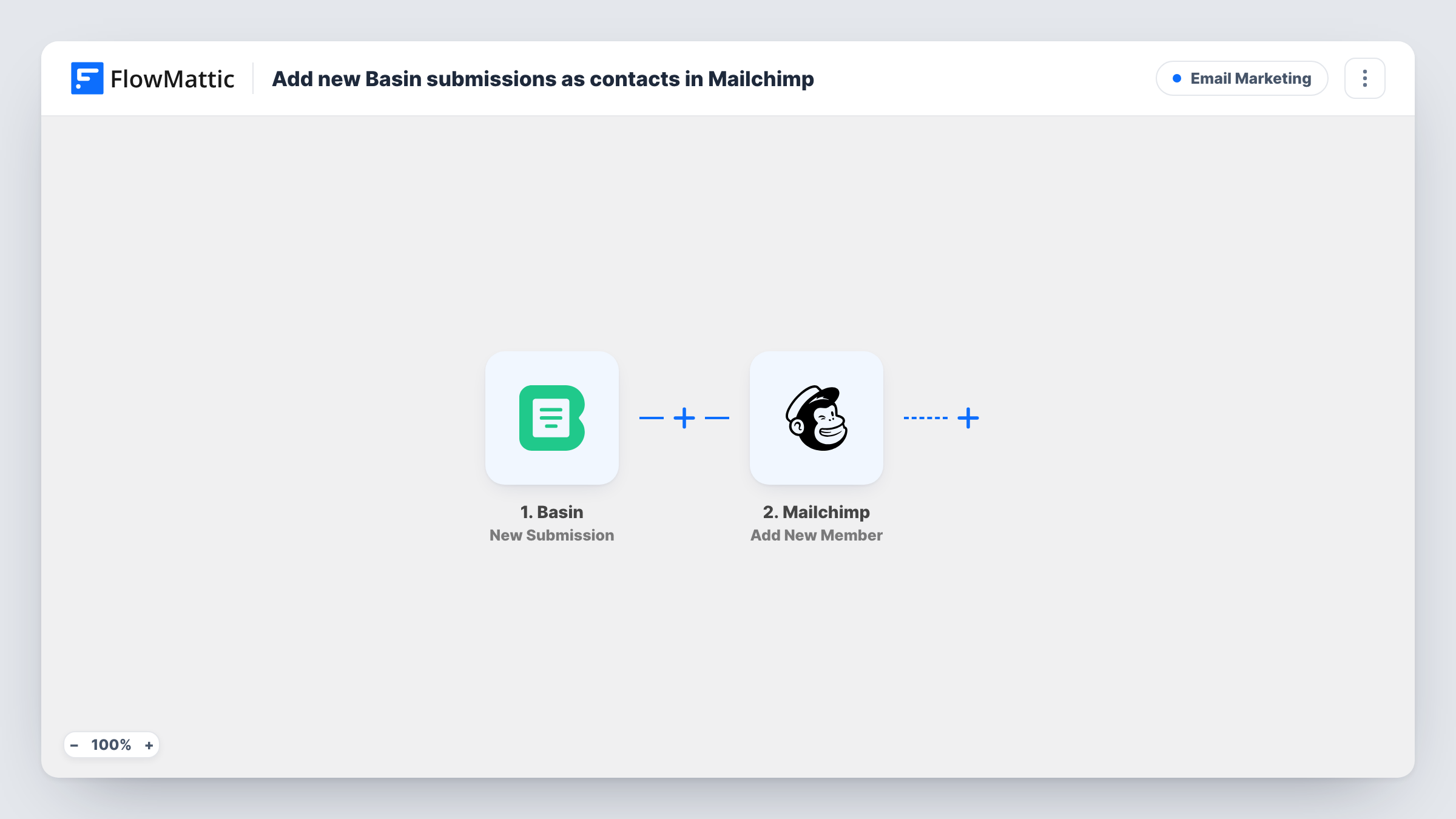
A typical lead workflow can accept a form, enrich the contact, write the record to a CRM or sheet, then notify the right channel. Another can add a submission to a mailing list only after consent has been recorded. These are simple flows, but they demonstrate why field mapping and idempotency matter. If the same webhook arrives twice, the workflow should avoid creating two contacts or sending two welcome messages. Test duplicate inputs intentionally before launch.
FlowMattic does not meter task executions on the current paid plans, which can be a major cost advantage over per-task automation SaaS. External services can still charge by request, token, email, SMS, storage, browser render, or API usage. Estimate those costs separately. An AI-agent loop that calls several tools or a workflow that renders thousands of PDFs may be unlimited from FlowMattic’s perspective while still creating meaningful provider charges.
Keep an export or written specification for business-critical workflows. When possible, test new branches on staging with sandbox credentials or sample records. Production secrets should belong to the organization, not an individual contractor. Before client handoff, document which integrations can create, delete, charge, email, or publish. A workflow is code in visual form; it deserves the same change-control mindset as a custom integration once revenue or customer data depends on it.
FlowMattic is compelling when WordPress is central to the business and automation volume is high enough that per-task pricing becomes painful. Its all-features pricing also avoids the common problem of upgrading just to unlock one connector. The trade-off is responsibility: self-hosted automation means your WordPress environment, cron/background processing, credentials, connected APIs, and workflow design all contribute to reliability. Teams wanting a fully managed cloud operations layer may prefer an external automation SaaS.
It fits agencies, WooCommerce and membership operators, advanced WordPress sites, and technical teams that want automation close to their site data. It is especially attractive for people already paying for several automation, form, document, and AI tools that can be consolidated. It is less suitable for a tiny site with one simple notification workflow or a team that does not have anyone responsible for monitoring failed tasks and maintaining API connections.
Pricing checked October 27, 2026. Annual pricing is Personal $149 for 1 site, Developer $249 for 5, Plus $299 for 15, Business $399 for 25, Pro $449 for 50, and Ultimate $549 for 100. All annual tiers currently include the complete feature set with unlimited workflows and task executions. Lifetime options start at $399 for 1 site and scale by site count. External AI, messaging, rendering, or SaaS usage charges remain separate.
The latest public changelog checked for this profile is FlowMattic 7.2.2, released September 18, 2026. The release adds richer task-history states, AI Assistant temperature controls, AI Chatbot filters, more MCP tooling, scheduled workflows over MCP, WP Tables tools, execution improvements, and fixes across webhooks, APIs, browser rendering, delays, and scheduling. Because FlowMattic connects many external systems, test critical integrations after major upgrades even when the core plugin update is routine.
FlowMattic is one of the strongest WordPress-native choices when automation is substantial enough to justify owning the runtime. The full-feature pricing makes Personal unusually capable for one serious site, while higher tiers are straightforward site-count upgrades. The v7 builder suite, AI agents, Jaadu, and MCP broaden the product beyond classic trigger-action automation. That breadth is valuable only with disciplined workflow ownership, credential management, and failure monitoring.
FlowMattic offers a try-before-buy experience, but the production licensing model is paid. Current paid tiers include the full feature set.
As checked October 27, 2026, annual prices are $149 Personal, $249 Developer, $299 Plus, $399 Business, $449 Pro, and $549 Ultimate.
No. Current paid plans include unlimited workflows and unlimited task executions. External services connected to workflows may still charge for their own usage.
The current annual plans share the complete feature set. The main difference is licensed site count: 1, 5, 15, 25, 50, or 100 sites.
Yes. FlowMattic includes autonomous AI-agent workflows with multiple supported model providers, and provider API usage is billed separately by the selected service.
Yes. Current versions include MCP server and client capabilities so supported assistants and external MCP tools can participate in WordPress automation workflows.
The latest public changelog checked for this review is version 7.2.2, released September 18, 2026.
Build multi-step WordPress automations with a visual workflow canvas, AI Agent, routers, APIs, webhooks, MCP, human approvals, logs, and hundreds…
Connect WordPress plugins and external apps with no-code recipes, AI-assisted site tasks, advanced workflow logic, and an AI-first page builder.
Build WordPress-native automations with triggers, actions, filters, dynamic tags, logs, AI-assisted workflow creation, and optional specialist add-ons.
Log in or create an account to continue.