



A WooCommerce point-of-sale plugin lets a physical shop use the same product catalog and order system as the online store. The real test is not whether the POS can create an order. It is whether inventory, customers, taxes, receipts, staff permissions, barcode scanning, and payment workflows stay reliable when the store is busy.
For this roundup, I compared register usability, product and inventory synchronization, barcode scanning, customer management, receipts, staff and outlet controls, payment workflows, offline capabilities, and ongoing WooCommerce compatibility. If stock synchronization is a major concern, see our WooCommerce stock management plugins. For card processing, see our payment gateway roundup.
TL;DR
- Vitepos: best overall WordPress-first POS for a modern browser-based register.
- FooSales: best for stores that want polished web and tablet POS apps.
- wePOS: best for smaller WooCommerce stores that want a simple register experience.
- OpenPOS: best for feature-heavy retail setups that need barcode, register, and offline-oriented workflows.
- YITH Point of Sale for WooCommerce: best for stores already using the YITH ecosystem.
Quick Comparison
| Plugin | Best for | Pricing |
|---|---|---|
| Vitepos | Modern WordPress-native POS | Free core + Pro |
| FooSales | Web and tablet POS | Commercial subscription |
| wePOS | Small store register | Free core + Pro |
| OpenPOS | Feature-heavy retail | Premium |
| YITH POS | YITH-based stores | Premium |
How I Chose These WooCommerce POS Plugins
I prioritized fast checkout and dependable data synchronization. A POS is used in front of real customers, so a beautiful dashboard matters less than finding products quickly, scanning barcodes, selecting customers, applying taxes or discounts correctly, printing or sending receipts, and keeping stock consistent between the physical and online store.
1. Vitepos – Best Overall
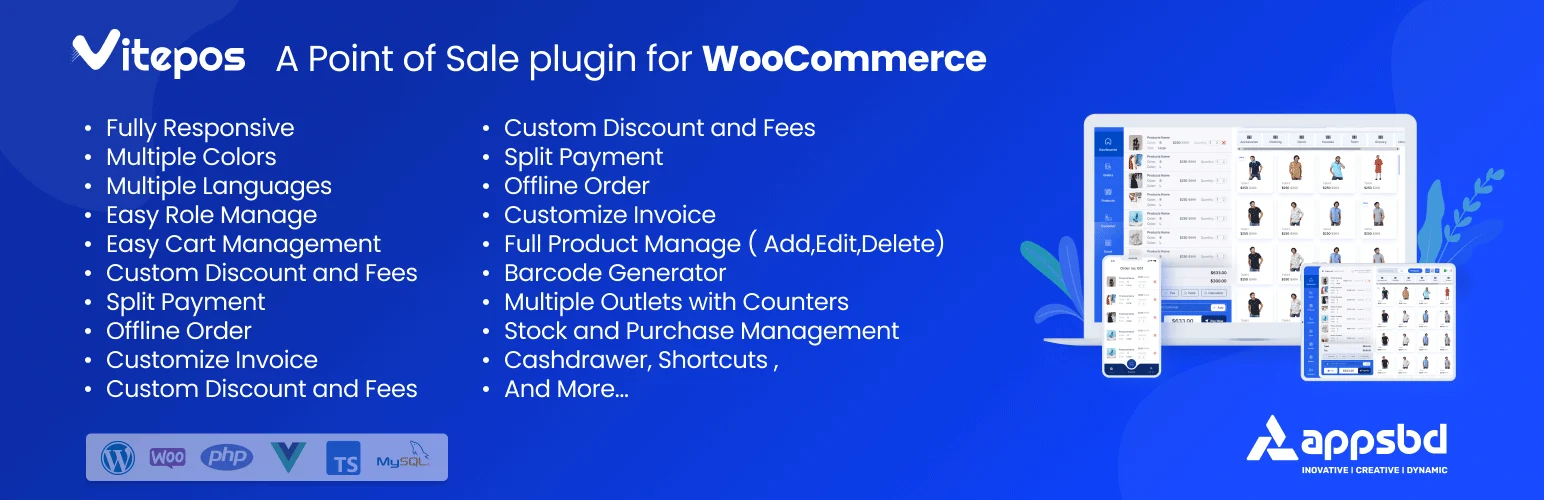
Vitepos is a modern WooCommerce POS that runs through a browser-based interface and focuses on fast product search, barcode workflows, customer selection, payments, orders, and inventory. Its paid features expand the system for multiple outlets, staff, and more complex retail operations.
I would start with Vitepos when you want the POS to stay close to WordPress and WooCommerce instead of moving the physical store into a separate retail platform. The free core also makes it easier to test the register with your real product catalog before committing.
Key features
- Browser-based POS register
- Product search and barcode support
- WooCommerce inventory and orders
- Customer management
- Cash and supported payment workflows
- Multi-outlet and staff features in Pro
Pros: Modern interface, WooCommerce-first architecture, and a practical free version for testing.
Cons: Larger retail operations will need Pro, and hardware integrations should be tested with your exact devices before rollout.
Pricing: Free core plugin with a Pro edition.
2. FooSales – Best for Web and Tablet POS

FooSales provides a WooCommerce POS experience through web and tablet interfaces. It connects orders, products, inventory, customers, receipts, and supported payment integrations while keeping WooCommerce as the ecommerce backend.
I would consider FooSales when staff need a polished app-style register on tablets or browsers and the business is comfortable with a commercial subscription. It is particularly relevant for stores, events, pop-ups, and other situations where staff move around with the register.
Key features
- Web and tablet POS apps
- WooCommerce product and inventory sync
- Barcode scanning
- Customer management
- Receipts
- Supported Stripe and Square payment workflows
Pros: Polished device-friendly experience and a strong fit for mobile retail staff.
Cons: Ongoing subscription cost and payment-hardware compatibility depend on your region and setup.
Pricing: Commercial subscription service.
3. wePOS – Best for Smaller Stores
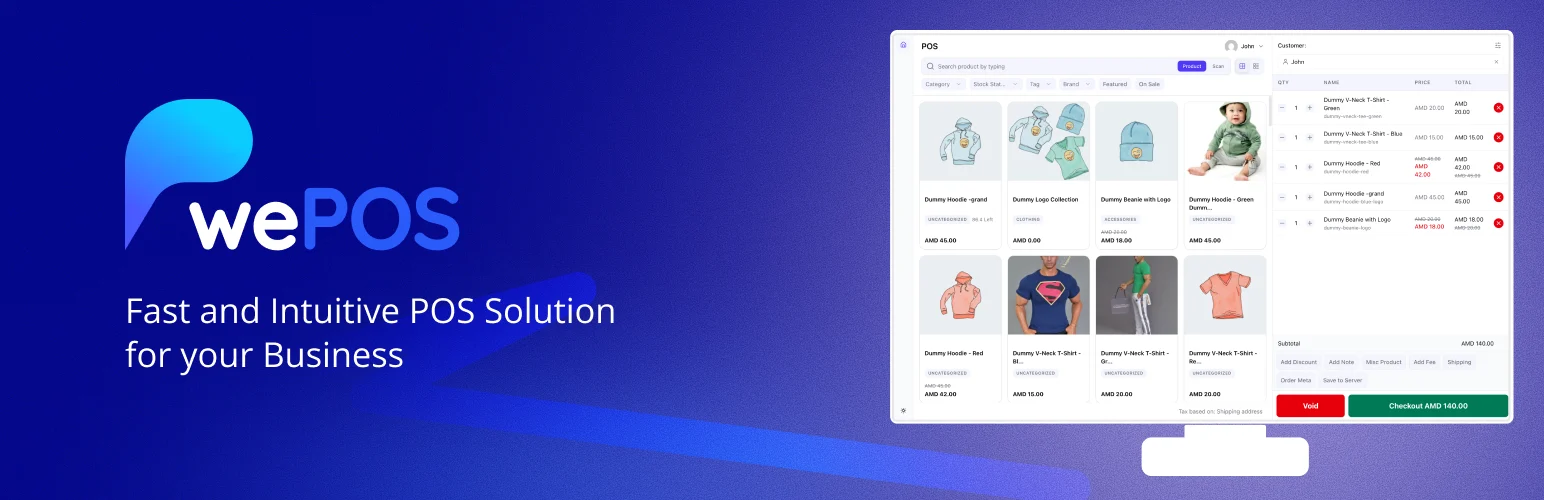
wePOS provides a single-page WooCommerce POS interface with product search, customer selection, cash management, receipts, and order synchronization. The free version covers a straightforward register, while Pro expands the retail controls.
I would test wePOS for a small shop that needs a clean checkout screen more than a full multi-location retail platform. Its simpler workflow can be easier for staff to learn than a POS loaded with enterprise features.
Key features
- Single-page POS interface
- Product search
- Customer selection
- Cash payment workflow
- Receipts
- WooCommerce order and inventory sync
Pros: Easy starting point for small WooCommerce retail operations.
Cons: Advanced outlet, staff, and retail-management needs push you toward Pro or a more specialized platform.
Pricing: Free core plugin with a Pro edition.
4. OpenPOS – Best for Feature-Heavy Retail Setups
OpenPOS is a premium WooCommerce POS with barcode scanning, receipts, register controls, customer and order management, stock workflows, and offline-oriented capabilities depending on configuration.
I would look at OpenPOS when the store needs a broader retail feature set and you are comfortable buying a commercial plugin rather than relying on a free-core model. The feature density is useful for more demanding setups, but it also means more configuration and testing.
Key features
- Barcode scanning
- Receipt printing
- Multiple register workflows
- Customer and order management
- Stock synchronization
- Offline-oriented POS functions
Pros: Broad retail feature set and useful register controls.
Cons: More settings and compatibility points to test, especially around hardware, caching, and offline behavior.
Pricing: Premium plugin sold through CodeCanyon.
5. YITH Point of Sale for WooCommerce – Best for YITH Stores
YITH Point of Sale for WooCommerce is a premium POS designed around registers, cashiers, product and stock synchronization, barcode workflows, customer management, receipts, and multi-store retail setups.
It is especially worth considering if the store already depends on YITH plugins and support. Keeping POS, gift cards, loyalty, wishlist, or other retail features inside one vendor ecosystem can reduce cross-plugin troubleshooting.
Key features
- Registers and cashiers
- WooCommerce products and stock
- Barcode workflows
- Customer management
- Receipts
- Multiple stores and registers
Pros: Polished commercial workflow and good fit for stores already using YITH extensions.
Cons: Premium only and more costly than a simple free POS for a single small register.
Pricing: Premium plugin.
Which WooCommerce POS Plugin Should You Choose?
Vitepos is my first choice for a modern WordPress-first POS. FooSales is attractive for tablet and mobile staff, wePOS works for simpler stores, OpenPOS fits feature-heavy retail, and YITH POS is a sensible premium choice for stores already invested in YITH.
Conclusion
Test a POS with real products, taxes, variations, coupons, returns, barcodes, receipt printers, and internet interruptions before using it at the counter. The most important feature is a reliable checkout when a customer is standing in front of you.
Frequently Asked Questions
What is the best WooCommerce POS plugin?
Vitepos is my strongest WordPress-first choice. FooSales is a good alternative if you prefer a polished tablet and web POS service.
Does a WooCommerce POS sync online and store inventory?
That is one of the main benefits. The exact sync behavior varies, so test stock changes from both online and in-person orders before launch.
Can WooCommerce POS plugins scan barcodes?
Many can. Check whether the plugin supports your scanner type and whether barcodes map to SKU, product ID, or another product field.
Can a WooCommerce POS work offline?
Some systems offer offline-oriented workflows, but capabilities vary. Test exactly what can be sold, synced, and paid for when the internet connection is unavailable.
Will my card terminal work with a WooCommerce POS?
Only if the POS and payment provider support that terminal and region. Never assume generic card hardware will integrate automatically.

