



A side cart keeps shoppers in the buying flow after they add a product. Instead of forcing a trip to the cart page, a good cart drawer lets customers change quantities, apply coupons, see free-shipping progress and move toward checkout without losing context.
TL;DR
Caddy is my favorite modern free-first side cart. Xootix Side Cart is the best low-cost mature option. FunnelKit Cart fits stores already using FunnelKit, Barn2 Fast Cart is strong when you want popup cart plus checkout, and CartPops is useful for developers who want extensibility.
Quick comparison
| Plugin | Best for | Pricing model |
|---|---|---|
| Caddy | Best modern free-first side cart | Free + Pro plans |
| Side Cart WooCommerce by Xootix | Best value mature cart drawer | Free + Pro from $29 |
| FunnelKit Cart | Best for FunnelKit funnel users | Included in paid FunnelKit tiers |
| WooCommerce Fast Cart by Barn2 | Best popup cart plus checkout | From $79/year |
| CartPops | Best developer-friendly cart drawer | Free + Pro |
How I chose these plugins
I compared cart update behavior, mobile usability, coupon support, upsells, free-shipping incentives, checkout flow, compatibility with modern WooCommerce stores, pricing and how much useful functionality is available before upgrading.
1. Caddy — Best modern free-first side cart
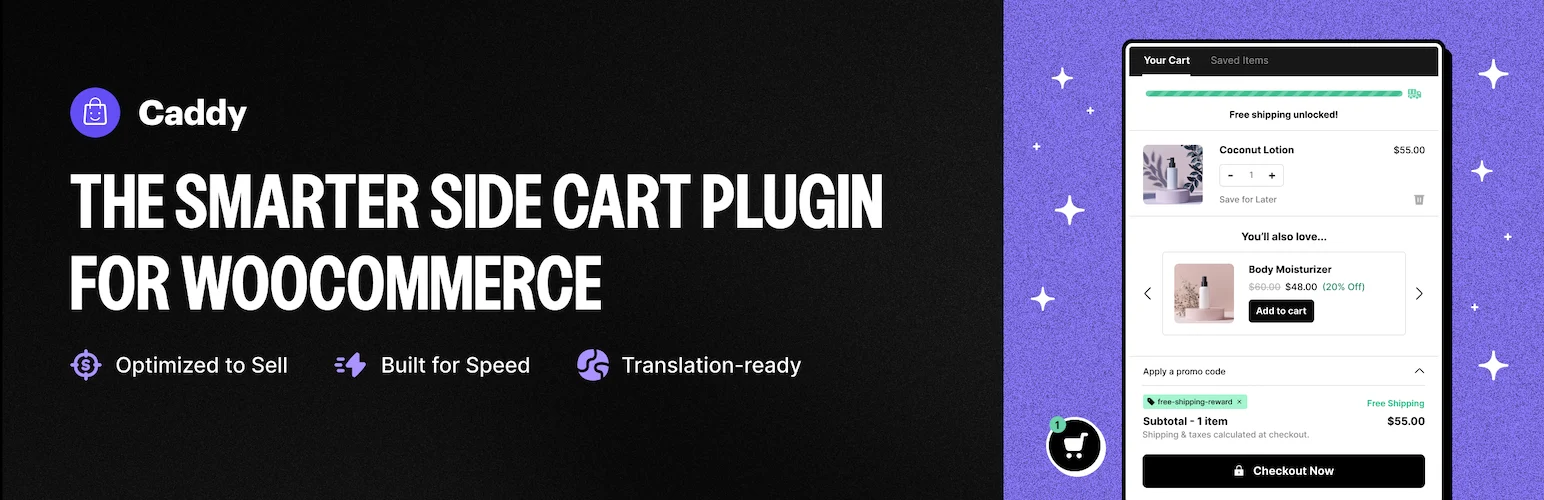
Caddy replaces the default cart-page interruption with a sticky cart drawer built on the WordPress Interactivity API and WooCommerce Store API. Its free version includes a shipping progress meter, product recommendations, save-for-later and coupon tools.
Key features
- Sliding AJAX cart drawer
- Free-shipping progress meter
- In-cart recommendations
- Save for Later
- Coupon field
- WooCommerce Store API architecture
Pros
- Generous free feature set
- Modern WordPress architecture
- Good fit for block-based WooCommerce sites
Cons
- Advanced rewards and analytics require Pro
- Smaller install base than older competitors
Pricing
Caddy has a free WordPress.org version. Current Pro pricing starts at $99/year for one site, with higher multi-site tiers.
2. Side Cart WooCommerce by Xootix — Best value mature cart drawer
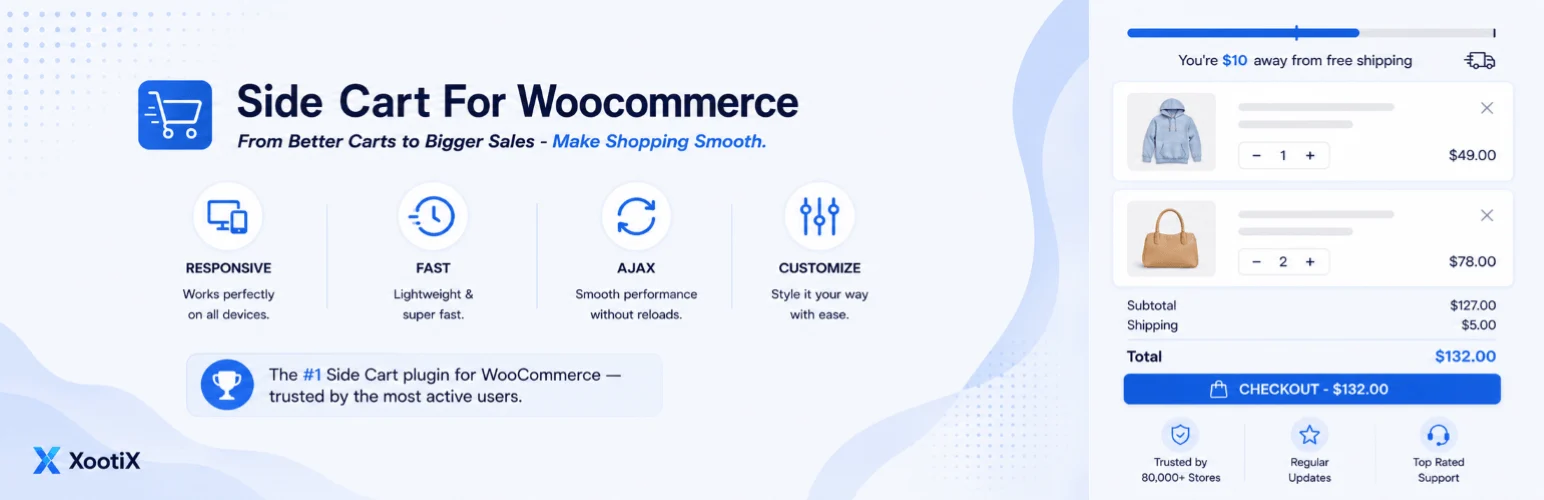
Xootix Side Cart is a mature sliding cart with quantity controls, coupons, save-for-later, recommendations and extensive styling. It is a practical choice when you want a proven side cart without paying for a larger funnel suite.
Key features
- Slide-in cart drawer
- Quantity and remove controls
- Coupon support
- Save for later
- Upsells and related products
- Flexible visual customization
Pros
- Large install/download history
- Low-cost Pro license
- Strong customization controls
Cons
- Traditional architecture compared with newer Interactivity API carts
- Some merchandising features require Pro
Pricing
A free version is available. Xootix currently lists the single-site Pro license at $29, with multi-site and unlimited-site options.
3. FunnelKit Cart — Best for FunnelKit funnel users
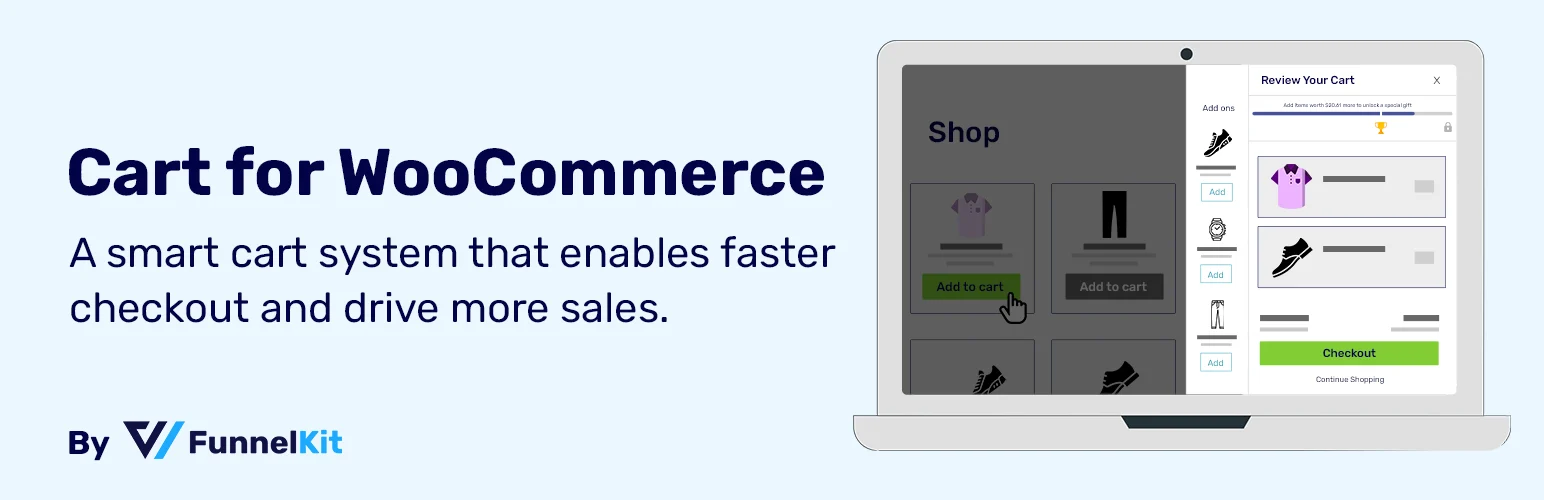
FunnelKit Cart is a sliding cart designed to work with FunnelKit’s checkout and funnel ecosystem. It supports cart-based offers, free-shipping incentives and conversion-focused cart experiences that connect naturally to FunnelKit funnels.
Key features
- Sliding cart
- Cart upsells and offers
- Free-shipping messaging
- Coupon controls
- Checkout integration
- FunnelKit ecosystem integration
Pros
- Strong fit with FunnelKit checkout funnels
- Good merchandising possibilities
- Useful for stores building post-click funnels
Cons
- Most attractive features sit inside paid FunnelKit plans
- Overkill if you only need a basic drawer
Pricing
FunnelKit offers a free version of its builder, but Sliding Cart Pro is part of paid plans. As of May 2026, plans with advanced funnel/cart features start above the Basic tier; verify the current pricing page before purchase.
4. WooCommerce Fast Cart by Barn2 — Best popup cart plus checkout
Barn2 Fast Cart can show the cart and checkout in a popup, reducing the number of pages customers need to visit. It is especially useful for stores that want to shorten checkout rather than only add a mini-cart drawer.
Key features
- Popup cart
- Popup checkout workflow
- Fast quantity changes
- Coupon support
- Works with standard WooCommerce products
- Optional bundle with Quick View
Pros
- Shortens the cart-to-checkout journey
- Professional WooCommerce-focused support
- Lifetime license option available
Cons
- Premium-only
- More expensive than simple side-cart plugins
Pricing
Barn2 currently lists Fast Cart at $79/year for one site. A Quick View + Fast Cart bundle and lifetime licenses are also available.
5. CartPops — Best developer-friendly cart drawer
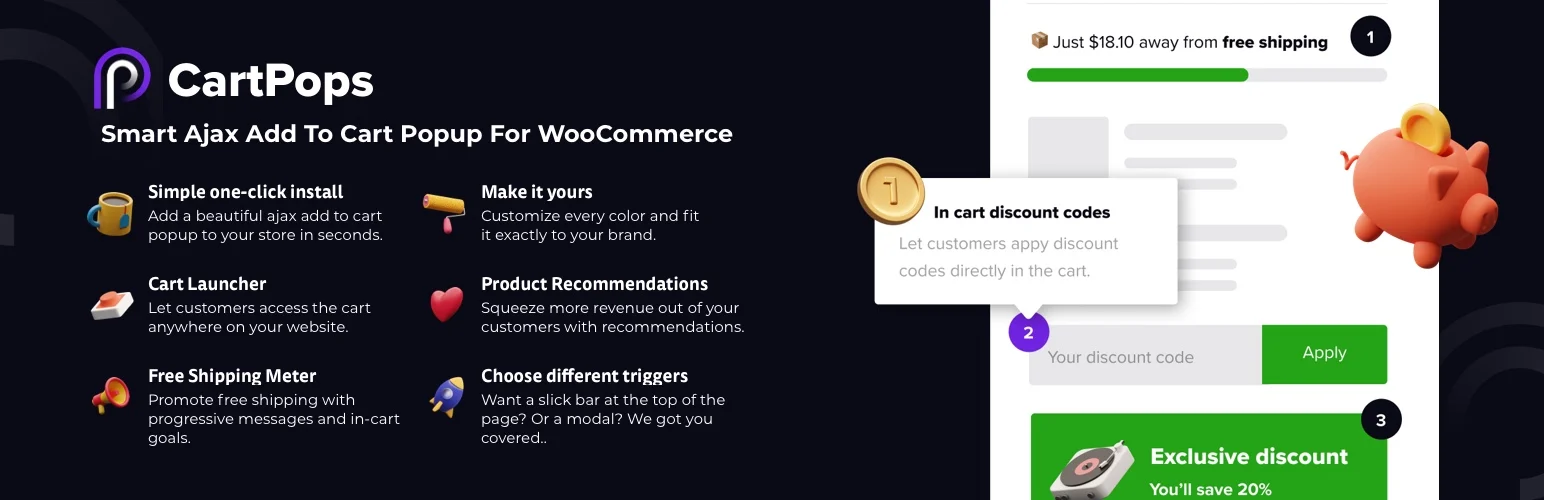
CartPops adds a modern side cart with product recommendations, shipping progress and extensibility through hooks and events. It is a reasonable choice for agencies that expect to customize the cart experience beyond settings screens.
Key features
- Side cart drawer
- Free-shipping meter
- Product recommendations
- Express-checkout integrations
- Developer hooks and events
- Customizable cart interface
Pros
- Good extension points for developers
- Free version available
- Useful conversion features
Cons
- Smaller ecosystem than large funnel suites
- Advanced functionality is premium
Pricing
CartPops has a free version and a paid Pro tier. Pricing can change, so check the current CartPops plan before buying.
Related reading: WooCommerce checkout plugins and WooCommerce upsell and cross-sell plugins.
Which one should you choose?
Pick Caddy for a strong free modern foundation, Xootix for low-cost maturity, FunnelKit Cart when you already use FunnelKit, Barn2 Fast Cart when popup checkout matters, and CartPops when custom development hooks are a priority.
Conclusion
A cart drawer should reduce friction, not add visual noise. I would prioritize fast updates, clear totals, mobile usability and a direct path to checkout before adding rewards bars or aggressive upsells.
Frequently Asked Questions
Does a side cart replace the WooCommerce cart page?
It can reduce how often shoppers need the cart page, but many stores keep the normal cart URL as a fallback and for compatibility.
Can a cart drawer improve conversions?
It can reduce navigation friction, but results depend on the store. Test checkout completion and average order value rather than assuming a drawer automatically improves sales.
Do side cart plugins work with WooCommerce Blocks?
Compatibility varies. Check the plugin’s current documentation, especially if your store uses Cart and Checkout blocks or a block theme.
Should I add upsells inside the cart drawer?
Only when the recommendations are relevant and do not distract from checkout. One or two useful suggestions usually work better than a crowded drawer.

