



Quick view is useful when shoppers need to inspect several products without repeatedly opening and leaving product pages. The best implementations show enough information to make a decision while keeping variation selection and add-to-cart simple.
TL;DR
YITH WooCommerce Quick View is the best all-round option, Barn2 Quick View Pro is strongest for premium flexibility, WPC Smart Quick View offers excellent value, and the free YITH version remains enough for basic modal previews.
Quick comparison
| Plugin | Best for | Pricing model |
|---|---|---|
| YITH WooCommerce Quick View | Best overall | Free + Premium |
| WooCommerce Quick View Pro by Barn2 | Best premium flexible quick view | From $59/year |
| WPC Smart Quick View | Best value premium upgrade | Free + Pro from $29 |
| Quick View For WooCommerce by Arshid | Best lightweight free option | Free |
How I chose these plugins
I compared modal/sidebar behavior, mobile layout, product variations, image galleries, add-to-cart support, customization, compatibility and whether the plugin makes browsing faster instead of creating another layer of clicks.
1. YITH WooCommerce Quick View — Best overall
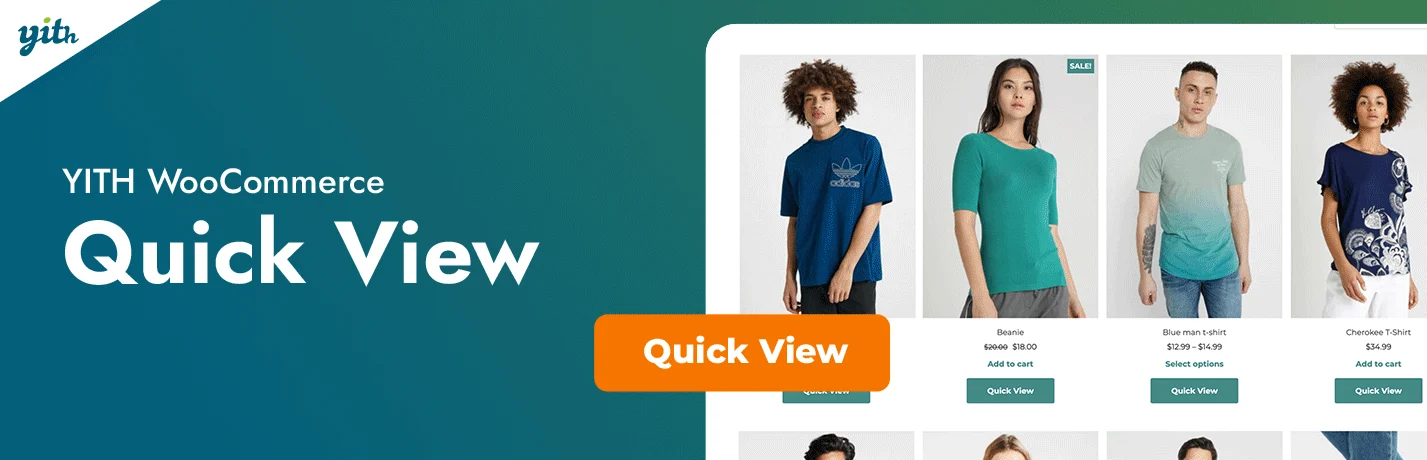
YITH Quick View can show product information in a modal window or sliding panel so customers can inspect price, sizes, variations and add-to-cart options without leaving the catalog.
Key features
- Modal or sliding-panel preview
- Product image and details
- Variation selection
- Add-to-cart from quick view
- Mobile-friendly layout
- Integrations with other YITH plugins
Pros
- Established WooCommerce product
- Free version available
- Good mobile-focused premium redesign
Cons
- Many customization options require Premium
- Can overlap with theme-built quick view features
Pricing
YITH provides a free WordPress.org version and a Premium license with one year of updates and support. Check the current YITH price because sale pricing changes.
2. WooCommerce Quick View Pro by Barn2 — Best premium flexible quick view
Barn2 Quick View Pro displays product images, details, variations and add-to-cart controls in a lightbox. It also supports products with galleries, video, audio and integrations with other Barn2 ecommerce plugins.
Key features
- Quick-view lightbox
- Variation selection
- Image gallery support
- Add to cart inside lightbox
- Works with complex product types
- Optional Fast Cart bundle
Pros
- Strong premium workflow
- Clear compatibility requirements
- Lifetime license option
Cons
- No free version
- Costs more than basic quick-view plugins
Pricing
Barn2 currently lists WooCommerce Quick View Pro at $59/year for one site, with multi-site, lifetime and Fast Cart bundle options.
3. WPC Smart Quick View — Best value premium upgrade

WPC Smart Quick View supports popup or sidebar product previews, navigation between products and category/page targeting. Premium adds content controls, lightbox/zoom and suggested-product options.
Key features
- Popup and sidebar quick view
- Next/previous product navigation
- Category visibility controls
- Responsive layout
- Premium custom summary fields
- Suggested-product support
Pros
- Affordable premium price
- Useful free version
- Fits the wider WPClever ecosystem
Cons
- Some advanced product-detail controls are Pro-only
- Large WPC ecosystem can encourage multiple add-ons
Pricing
The free version is available from WordPress.org. WPClever currently lists Premium at $29 for one site, $59 for five sites and $99 for unlimited sites.
4. Quick View For WooCommerce by Arshid — Best lightweight free option

Quick View For WooCommerce by Arshid is a lightweight free plugin that opens an AJAX product-summary modal with product image, title, price, quantity and add-to-cart controls. It also includes next/previous product navigation and a setting to disable quick view on mobile.
Key features
- AJAX quick-view modal
- Product image, title and price
- Quantity and add-to-cart controls
- Next/previous product navigation
- Custom quick-view button label
- Option to disable on mobile
Pros
- Free and focused
- 1,000+ active installations
- Simple setup for basic catalogs
Cons
- Less design depth than premium competitors
- Not intended for advanced product-builder workflows
Related reading: WooCommerce product comparison plugins and WooCommerce product add-on plugins.
Pricing
Quick View For WooCommerce is free on WordPress.org.
Which one should you choose?
Use YITH when you want an established free-to-premium path, Barn2 when you want a polished premium implementation, and WPC Smart Quick View when value matters. Before installing any of them, check whether your theme already includes quick view to avoid duplicated scripts and buttons.
Conclusion
Quick view should be treated as a browsing aid, not a replacement for a well-built product page. It works best when shoppers can see price, essential options and the add-to-cart button immediately.
Frequently Asked Questions
Does WooCommerce include quick view by default?
Core WooCommerce does not provide a universal quick-view modal for standard shop grids, although some themes add their own implementation.
Can customers select variations in quick view?
Premium quick-view plugins commonly support variations, but test complex swatches and add-ons because compatibility differs.
Is quick view good for mobile shoppers?
It can be, if the modal is responsive and easy to close. Poorly sized popups can make mobile shopping worse.
Should I use quick view and a side cart together?
Yes, they can complement each other: quick view helps product discovery while a side cart reduces friction after adding an item.

