



Standard WooCommerce variations are good at selling a shirt in three sizes or a chair in four colors. They become awkward when customers need engraving text, a file upload, gift wrapping, custom dimensions, add-on services, extra toppings, or several optional choices that affect the price.
That is where product add-on plugins become useful. I look for tools that keep complicated options understandable for the shopper and manageable for the store owner. A plugin can support 20 field types and still be a poor choice if the product page becomes confusing.
These six plugins cover official WooCommerce extensions, advanced conditional logic, visual builders, and free-first options. For simple color and image choices based on normal variations, see our variation swatches comparison instead.
TL;DR: Best WooCommerce Product Add-On Plugins
- WooCommerce Product Add-Ons: best official extension for standard custom product fields.
- WooCommerce Product Options by Barn2: best overall for conditional logic and complex configuration.
- YITH Product Add-ons & Extra Options: best for visual option blocks and YITH-based stores.
- Advanced Product Fields for WooCommerce: best free-first option with flexible pricing formulas.
- Extra Product Options by ThemeComplete: best for very large field and layout requirements.
- WooCommerce Product Addons by Acowebs: best value option for many field types and conditional rules.
1. WooCommerce Product Add-Ons – Best Official Extension
WooCommerce Product Add-Ons is the official marketplace extension for adding customer-selectable options such as text, checkboxes, dropdowns, custom prices, and other product-level inputs.
I consider the official extension when compatibility and a familiar WooCommerce support path matter more than getting the longest feature list. It covers many normal customization jobs without creating a separate product configuration system.
Key features
- Text and text-area fields
- Checkbox, radio, and dropdown choices
- Flat-fee and quantity-based add-on pricing
- Customer input attached to order items
- Product-level option groups
- Official WooCommerce ecosystem support
Pros: Official integration, predictable WooCommerce workflow, good support path, and enough features for common add-ons.
Cons: Less advanced conditional logic and layout control than specialist product-options plugins.
Best for: Merchants who want common custom fields with an official WooCommerce extension.
Pricing: Paid annual license through WooCommerce.com.
2. WooCommerce Product Options by Barn2 – Best Overall for Complex Products
WooCommerce Product Options adds a wide range of field types, visual swatches, file uploads, conditional logic, advanced pricing, and reusable option groups. It is designed for products that go beyond normal WooCommerce variations.
What I like most is the logic depth. If one customer choice should reveal another field, change the price, enforce a minimum, or affect the available options, Barn2 gives you enough control to model the buying process instead of forcing it into standard variations.
Key features
- Text, upload, checkbox, radio, image, and color fields
- Conditional show/hide rules
- Dynamic pricing and calculation options
- Reusable option groups
- Minimum/maximum selection and quantity rules
- Live image preview support in higher plans
Pros: Excellent for complex configuration, strong conditional logic, flexible pricing, and polished field presentation.
Cons: Premium only and more plugin than a store needs for one or two simple add-ons.
Best for: Personalized goods, print products, made-to-order items, and stores with complex option rules.
Pricing: Premium plans currently start around $149 per year, with higher plans for advanced preview features.
3. YITH Product Add-ons & Extra Options – Best for Visual Option Blocks
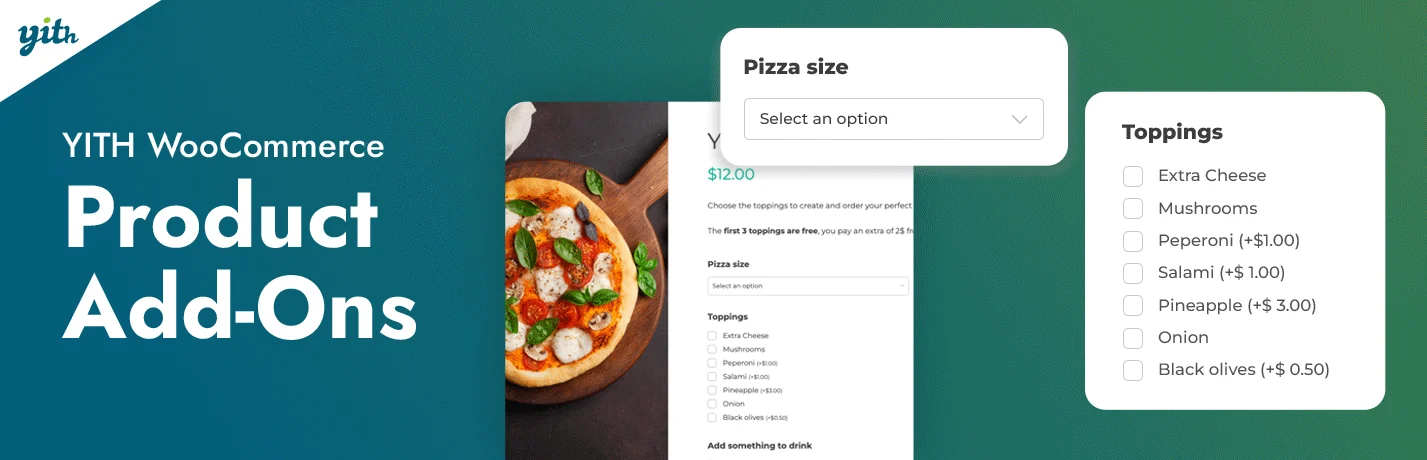
YITH Product Add-ons & Extra Options lets you build groups of extra choices with text, images, color swatches, checkboxes, radio buttons, uploads, and pricing rules.
I like YITH here when presentation matters. Grouping related add-ons into clear blocks can make a complicated product easier to understand than one long list of fields, especially when choices need images or visual selectors.
Key features
- Multiple field and visual option types
- Add-on blocks reusable across products
- Conditional option display
- Fixed and percentage price adjustments
- Image, label, and color choice presentation
- Integration with other YITH WooCommerce tools
Pros: Strong visual presentation, flexible option grouping, broad field support, and good YITH ecosystem fit.
Cons: Premium features add cost, and the interface is broader than needed for very simple custom fields.
Best for: Stores selling visually configurable products or already using YITH plugins.
Pricing: Free/basic availability may vary; premium is sold annually by YITH.
4. Advanced Product Fields for WooCommerce – Best Free-First Option
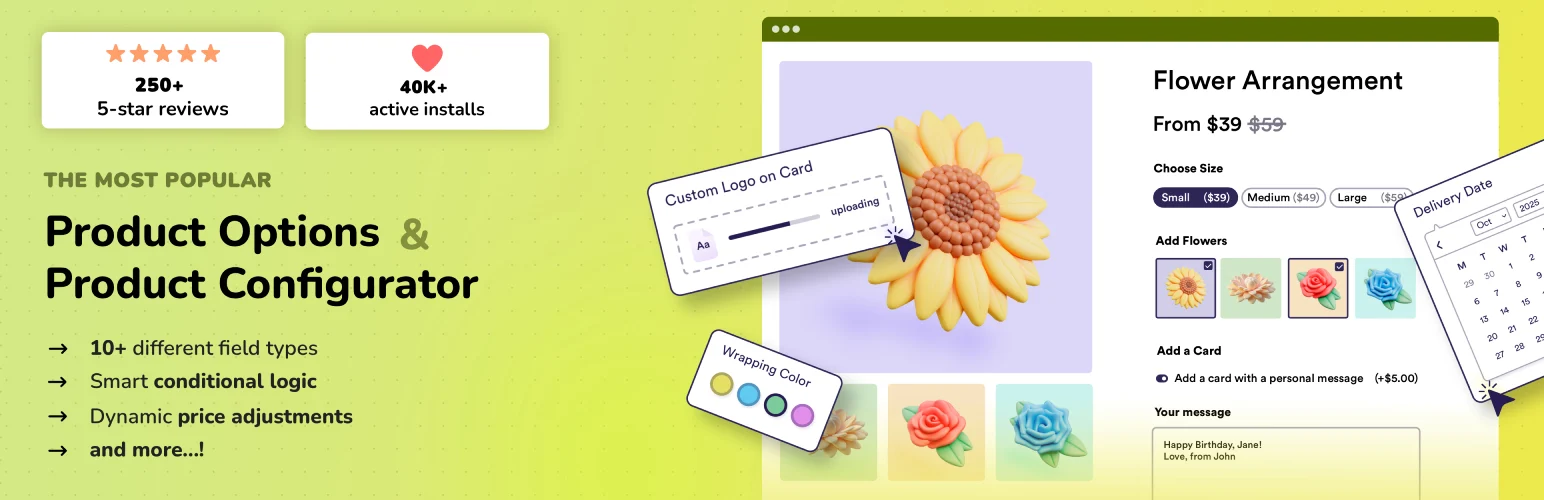
Advanced Product Fields for WooCommerce gives store owners a useful starting point for custom fields, conditional logic, and price adjustments without requiring a premium purchase immediately.
I would test this first on a budget-sensitive project because the free plugin covers real customization needs rather than acting only as a demo. The Pro version becomes more interesting when formulas and advanced rules enter the product setup.
Key features
- Text, number, select, checkbox, radio, and color fields
- Product option pricing
- Conditional field logic
- Formula-based calculations in premium versions
- Reusable field groups
- Customizable frontend layouts
Pros: Useful free version, flexible fields, conditional rules, and good path to more advanced calculations.
Cons: Complex configurations can require more setup and premium features.
Best for: Small and medium stores that want capable product fields before committing to a paid plugin.
Pricing: Free version available; Pro is licensed annually.
5. Extra Product Options by ThemeComplete – Best for Feature Depth
WooCommerce Extra Product Options by ThemeComplete is a feature-heavy product configurator with many field types, sections, conditions, calculations, and styling controls.
I would only choose a tool this deep when the catalog genuinely needs it. The upside is that complicated products can be modeled without custom development. The downside is that someone has to understand and maintain that configuration months later.
Key features
- Large collection of product option field types
- Conditional logic and section rules
- Pricing formulas and calculations
- Reusable form layouts
- Image and visual selection controls
- Advanced styling and display settings
Pros: Extremely flexible, many field types, strong calculation tools, and capable of replacing custom configuration work.
Cons: Steeper learning curve and easier to overbuild than simpler product add-on plugins.
Best for: Stores with sophisticated custom products and administrators comfortable managing complex rules.
Pricing: Premium plugin; current marketplace license pricing should be verified before purchase.
6. WooCommerce Product Addons by Acowebs – Best Value Feature Set

WooCommerce Product Addons by Acowebs offers many customization fields, price options, conditional rules, and layout controls across free and premium versions.
I like it for stores that need more than a basic official add-on but still want a relatively accessible price point. The free version is useful for testing whether the field workflow fits the catalog before upgrading.
Key features
- Text, checkbox, radio, select, date, and upload fields
- Conditional logic in premium plans
- Fixed and percentage add-on pricing
- Global and product-specific option groups
- Visual field styling
- WooCommerce order-data integration
Pros: Broad feature set, free entry point, good value, and practical field variety.
Cons: Advanced logic is premium and the interface can become busy on very large option sets.
Best for: Value-conscious stores that need several product add-on field types and pricing rules.
Pricing: Free version available; Pro licenses vary by site count and current promotion.
How I Keep Product Add-Ons Usable
- Only ask for information that affects the order or fulfillment.
- Group related choices so customers do not face one long form.
- Show price changes immediately when an option costs extra.
- Use conditional logic to hide irrelevant fields.
- Test custom options on mobile and in the final cart/order data.
Conclusion
Barn2 Product Options is the strongest all-around choice when product configuration gets genuinely complex. The official WooCommerce Product Add-Ons extension is simpler when you only need common customer inputs, while Advanced Product Fields and Acowebs provide useful free-first paths.
The best product-options setup is the one customers barely notice. Every field should answer a real purchasing question. If an option does not affect what the customer receives, consider removing it from the product page.
Frequently Asked Questions
What is the best WooCommerce product add-on plugin?
WooCommerce Product Options by Barn2 is the strongest overall option for complex customizable products because it combines many field types, conditional logic, and flexible pricing. The official WooCommerce Product Add-Ons extension is simpler for common add-on needs.
What is the difference between product add-ons and variations?
Variations are separate WooCommerce product combinations such as size and color, each of which can have its own SKU, stock, image, and price. Add-ons collect extra choices or information without necessarily creating a separate variation record.
Can WooCommerce add-ons change the product price?
Yes. Most premium product add-on plugins can add fixed fees, percentage adjustments, quantity-based charges, or formula-based pricing depending on the customer’s choices.
Can customers upload files on a WooCommerce product page?
Yes, several product-options plugins support file upload fields. This is useful for print files, logos, reference images, documents, and other order-specific assets. Always test upload limits and how files appear in order management.

