


WooCommerce normally tracks one main stock quantity per product or variation. If the same SKU is stored across several warehouses, stores, or pickup locations, you need a multi-location inventory layer that can keep location-level stock accurate without creating a fragile fulfillment workflow.
TL;DR
Stock Locations for WooCommerce is the best established dedicated option in this niche, with 900+ active installations. ATUM Inventory Management is the stronger broader inventory platform, with 10,000+ active installations and a multi-inventory expansion path.
Quick comparison
| Plugin | Best for | Adoption |
|---|---|---|
| Stock Locations for WooCommerce | Location-level WooCommerce stock | 900+ active installs |
| ATUM Inventory Management | Broader inventory operations | 10,000+ active installs |
How I evaluated these plugins
I checked current adoption, maintenance, variation support, location-level stock, customer location selection, order allocation, reporting, and whether the product has enough real-world usage to recommend for inventory operations.
1. Stock Locations for WooCommerce

Best for: WooCommerce stores that want separate stock quantities across physical stores or warehouses.
Stock Locations for WooCommerce has 900+ active installations, a 4.8/5 WordPress.org rating, and a recent 2026 update history. It adds location-based stock for simple and variable products, customer location selection, automatic order allocation, REST API access, and location-aware order handling.
- Stock quantities by location
- Simple and variable product support
- Customer location selection
- Automatic stock allocation
- REST API support
Limitation: location-level stock introduces more moving parts than core WooCommerce inventory. Test checkout allocation, refunds, admin edits, variations, and any external stock sync before production.
Official WordPress.org listing for Stock Locations for WooCommerce
2. ATUM Inventory Management
Best for: stores that need a larger inventory-management system and may grow into multi-inventory operations.
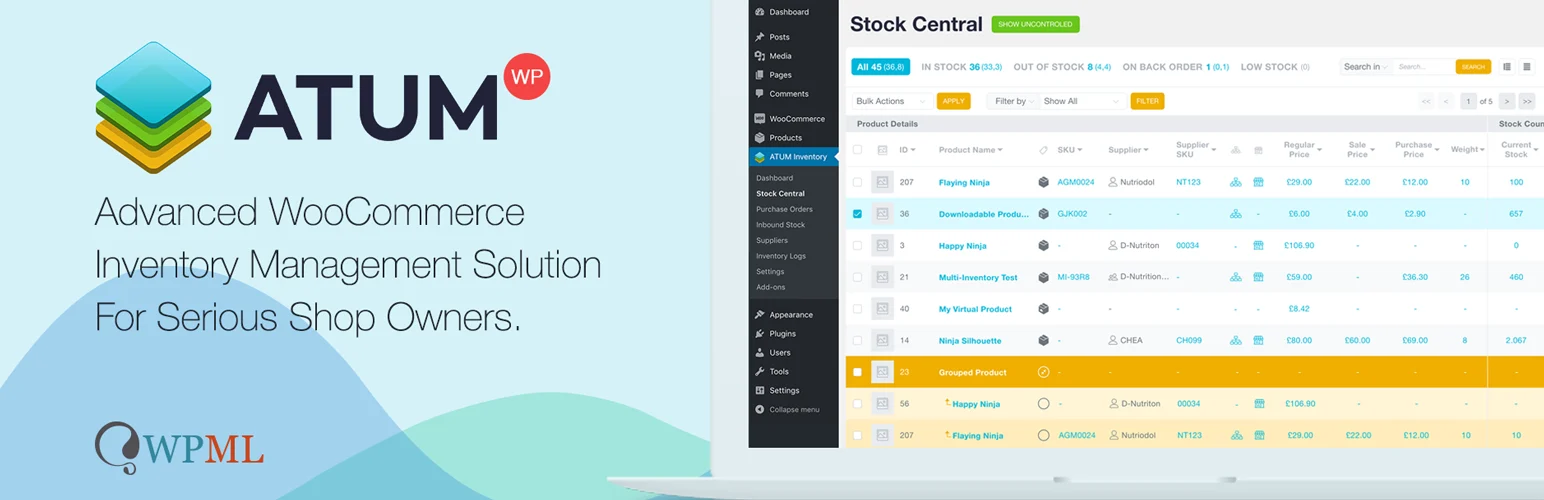
ATUM has 10,000+ active installations and is one of the more established WooCommerce inventory platforms. Its core product covers centralized stock management, suppliers, purchase orders, inventory views, and operational controls, while its ecosystem extends the platform into multi-inventory use cases.
- Central inventory dashboard
- Supplier and purchase-order workflows
- Product-level inventory management
- Established WooCommerce inventory ecosystem
- Multi-inventory expansion path
Limitation: ATUM core is broader inventory management. If you specifically need several sellable inventories for the same SKU, verify which ATUM add-on and configuration your workflow requires rather than assuming the free core covers every multi-inventory scenario.
Official WordPress.org listing for ATUM
What matters in multi-location inventory
Confirm how stock is reduced after checkout, refunds, cancellations, split fulfillment, and transfers. Also test variations, caching, shipping rules, checkout blocks, REST/API updates, and any POS connection before going live.
How to choose between the two
Choose based on operational scope, not feature count. If your main requirement is simply keeping separate stock quantities for each store or warehouse, Stock Locations for WooCommerce is the more direct fit. If inventory management also includes suppliers, purchase orders, centralized stock control, and a larger operational dashboard, ATUM is the stronger foundation.
Also decide whether customers should see locations. Retail and click-and-collect stores may benefit from showing location availability or allowing a location choice. Warehouse-driven businesses often work better when allocation stays invisible and staff or automation choose the fulfillment location behind the scenes.
Test the full stock lifecycle before launch
Multi-location inventory touches more than the product edit screen. Test what happens when an order is placed, partially refunded, fully refunded, cancelled, edited by an administrator, or fulfilled from more than one location. Variable products deserve special attention because each variation may need its own location-level quantity.
If you use a POS, ERP, marketplace, shipping automation, or external warehouse system, confirm which system is the source of truth for stock. Two systems updating the same inventory without clear ownership can create overselling or unexplained stock changes.
When a normal stock plugin is enough
Not every store needs multi-location inventory. If you have one fulfillment location and mainly need low-stock alerts, bulk stock editing, forecasting, or supplier management, a broader WooCommerce stock management plugin may be simpler and easier to maintain. Multi-location tooling is most valuable when the physical location of each unit affects availability, pickup, routing, or fulfillment.
Location stock vs broader inventory management
These two products solve different versions of the problem. Stock Locations is more direct when the store needs a quantity for each warehouse or retail location and those locations affect checkout or fulfillment. ATUM is a larger operational layer for stock control, suppliers, purchase orders, inventory logs, and storage locations. Choose the narrower tool when location quantity is the main requirement; choose the broader platform when purchasing and inventory operations are part of the same project.
For a single warehouse that mainly needs alerts, bulk stock editing, or supplier tools, compare our WooCommerce stock management plugins. If customers collect products from physical stores, also review the WooCommerce local pickup plugins because inventory location and pickup location need to agree.
Final Take
Choose Stock Locations for WooCommerce when you mainly need reliable location-level stock inside WooCommerce. Choose ATUM when multi-location inventory is part of a broader inventory and purchasing operation. This list is intentionally shorter because the other current niche plugins do not yet have enough adoption for a best-of recommendation.
FAQs
Can WooCommerce manage multiple warehouses by default?
No. Core WooCommerce tracks a main stock quantity per product or variation. Separate warehouse or store quantities require an extension or inventory platform.
Should customers choose a stock location?
Only when it improves fulfillment or pickup. Some stores should keep allocation entirely in the backend.
Do multi-location plugins work with variable products?
Yes, established options can support variations, but you should test how each variation stores and reduces stock at each location.
Can multi-location inventory prevent overselling?
It can reduce overselling when every sales channel updates the same source of truth correctly. Problems still occur when POS, ERP, imports, or marketplaces update stock independently.