



You do not need a cleanup plugin to delete an old WordPress theme. WordPress can remove an inactive theme from Appearance → Themes → Theme Details → Delete. The useful role of cleanup plugins starts after that: removing expired transients, revisions, orphaned database rows, and other leftovers that may have accumulated while the site changed themes.
Before deleting anything, keep the active theme and any required parent theme, make a backup, and avoid deleting a theme you may need for rollback. Our WordPress backup plugin guide is the right place to start if the site does not already have recoverable backups.
TL;DR
- WP-Optimize: best general cleanup option with 1M+ active installations.
- Advanced Database Cleaner: best for identifying old database tables and scheduled cleanup.
- WP-Sweep: best lightweight database cleanup using WordPress-native delete functions.
- WP Reset: best for staging, development, and controlled reset workflows, not routine theme cleanup.
Quick Comparison
| Plugin | Best for | Active installs |
|---|---|---|
| WP-Optimize | General database cleanup | 1M+ |
| Advanced Database Cleaner | Orphaned database analysis | 100K+ |
| WP-Sweep | Lightweight WordPress-native cleanup | 100K+ |
| WP Reset | Development and reset workflows | 300K+ |
First: Delete the Old Theme Safely
If the theme is inactive and not a parent theme required by the active child theme, WordPress can delete its files directly. A database optimizer does not perform that same job. After deletion, clear page cache and CDN cache, then check the front end, widgets, menus, custom CSS, and any theme-specific shortcodes or blocks that may have been left behind.
1. WP-Optimize – Best General Cleanup Tool

WP-Optimize has more than 1 million active installations and current 2026 maintenance. After a theme migration, its database cleanup can remove revisions, expired transients, and other routine clutter. It does not selectively delete an old theme for you.
- Database cleanup
- Expired transient cleanup
- Revision cleanup
- Database optimization
- Caching and image features in the broader plugin
- Large established user base
2. Advanced Database Cleaner – Best for Finding Orphaned Database Data
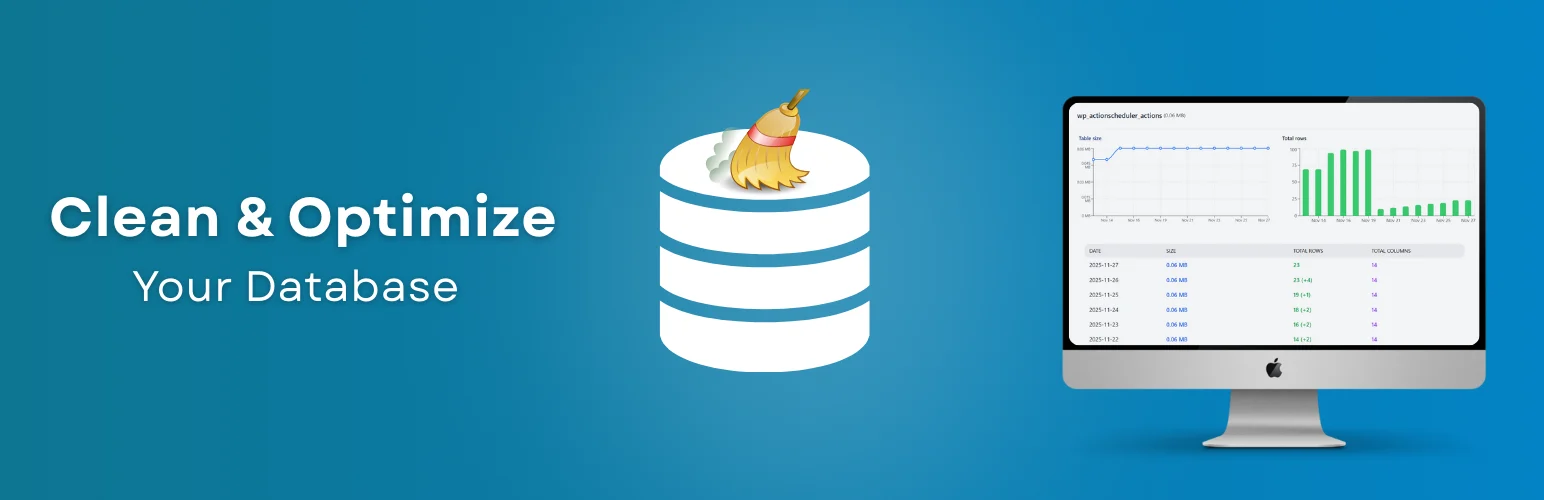
Advanced Database Cleaner has 100,000+ active installations and is useful when you want more visibility into database tables, options, transients, and scheduled tasks that may belong to plugins or themes no longer in use.
- Database table inspection
- Options and transient cleanup
- Scheduled task visibility
- Cleanup scheduling
- Useful after large theme/plugin changes
- Requires judgment before deleting unfamiliar rows
3. WP-Sweep – Best Lightweight Cleanup Option
WP-Sweep has 100,000+ active installations and focuses on cleaning common WordPress database clutter. It uses WordPress delete functions where possible, which makes it appealing for site owners who want a narrower cleanup tool.
- Revisions and auto-drafts
- Deleted comments and orphaned metadata
- Transient cleanup
- Database optimization
- Focused interface
- Good fit after backups and theme migration checks
4. WP Reset – Best for Staging and Development Sites

WP Reset has 300,000+ active installations, but it is not my recommendation for routine theme cleanup on a live site. Its strength is controlled resets, snapshots, and development workflows where you intentionally want to return a site to a known state.
Use with care: a reset tool can remove far more than theme leftovers. Read the exact action description and verify backups before using destructive options.
What Theme Cleanup Does Not Fix
A database cleaner cannot automatically understand every custom shortcode, widget, block, template part, or option left by a theme. After switching themes, manually review key templates, navigation, mobile layout, structured data, tracking scripts, and page-builder content. If performance is the reason for cleanup, compare our database optimization plugins and WordPress caching plugins.
A Safer Old-Theme Removal Workflow
Start by confirming which theme is active and whether it is a child theme. If a child theme is active, its parent theme must remain installed. Create a full backup, then delete only themes that are truly inactive and no longer needed for rollback. After deletion, purge page cache and CDN cache so old theme assets are not mistaken for files that still exist on the server.
Next, check the homepage, a normal post, archive pages, search, checkout or forms, mobile navigation, widgets, and any template that previously depended on theme-specific features. If the old theme supplied shortcodes, custom post types, blocks, or widgets, removing the files does not automatically migrate that content. Fix those dependencies before running a database cleanup.
When Database Cleanup Is Worth Doing
A small site that switched themes once may gain almost nothing from aggressive cleanup. Database cleanup becomes more useful after years of redesigns, repeated staging imports, many plugin changes, or obvious growth in autoloaded options and expired transients. The goal is not to make the database as small as possible; it is to remove data you understand and no longer need.
Never delete an unfamiliar table or option merely because a cleaner labels it orphaned. Some plugins store data under unexpected names, and a future rollback may need records that appear unused today. Take a fresh database backup immediately before destructive cleanup, not just before the original theme change.
What I Would Do on a Normal Production Site
For a routine theme change, I would back up the site, delete only the inactive theme files through WordPress, test the front end, and stop there unless there is evidence of database clutter. If cleanup is justified, WP-Optimize or WP-Sweep is usually enough for common revisions and transients. I would reach for Advanced Database Cleaner only when I need to inspect old tables or options more carefully. WP Reset stays off a normal production cleanup checklist because its value is in deliberate development and reset workflows, where broader destructive actions are expected and recoverable.
Conclusion
Delete unused themes with WordPress itself. Then use a database cleanup plugin only when there is a clear maintenance reason. WP-Optimize is the broadest choice, Advanced Database Cleaner provides deeper inspection, WP-Sweep is simpler, and WP Reset belongs mainly on staging or development sites.
Frequently Asked Questions
Do I need a plugin to delete a WordPress theme?
No. WordPress can delete inactive themes from the Themes screen. Keep the active theme and any required parent theme.
Will deleting a theme remove its database settings?
Not always. Themes and related plugins may leave options, widgets, custom post data, or other database records behind.
Is it safe to use WP Reset to clean an old theme?
It is usually excessive for routine cleanup. WP Reset is better suited to development, staging, or deliberately resetting a site.