



A contact form can work perfectly and still fail at the most important step: delivering the email. WordPress sends mail through PHP by default, and many hosting environments are not configured to make that delivery trustworthy. The result is familiar: form notifications disappear, password resets land in spam, or WooCommerce emails never reach the customer.
An SMTP plugin does not magically create a good sending reputation, but it gives WordPress a proper connection to an email provider or transactional mail service. I prefer tools that make that setup clear, log enough information to troubleshoot failures, and do not force unnecessary complexity onto a simple site.
TL;DR: Best WordPress SMTP Plugins in 2026
- WP Mail SMTP — best overall for guided setup and broad mailer support.
- FluentSMTP — best free option with multiple connections and useful logging.
- Post SMTP — best for diagnosing WordPress email-delivery problems.
- Easy WP SMTP — best simple guided alternative for standard SMTP setups.
- SMTP Mailer — best lightweight choice when you only need basic SMTP settings.
1. WP Mail SMTP — Best Overall WordPress SMTP Plugin

WP Mail SMTP is the easiest general recommendation because it supports a wide range of providers and wraps the setup in a beginner-friendly interface. You can connect services such as Gmail, Microsoft, SendLayer, SMTP.com, Brevo, Amazon SES, and traditional SMTP depending on the plan and mailer.
What I like in client work is the guided approach. Email configuration is one of those jobs where a vague error message wastes time. A structured mailer setup and test-email screen make it easier to confirm the connection before trusting real form or order notifications.
Key features
- SMTP and API mailer integrations
- Setup wizard
- Test email tool
- Email logging in premium plans
- Delivery alerts in premium plans
- Backup connections and smart routing on supported plans
Pros: Beginner-friendly, excellent documentation, many mailer integrations, strong troubleshooting workflow.
Cons: Several advanced logging and routing features are premium; some provider integrations require paid tiers.
Best for: Most business sites, WooCommerce stores, and users who want guided setup.
Pricing: Free Lite version available; premium plans are listed at WP Mail SMTP.
2. FluentSMTP — Best Free SMTP Plugin
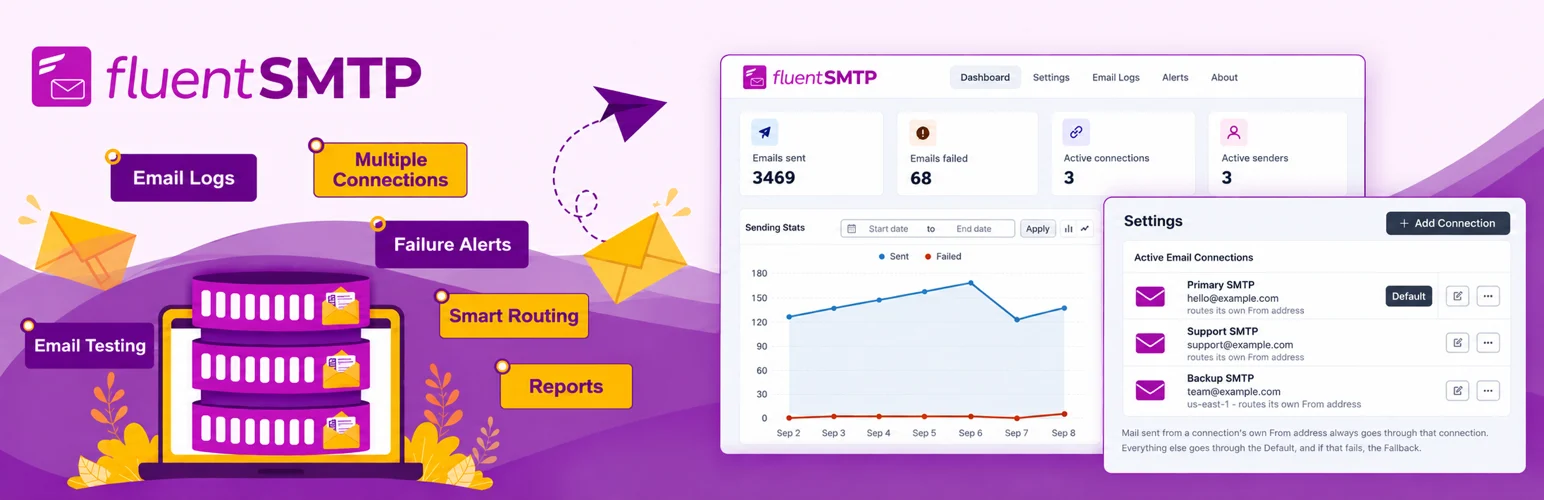
FluentSMTP is unusually generous for a free plugin. It supports multiple email service connections, routing, email logging, resend tools, and several API-based mailers without putting the core functionality behind a paid SMTP license.
I like it when I need to see exactly what WordPress tried to send. The email log quickly tells me whether a plugin generated the message and whether the delivery connection reported success or failure. That separates WordPress problems from provider-side problems much faster.
Key features
- Multiple SMTP and API connections
- Conditional email routing
- Email logs
- Resend tools
- Support for popular transactional email providers
- Core features available free
Pros: Free, rich logging, multiple connections, practical routing features.
Cons: Users still need their own email provider; the number of options can feel more technical than a minimal SMTP form.
Best for: Freelancers, agencies, and site owners who want strong SMTP features without a plugin subscription.
Pricing: Free. See FluentSMTP for supported connections and documentation.
3. Post SMTP — Best for Troubleshooting Email Delivery
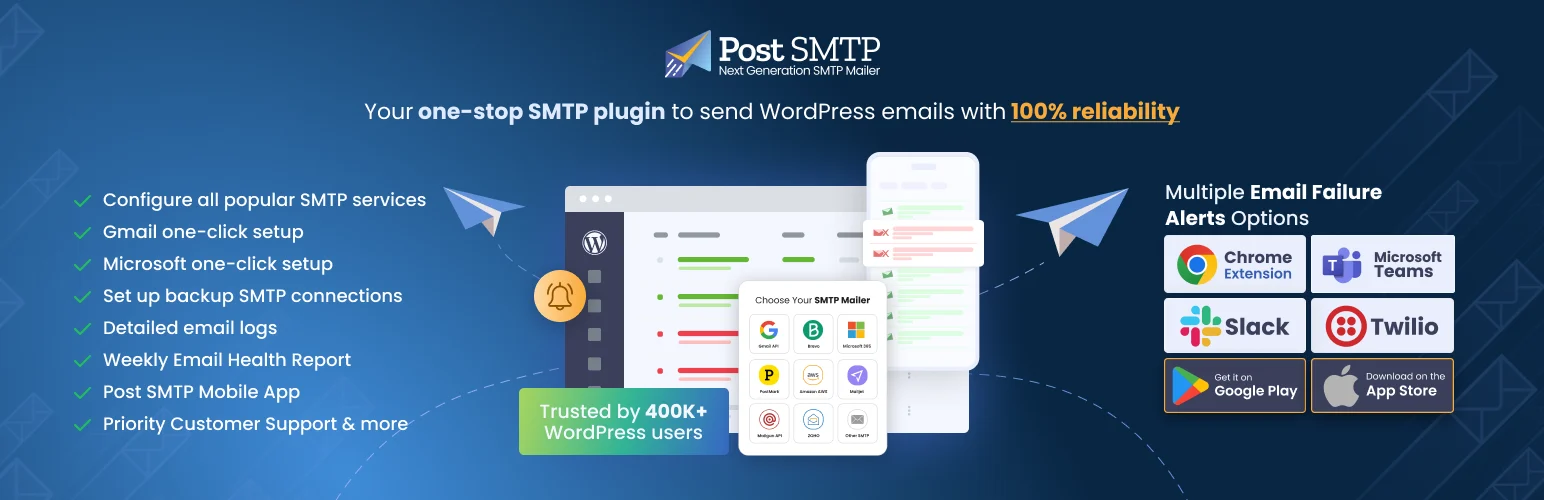
Post SMTP is a good fit when troubleshooting is as important as the initial connection. It provides detailed logs and diagnostic information that can help you understand why messages are failing instead of only telling you that mail did not send.
I would choose it when a site has a history of inconsistent mail delivery or several plugins generating different types of messages. Good logs are not exciting, but they save real time when a client says, “the customer never got the email.”
Key features
- Guided setup wizard
- Connectivity testing
- Email logs
- OAuth support for supported providers
- Failure diagnostics
- Notification and fallback options through extensions or paid features
Pros: Strong diagnostics, useful logs, good for tracking intermittent failures.
Cons: Interface is more troubleshooting-focused than the simplest alternatives; some extensions are paid.
Best for: Sites where mail delivery needs close monitoring and debugging.
Pricing: Free core plugin with paid extensions and services available from Post SMTP.
4. Easy WP SMTP — Best Simple Guided Alternative

Easy WP SMTP is aimed at users who want to stop relying on PHP mail without turning email delivery into another complicated system. It supports standard SMTP credentials and selected mailer integrations, with tools for testing and logging depending on the version.
The plugin is a sensible option when your provider already gives you SMTP host, port, encryption, username, and password details. In that situation, you may not need a long list of automation features.
Key features
- Guided SMTP configuration
- SMTP authentication and encryption settings
- Test email tool
- Debug and event information
- From name and address controls
- Simple interface for common providers
Pros: Straightforward setup, good for normal SMTP accounts, familiar workflow.
Cons: Advanced logging and provider features may require paid plans.
Best for: Small business sites using standard SMTP credentials or a supported transactional provider.
Pricing: Free version available with premium options from Easy WP SMTP.
5. SMTP Mailer — Best Lightweight Basic SMTP Option

SMTP Mailer keeps the job narrow: configure WordPress to send through an SMTP server. That can be a strength if your mail provider already gives you everything you need and you do not want dashboards, marketing features, or another large plugin.
I would use a lightweight SMTP plugin like this only when I am comfortable managing the provider side separately. For critical ecommerce or membership email, logging and alerting are often worth choosing a more full-featured tool.
Key features
- SMTP host, port, username, and password settings
- SSL/TLS encryption options
- SMTP authentication
- Test email function
- From name and address controls
- Lightweight configuration
Pros: Lightweight, focused, easy for standard SMTP accounts.
Cons: Fewer logging, API, routing, and reporting features than larger competitors.
Best for: Simple WordPress sites that only need authenticated SMTP sending.
Pricing: Free.
SMTP Plugin vs Email Sending Service
These are not the same thing. The WordPress SMTP plugin connects your site to a mail server or transactional provider. The provider actually accepts and delivers the message. If your domain authentication or sending reputation is poor, changing plugins alone may not solve spam-folder problems.
Set up SPF, DKIM, and DMARC as required by your provider, use a domain-based sender address, and avoid sending transactional WordPress mail through a personal mailbox when a dedicated sending service is more appropriate. If your notifications start with a form, compare the best beginner-friendly WordPress form builders as well.
Conclusion
WP Mail SMTP is the easiest all-around choice for most site owners. FluentSMTP gives you the strongest free feature set, especially if logging and multiple connections matter. Post SMTP is excellent for diagnosing delivery problems, Easy WP SMTP keeps setup approachable, and SMTP Mailer works when you only need a lightweight authenticated SMTP connection.
Frequently Asked Questions
What is the best SMTP plugin for WordPress?
WP Mail SMTP is the best general-purpose option for many users because it combines a guided interface with broad provider support. FluentSMTP is a particularly strong free alternative.
Does an SMTP plugin improve email deliverability?
It can improve reliability by sending through an authenticated provider instead of PHP mail. Deliverability also depends on domain authentication, sender reputation, message content, and the provider you use.
Can I use Gmail SMTP for WordPress?
Yes, but OAuth-based integrations are generally preferable to putting a normal mailbox password into WordPress. For business-critical transactional mail, a dedicated sending service may also provide better limits and reporting.
Why are WordPress emails going to spam?
Common causes include unauthenticated sending, missing SPF/DKIM/DMARC records, poor sender reputation, mismatched From addresses, spam-like content, or using a server IP with a weak reputation.

