



Elementor already gives you a strong visual builder, but real client sites often need more: advanced tabs, post grids, mega menus, WooCommerce widgets, display conditions, off-canvas content, copy-paste tools, custom effects, and better template libraries. That is where Elementor add-ons become useful.
I do not judge an add-on by widget count alone. I care more about whether it solves real layout problems, lets you disable unused modules, and stays manageable after months of edits. These seven are the Elementor add-ons I would shortlist first in 2026.
TL;DR: Best Elementor Addons for WordPress in 2026
- Essential Addons for Elementor — best overall general-purpose Elementor extension.
- ElementsKit — best when you need mega menus and site-building extras.
- Ultimate Addons for Elementor — best premium addon for agency workflows.
- HappyAddons — best creative value with useful design extras.
- Premium Addons for Elementor — best for visual effects and interactive widgets.
- PowerPack for Elementor — best balanced toolkit for client and agency sites.
- The Plus Addons for Elementor — best for a very broad advanced expansion pack.
1. Essential Addons for Elementor — Best Overall
Essential Addons is one of the safest recommendations because it covers the widgets most Elementor users eventually need without feeling like an experimental product. It includes content, marketing, creative, WooCommerce, dynamic, form-styling, and navigation-oriented widgets across free and Pro versions.
I like the modular approach. On client sites, I disable widgets that are not being used instead of leaving a huge library active just because it is available. That keeps the editor cleaner and reduces unnecessary assets.
Key features
- Large widget library
- Post and content grids
- Advanced tabs and accordions
- WooCommerce widgets
- Marketing and creative widgets
- Module enable/disable controls
Pros: Mature ecosystem, strong free version, broad use cases, modular widget controls.
Cons: Large library can become cluttered if every module is enabled; advanced features require Pro.
Best for: Most Elementor users who want one dependable general-purpose addon.
Pricing: Free version available; premium plans are sold by WPDeveloper.
2. ElementsKit — Best for Mega Menu and Site-Building Extensions
ElementsKit goes beyond normal widgets. It adds mega menu tools, header/footer building, one-page navigation, off-canvas content, advanced widgets, layout features, and WooCommerce elements. That makes it useful when Elementor Free needs features usually associated with a larger site-building stack.
I would choose it when mega navigation or global-site components are part of the project. It can replace several smaller plugins if you actually use those modules.
Key features
- Mega menu builder
- Header and footer tools
- Off-canvas content
- One-page navigation
- Large widget library
- WooCommerce elements
Pros: Replaces multiple single-purpose extensions, strong navigation features, useful free version.
Cons: Many modules can overlap with Elementor Pro or other addons.
Best for: Sites needing mega menus, header/footer tools, and advanced Elementor widgets together.
Pricing: Free and premium versions are available from WPMet.
3. Ultimate Addons for Elementor — Best Premium Agency Addon
Ultimate Addons for Elementor from Brainstorm Force focuses on polished widgets and templates rather than simply maximizing the number of components. Its pricing tables, content toggles, modal popups, navigation, marketing elements, WooCommerce tools, and starter templates fit naturally into agency workflows.
I like it when the design needs to feel consistent across multiple client sites. The Astra/Spectra ecosystem is also useful if the agency already builds with Brainstorm Force products.
Key features
- Premium Elementor widget library
- Prebuilt sections and templates
- Form styling widgets
- WooCommerce widgets
- Content toggles and marketing elements
- Modular controls
Pros: Polished widgets, agency-friendly, good template quality, mature vendor ecosystem.
Cons: Premium-only positioning for the main addon; fewer widgets than huge all-in-one competitors.
Best for: Agencies and professionals who prefer quality and consistency over maximum widget count.
Pricing: Paid plans are available from Ultimate Addons for Elementor.
4. HappyAddons — Best Creative Value
HappyAddons adds creative widgets, presets, cross-domain copy-paste, display conditions, section nesting, visual effects, WooCommerce tools, and a large design library. Its free version is generous, while Pro adds the features I would expect on more design-heavy sites.
The on-demand asset loading feature is one reason I pay attention to it. Elementor sites can accumulate too much frontend code, so modular loading matters when an addon contains a large widget library.
Key features
- Creative Elementor widgets
- Preset design styles
- Advanced animations and effects
- Cross-domain copy/paste tools on supported plans
- Image and content widgets
- WooCommerce elements
Pros: Strong price-to-feature balance, useful free version, creative controls, lifetime plans available.
Cons: Large feature set requires discipline to avoid design inconsistency.
Best for: Freelancers and designers wanting creative flexibility at a reasonable price.
Pricing: Free version available; annual plans currently start at $39 for one site, with lifetime options. See HappyAddons pricing.
5. Premium Addons for Elementor — Best for Visual Effects
Premium Addons is a strong fit for designers who want animated headlines, media widgets, grids, carousels, advanced sections, floating effects, and creative visual components without custom JavaScript.
I use animation sparingly. The plugin gives you plenty of options, but the best Elementor pages still feel calm. Motion should explain hierarchy or draw attention to one important action, not compete with the content.
Key features
- Creative and marketing widgets
- Lottie and animation tools
- Advanced image and content effects
- Display-condition features on supported plans
- WooCommerce widgets
- Template and section library
Pros: Strong creative toolkit, useful free version, good visual variety.
Cons: Effects are easy to overuse; some specialized widgets overlap with other Elementor addons.
Best for: Designers building visually expressive marketing and portfolio sites.
Pricing: Free and premium plans available.
6. PowerPack for Elementor — Best Balanced Agency Toolkit
PowerPack gives agencies a balanced set of content, creative, form-styling, navigation, WooCommerce, dynamic, and utility widgets. It also includes display conditions, white labeling, header/footer tools, cross-domain copy-paste, and templates in paid plans.
I like that it focuses on the kinds of features agencies repeatedly need across sites rather than only adding novelty widgets.
Key features
- Business and creative widgets
- Form styling
- WooCommerce widgets
- Content and navigation elements
- White-label options on eligible plans
- Reusable templates and sections
Pros: Strong agency features, sensible widget mix, white labeling, annual and lifetime options.
Cons: Premium tool; some features duplicate Elementor Pro.
Best for: Agencies managing multiple Elementor projects.
Pricing: Annual plans currently start at $49 for one site; lifetime options are also offered. See PowerPack pricing.
7. The Plus Addons for Elementor — Best Advanced All-in-One Expansion
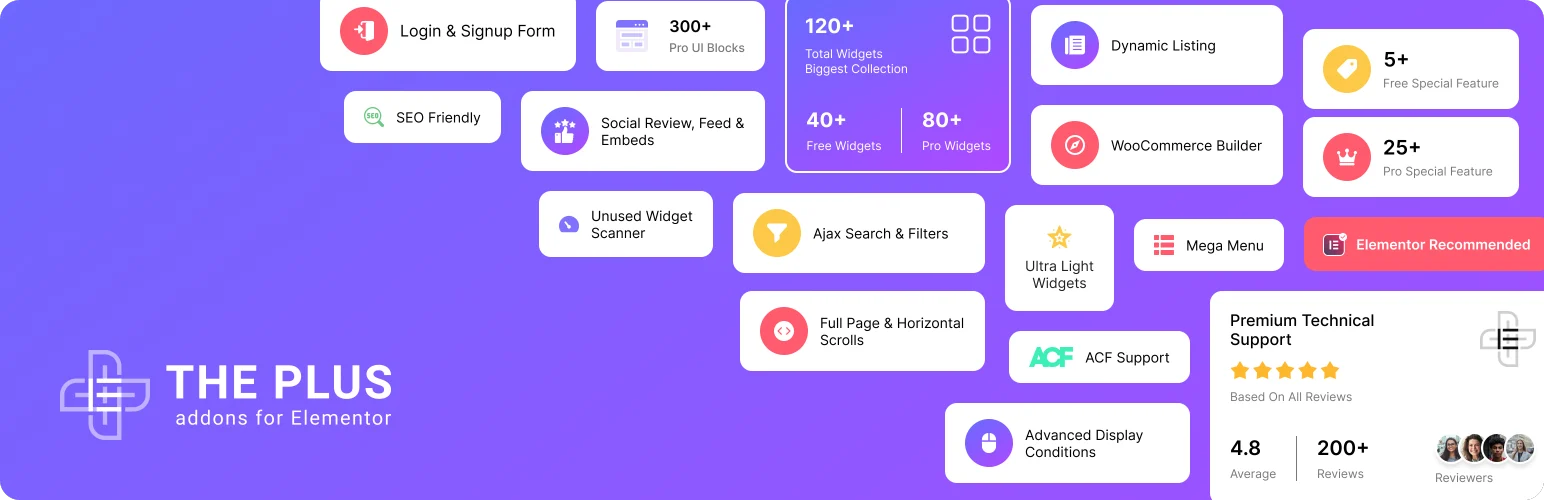
The Plus Addons is one of the most ambitious Elementor extensions in 2026. Beyond a large widget library, it includes mega menu, WooCommerce building, AJAX filters, popup/off-canvas tools, dynamic listings, social reviews and feeds, display conditions, event tracking, security utilities, and AI/MCP-related capabilities.
I would choose it when the goal is replacing several separate Elementor extensions with one modular ecosystem. I would not install it merely for two extra widgets, because its real value appears when you use the broader toolkit.
Key features
- Large widget collection
- Advanced grids and listings
- Mega-menu and navigation tools
- WooCommerce widgets
- Animation and interaction effects
- Dynamic content features
Pros: Extremely broad toolkit, modular replacement for several plugins, active 2026 development.
Cons: More complex than a focused addon; broad scope can overlap with Elementor Pro and other site plugins.
Best for: Advanced Elementor builders who want one large extension ecosystem.
Pricing: Annual plans currently start at $39 for one site, with lifetime plans available. See The Plus Addons pricing.
How I Choose an Elementor Addon
Start by listing the features Elementor itself cannot handle on the project. If you only need a mega menu, do not buy a 120-widget suite unless its menu tool is the best fit. If you need WooCommerce, dynamic listings, filters, popups, and global extensions together, a broader addon can actually reduce plugin count.
If you are still deciding whether Elementor is the right builder, compare the best WordPress page builders. We also cover a common Elementor/WooCommerce limitation in our guide on why you cannot edit the WooCommerce shop page in Elementor.
Conclusion
Essential Addons is the safest all-around recommendation. ElementsKit is stronger for navigation and global site extensions, Ultimate Addons suits agencies that prefer polished premium components, and HappyAddons gives excellent creative value. Premium Addons focuses on visual effects, PowerPack offers a clean agency toolkit, and The Plus Addons is the most comprehensive choice when you want to replace multiple Elementor extensions with one ecosystem.
Frequently Asked Questions
What is the best Elementor addon?
Essential Addons is the best general-purpose choice for many users. ElementsKit or The Plus Addons may be better when you need mega menus, WooCommerce tools, dynamic listings, or broader site-building extensions.
Do Elementor addons slow down a website?
They can if the plugin loads many unused assets or you build pages with heavy effects and widgets. Choose modular addons, disable unused modules, and test real frontend performance.
Can I use multiple Elementor addons together?
Yes, but I avoid large overlapping suites. One main addon plus one specialized extension is usually easier to maintain than three libraries containing duplicate widgets.
Do I need Elementor Pro to use these addons?
Many work with Elementor Free, although individual widgets or advanced integrations can depend on Elementor Pro. Check the addon documentation for the specific feature you need.

