



Managing ads in WordPress gets complicated long before a site becomes a large publisher. You may need AdSense code in several positions, direct-sold banners with dates, different ads on mobile, category-specific placements, ad rotation, impression tracking, or rules that avoid showing ads to logged-in members.
I prefer ad plugins that separate placement from the ad itself. That lets you change a campaign without editing templates or touching dozens of posts. Performance also matters: an ad manager should not become an excuse to load every network script on every page.
These five plugins cover automated insertion, direct campaigns, AdSense, targeting, and reporting. If paid traffic tracking is part of the setup, compare our WordPress pixel tracking plugins. For campaign experiments, see our WordPress A/B testing tools.
TL;DR
- Ad Inserter: best overall for flexible automatic placement, ad code, AdSense, conditions, and advanced publisher rules.
- Advanced Ads: best for publishers that want ad units, placements, rotation, schedules, targeting, and a broad premium add-on ecosystem.
- AdRotate Banner Manager: best for direct-sold banner campaigns with groups, schedules, impressions, and advertiser-style management.
- WP QUADS: best for straightforward AdSense and responsive ad placement with a familiar free-to-Pro upgrade path.
- AdSanity: best for sites that want a clean premium ad-management workflow without turning wp-admin into a highly technical ad server.
Quick Comparison
| Plugin | Best for | Free version | Pricing model |
|---|---|---|---|
| Ad Inserter | Advanced insertion and targeting | Yes | Free + Pro |
| Advanced Ads | Full publisher ad management | Yes | Free + paid plans/add-ons |
| AdRotate Banner Manager | Direct banner campaigns | Yes | Free + Pro |
| WP QUADS | AdSense and responsive ads | Yes | Pro from $89/year for one site |
| AdSanity | Clean premium ad workflow | No full free edition | Commercial |
How I Chose These Plugins
I compared placement flexibility, responsive controls, scheduling, targeting, ad rotation, AdSense support, direct campaign management, reporting, caching compatibility, and how clearly the plugin separates ad inventory from display locations. Current product information was checked in September 2026.
1. Ad Inserter – Best Overall for Flexible Ad Placement
Ad Inserter is the most flexible general-purpose option in this list. It can insert ad code, HTML, scripts, affiliate blocks, and other content into many WordPress positions using automatic insertion rules instead of requiring theme edits.
I reach for it when placement logic is the difficult part. A publisher can create reusable blocks, insert them before or after paragraphs, restrict them by page type or device, and add deeper geotargeting and statistics through Pro. It works well for AdSense but is not limited to one ad network.
Key features
- Automatic ad insertion in many content positions
- AdSense, HTML, JavaScript, affiliate, and custom-code blocks
- Page, post type, device, and content conditions
- Manual shortcode and widget placement
- Caching-aware placement options
- Geotargeting and impression/click statistics in Pro
Pros: Extremely flexible placement engine, strong free version, network-agnostic, and useful on both small and high-volume publisher sites.
Cons: The number of placement and condition settings can feel technical for a publisher who only needs two simple banners.
Best for: Publishers and affiliate sites with complex insertion rules, several ad positions, or multiple networks.
Pricing: Free core plugin. Ad Inserter Pro is sold separately with advanced targeting, statistics, and additional publisher features.
2. Advanced Ads – Best Full Publisher Ad Management Suite
Advanced Ads combines ad units, placements, rotations, scheduling, targeting, and integrations in a more structured campaign interface. It supports AdSense and other networks as well as image banners, custom HTML, affiliate ads, and direct campaigns.
I would choose it when several people manage monetization and need a clearer inventory-and-placement model. The free plugin covers a lot, while premium packages add more advanced placements, tracking, selling ads, geotargeting, and other publisher features.
Key features
- Unlimited ad units
- Automatic placements
- Ad rotation and scheduling
- Content and user targeting
- AdSense and network support
- Premium tracking, selling, geotargeting, and advanced placement options
Pros: Strong publisher workflow, mature ecosystem, and easier to scale than scattered code snippets across a site.
Cons: The full feature set can require premium modules or plans, so cost grows with advanced monetization needs.
Best for: Professional blogs, magazines, and publisher sites managing multiple ad types and placements.
Pricing: Free core plugin. Advanced Ads offers commercial plans and add-ons for tracking, advanced placements, geotargeting, and related features.
3. AdRotate Banner Manager – Best for Direct-Sold Banner Campaigns

AdRotate Banner Manager is a long-running option built around banners, groups, schedules, rotations, and campaign-style management. It is especially useful when advertisers send you creative assets directly rather than all revenue coming through AdSense.
I like it for straightforward sponsorship inventory: create adverts, group them into placements, set campaign dates, rotate creatives, and monitor basic activity. The project remains actively maintained in 2026.
Key features
- Banner and ad campaign management
- Ad groups and rotation
- Start and end scheduling
- Impression and click tracking options
- Shortcodes, widgets, and post injection
- Professional edition for additional campaign features
Pros: Mature direct-ad workflow and a good conceptual fit for sponsorships and banner inventory.
Cons: Less focused on modern conversion campaigns or broad marketing automation than dedicated marketing tools.
Best for: Publishers selling banner placements directly to advertisers or sponsors.
Pricing: Free version available. AdRotate Professional is a separate commercial upgrade.
4. WP QUADS – Best for AdSense and Responsive Ads
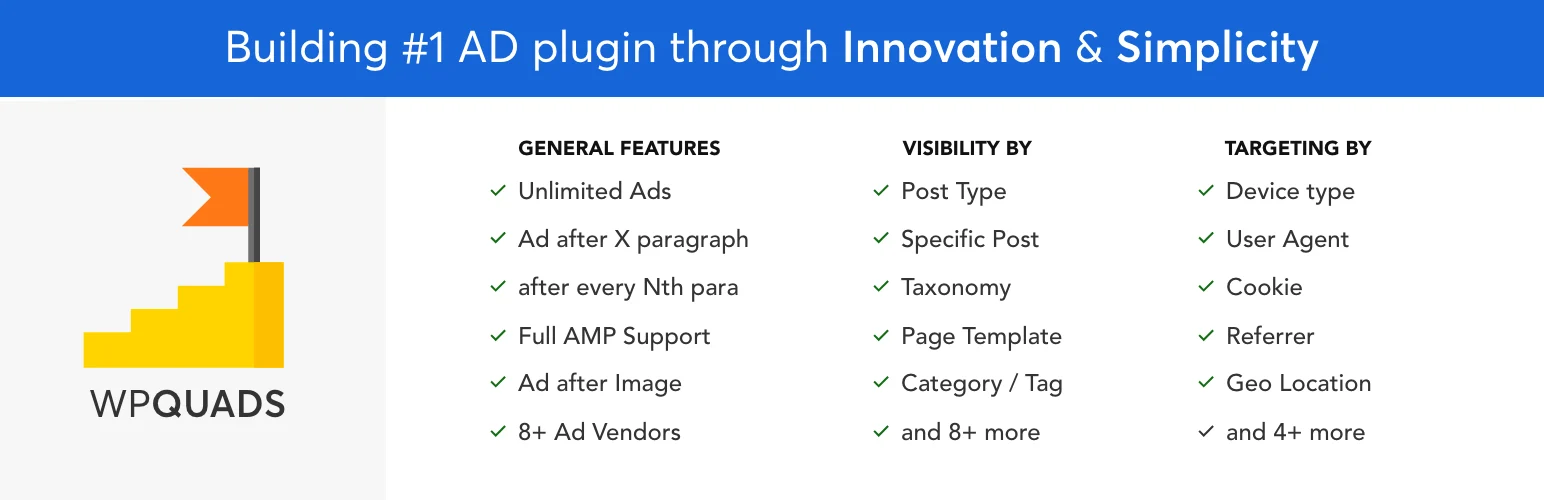
WP QUADS is aimed heavily at AdSense and common publisher ad placements. It supports responsive ads, device conditions, insertion positions, caching compatibility, and an upgrade path for larger ad inventories and more targeting.
I would consider it for a site where AdSense is the primary monetization model and the owner wants a dedicated interface rather than a more generalized code-insertion tool.
Key features
- AdSense-oriented ad management
- Responsive and device-aware ads
- Automatic content placements
- Caching compatibility
- Ad blocker detection in Pro
- Additional conditions and unlimited ad support in Pro
Pros: Straightforward AdSense use case and a familiar publisher-oriented feature set.
Cons: I would compare it carefully with Ad Inserter before paying, because both can solve many of the same placement problems.
Best for: AdSense publishers that want responsive placements and simple device conditions.
Pricing: Free version available. WP QUADS Pro currently starts at $89 per year for one site.
5. AdSanity – Best Clean Premium Ad Workflow
AdSanity takes a cleaner premium-first approach. It is designed to make self-hosted image ads and external network code easy to create, schedule, group, and place without exposing editors to a highly technical rules engine.
I would choose it for a smaller editorial team that values a simpler interface over the deepest possible condition builder. It is particularly sensible when direct sponsorships and house ads need to coexist with network ads.
Key features
- Self-hosted image ads and external ad code
- Ad scheduling
- Ad groups and reusable placements
- Widgets and shortcodes
- Basic reporting and publisher workflow
- Commercial add-ons for expanded use cases
Pros: Cleaner learning curve than highly technical ad managers and a good fit for direct sponsorship inventory.
Cons: Premium-first pricing makes it less attractive when a strong free plugin already covers the site’s needs.
Best for: Publishers and agencies that want a polished premium interface for direct and network ads.
Pricing: Commercial plugin. Check the current AdSanity plan for the site count and add-ons you need.
Which One Should You Choose?
Ad Inserter is my first choice when placement logic and flexibility matter most. Advanced Ads is better for a structured publisher stack. AdRotate is strong for direct banners, WP QUADS is a natural AdSense-focused option, and AdSanity is attractive when a simpler premium workflow matters more than having every possible condition.
Conclusion
The best ad plugin depends on how you sell and place inventory. Ad Inserter is the most flexible all-round tool, Advanced Ads offers the strongest structured publisher ecosystem, and AdRotate works well for direct campaigns. WP QUADS is a practical AdSense choice, while AdSanity provides a cleaner premium workflow. Keep the ad stack simple and measure page performance as carefully as revenue.
Frequently Asked Questions
What is the best WordPress ad management plugin?
Ad Inserter is the strongest general-purpose choice for flexible placements and targeting. Advanced Ads is better when you want a more structured publisher-management ecosystem.
Can WordPress ad plugins manage Google AdSense?
Yes. Ad Inserter, Advanced Ads, and WP QUADS all support common AdSense placement workflows.
Can I schedule banner ads in WordPress?
Yes. Several ad managers support start and expiration dates, making them suitable for direct sponsorships, seasonal campaigns, and time-limited promotions.
Will ad management plugins slow down my site?
The plugin can add some overhead, but third-party ad scripts are often the bigger performance cost. Limit networks, reserve ad space to reduce layout shift, use lazy loading where appropriate, and test Core Web Vitals.
Should I use one ad plugin or several?
Usually one. Multiple ad managers can duplicate scripts, placements, and tracking logic. Pick one primary system unless a second plugin has a clearly separate role.

