


A/B testing is useful only when the experiment answers a real business question. Changing a button from blue to green without enough traffic is not conversion optimization. The best A/B testing tools for WordPress in 2026 help you create clean variants, define measurable goals, keep visitors in consistent test groups and understand when the result is strong enough to act on.
I included native WordPress plugins and services with practical WordPress integrations. The list deliberately covers different testing jobs: content experiments, WooCommerce revenue tests, visual page tests and broader CRO platforms.
TL;DR: Which WordPress A/B Testing Tool Fits You?
- Nelio A/B Testing: best overall native WordPress experimentation workflow.
- EasyTest: best lightweight self-hosted option for simple page and element tests.
- Sigmize: best for WooCommerce, SureCart and EDD revenue-focused experiments.
- VWO: best for teams already using a mature external experimentation platform.
- Crazy Egg: best when A/B testing should sit beside heatmaps and recordings.
- Opti-Behavior: best for users who want behavior analytics and experiments in a self-hosted WordPress-oriented stack.
Quick Comparison of WordPress A/B Testing Tools
| Tool | Best testing use | WordPress-native? | Pricing approach |
|---|---|---|---|
| Nelio A/B Testing | Pages, posts, headlines, WooCommerce and more | Yes | Free 500 tested views/month; paid quotas |
| EasyTest | Simple self-hosted experiments | Yes | Free plugin |
| Sigmize | Ecommerce revenue experiments | Yes + SaaS backend | Free install; service plans/limits apply |
| VWO | Advanced experimentation teams | Plugin + external platform | Plugin free; platform plans vary |
| Crazy Egg | A/B testing + behavior analytics | Integration/service | A/B testing from Growth, $99/month billed annually |
| Opti-Behavior | Self-hosted behavior + tests | Yes | Free core; Pro includes a 6-month free trial |
Before You Choose a Tool: Decide What You Need to Test
- Content: headlines, page copy, featured images and calls to action.
- Layout: complete landing pages, sections or templates.
- Ecommerce: product content, checkout elements, offers, pricing or revenue per variation.
- Micro-conversions: button clicks, form submissions, scroll depth or account creation.
- Business outcomes: purchases, revenue, qualified leads or subscription starts.
- Behavior: combine tests with heatmaps or recordings to understand why a variation performs differently.
1. Nelio A/B Testing — Best Overall Native WordPress A/B Testing Tool

Nelio is the most complete WordPress-first experiment manager in this group. You define tests and review results from the dashboard, and it supports far more than page duplication: headlines, menus, widgets, templates, WooCommerce products, CSS, JavaScript and custom post types can all become test targets. Official details.
Testing strengths
- Page, post and custom post type tests
- Headline and featured-image experiments
- Theme, template and menu testing
- WooCommerce product and pricing tests
- Heatmaps, scrollmaps and confetti maps
- Visitor segmentation and conversion goals
Best for: WordPress teams that want testing to feel like part of the CMS instead of a separate analytics platform.
Pros: Very broad test coverage; active development; free way to learn the workflow.
Cons: Traffic quotas mean larger sites will need a paid plan.
Pricing: Free version includes 500 tested page views per month and one active test at a time. Premium plans increase quotas and advanced controls.
2. EasyTest — Best Lightweight Self-Hosted Testing Plugin
EasyTest is appealing when you want straightforward experiments without sending every test configuration to a large SaaS platform. It focuses on practical page, headline and button experiments and keeps the workflow close to WordPress. Official details.
Testing strengths
- Page A/B tests
- Headline testing
- Button and CTA experiments
- Self-hosted testing workflow
- No external account required for the core workflow
- No visitor quota imposed by an external SaaS plan
Best for: Smaller sites and marketers who want simple experiments with minimal platform overhead.
Pros: Simple setup; self-hosted approach; good for focused tests.
Cons: It is not designed to replace an enterprise experimentation suite with deep segmentation and governance.
Pricing: Free plugin.
3. Sigmize — Best for Ecommerce Revenue Experiments
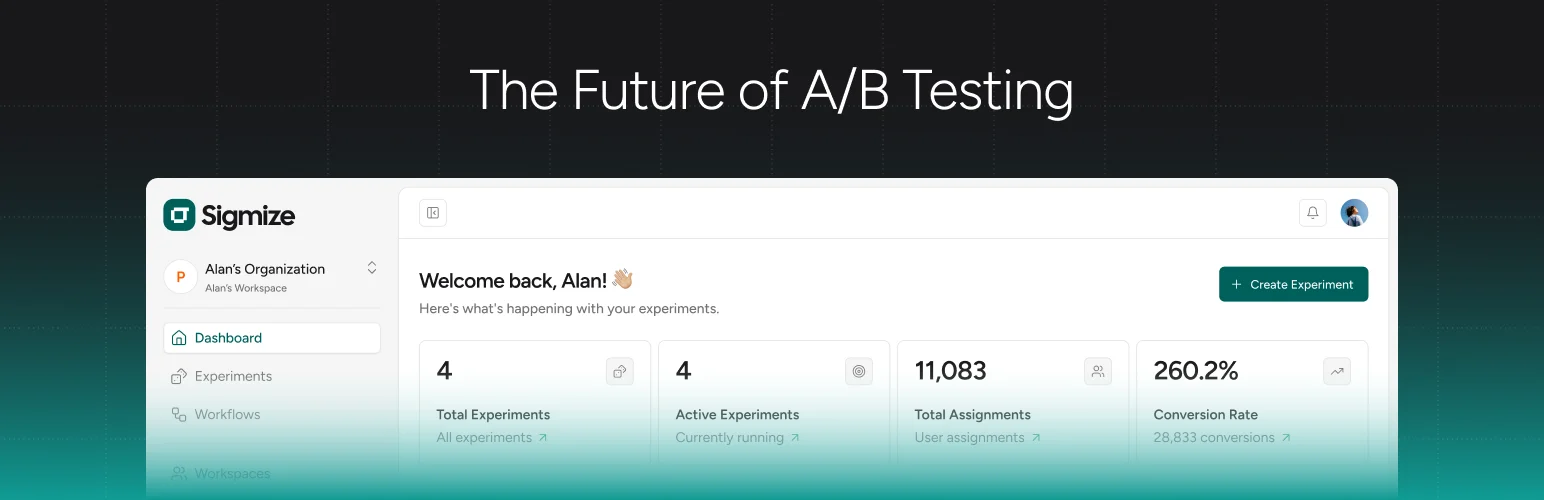
Sigmize is built around a question many generic A/B tools miss: did the variation increase actual store revenue? The plugin combines page and element testing with WooCommerce, SureCart and EDD purchase tracking, then adds heatmaps and session replays so teams can connect experiment results with behavior. Official details.
Testing strengths
- Full-page A/B testing
- Element-level experiments
- WooCommerce, SureCart and EDD revenue tracking
- Custom goals
- Heatmaps and session replays
- Consent-management integration options
Best for: Stores that want to compare variations against revenue, purchases and average order value rather than clicks alone.
Pros: Strong ecommerce focus; behavior analytics included; current WordPress 7.1 development.
Cons: The service uses a SaaS backend, so it is not a purely local experiment database.
Pricing: Plugin is free to install; account/service limits and commercial terms depend on the current Sigmize plan.
4. VWO — Best for Mature Experimentation Teams
VWO is a broader optimization platform with a WordPress integration rather than a WordPress-only plugin business. That makes sense for teams already using VWO across marketing sites, ecommerce and product experiences and wanting WordPress to participate in the same testing program. Official details.
Testing strengths
- Visual A/B testing
- Split URL testing
- Conversion goals
- Audience targeting and segmentation
- WooCommerce event support through the plugin
- Server-side tracking options in the WordPress integration
Best for: Marketing teams that need WordPress experiments inside a larger CRO and experimentation program.
Pros: Powerful platform; mature segmentation; suitable for multi-team experimentation.
Cons: More platform and process than a small WordPress site usually needs.
Pricing: WordPress integration plugin is free; VWO platform pricing depends on product, traffic and plan.
5. Crazy Egg — Best for Testing Beside Heatmaps and Recordings

Crazy Egg is useful when experiments start from behavior evidence. You can identify friction through heatmaps or recordings, create a hypothesis, then run A/B tests in the same broader optimization platform instead of jumping between unrelated tools. Official details.
Testing strengths
- A/B testing
- Heatmaps
- Session recordings
- Conversion funnels
- Surveys
- Audience targeting on higher plans
Best for: Teams that want one CRO platform for research and experimentation rather than a WordPress-only testing interface.
Pros: Research and testing in one service; unlimited domains on current plans; straightforward visual workflow.
Cons: A/B testing requires a paid tier and the platform is external to WordPress.
Pricing: Free analytics option exists. A/B testing is included from the Growth tier, currently $99/month when billed annually.
6. Opti-Behavior — Best Self-Hosted Behavior + Experiment Stack
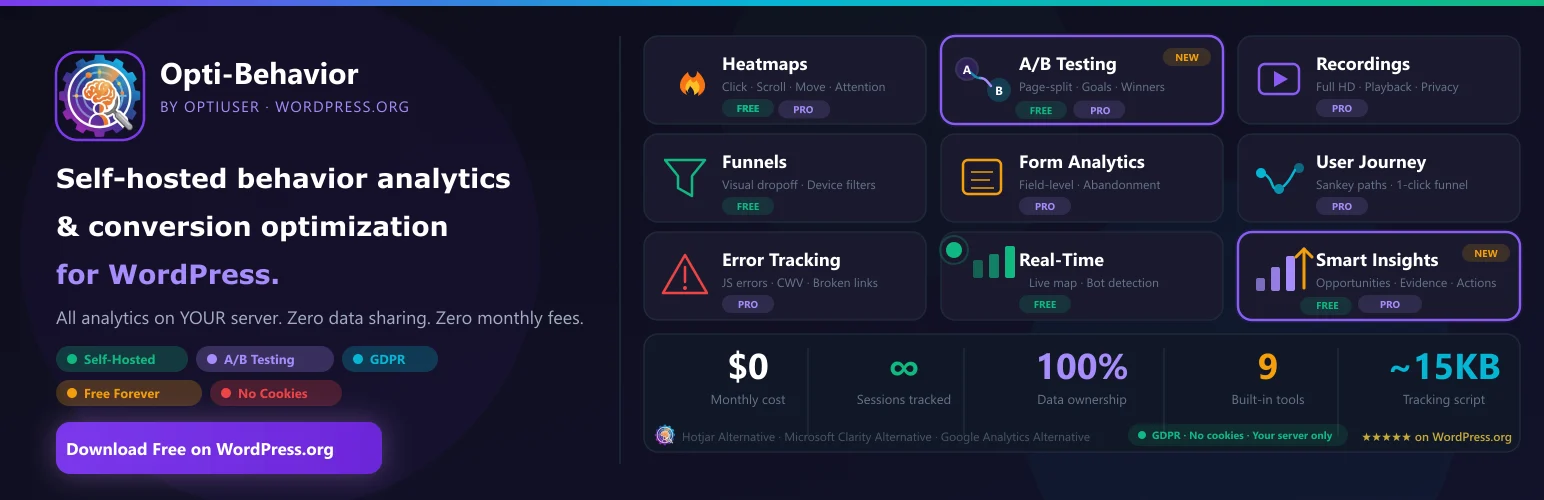
Opti-Behavior combines A/B testing with heatmaps, recordings, funnels and behavior insights in a self-hosted WordPress setup. Its Smart Insights feature detects friction such as rage clicks, dead clicks, error clicks and funnel drop-offs, then turns those signals into concrete test hypotheses so experiments can start from observed behavior. Official details.
Testing strengths
- A/B testing
- Heatmaps
- Session recordings
- Funnels
- Smart Insights for rage clicks, dead clicks, error clicks and funnel drop-offs
- WooCommerce-oriented optimization capabilities
- Cookieless tracking mode
Best for: WordPress owners who want experimentation and behavior analytics from one WordPress-focused tool.
Pros: Broad CRO feature mix; Smart Insights can turn behavior friction into test hypotheses; self-hosted data; cookieless tracking option.
Self-hosted footprint: According to Opti-Behavior’s developer, all behavior data stays in the WordPress database with no external backend. In a real-site 90-day measurement, database storage averaged about 3.7 KB per session, and the tracker was about 15 KB. Database size study · Cookieless tracking details.
Cons: A younger product has a shorter long-term track record than Nelio or VWO.
Pricing: The core plugin is free on WordPress.org. Pro includes a 6-month free trial.
A/B Testing Mistakes That Make Results Useless
Do not stop a test the first morning one variant is ahead. Do not change the experiment halfway through and pretend it is the same test. Avoid running several experiments that modify the same conversion path unless the tool and your analysis can account for the interaction. Most importantly, choose a primary goal before launch.
Behavior research can improve the quality of your hypotheses. Our WordPress heatmap and session recording guide is the natural companion to this article, while lead generation plugins can provide forms and CTAs worth testing.
Conclusion
Nelio is the strongest general-purpose A/B testing tool for WordPress users who want a native workflow. Sigmize is more compelling for revenue-driven ecommerce experiments, while EasyTest is a lighter self-hosted choice. VWO and Crazy Egg make sense when WordPress is only one part of a larger optimization program, and Opti-Behavior is worth watching for teams that want behavior analytics and testing together. The best tool is the one that lets you run fewer, better experiments tied to real business outcomes.
Frequently Asked Questions
What is the best A/B testing plugin for WordPress?
Nelio A/B Testing is my best overall WordPress-native choice because it supports many test types directly inside the dashboard. Ecommerce stores should also evaluate Sigmize for revenue-linked experiments.
How much traffic do I need for A/B testing?
There is no universal minimum. The required sample depends on your baseline conversion rate, expected effect size and statistical method. Very low-traffic pages often take too long to produce a reliable answer.
Does A/B testing hurt SEO?
Properly implemented experiments are generally manageable for SEO. Avoid deceptive cloaking, keep tests temporary, and follow search-engine guidance for redirects and canonicalization when testing separate URLs.
Can I A/B test WooCommerce product pages?
Yes. Nelio and Sigmize both support ecommerce-oriented experiments, while other platforms can test page variations and track purchase goals.
Should I use heatmaps before A/B testing?
Often yes. Heatmaps and recordings can reveal friction and help you form a specific hypothesis. The A/B test then measures whether your proposed fix actually improves the chosen outcome.


