Ad platforms can only optimize from the conversion data they receive. That is why choosing a WordPress pixel tracking plugin matters more than simply pasting a Meta Pixel or Google Ads tag into the header. The best WordPress pixel tracking plugins in 2026 can map WooCommerce events, prevent duplicate purchases, pass product values, support consent rules, and increasingly connect browser events with server-side tracking.
I separated this roundup from our Google Tag Manager plugins guide and WordPress analytics plugins. This list is specifically about advertising pixels and conversion events for Meta, Google Ads, TikTok and similar networks.
TL;DR: WordPress Pixel Tracking Plugins in 2026
- PixelYourSite: best overall for multi-platform tracking on WordPress and WooCommerce.
- Pixel Manager for WooCommerce: best for stores that want robust purchase-event handling with minimal manual setup.
- Conversios: best for WooCommerce merchants combining pixels, GA4, feeds and server-side options.
- Meta for WooCommerce: best free choice when your advertising stack is primarily Facebook and Instagram.
- Tracking Code Manager: best lightweight option when you mainly need controlled script and pixel placement.
Quick Comparison: Best WordPress Pixel Tracking Plugins
| Plugin | Best for | Platforms / approach | Pricing |
|---|---|---|---|
| PixelYourSite | Multi-platform WordPress tracking | Meta, TikTok, Google Analytics, Google Ads + add-ons | Free core; Pro from $199/year |
| Pixel Manager for WooCommerce | WooCommerce conversion accuracy | Google Ads, GA4, Meta, TikTok and more | Free core; Pro features available |
| Conversios | WooCommerce marketing stack | Pixels, CAPI, GTM/data layer, feeds and reporting | Free; Pixel Pro currently from $89.10/year promo |
| Meta for WooCommerce | Meta-first WooCommerce stores | Meta Pixel + catalog / Meta commerce connection | Free |
| Tracking Code Manager | Manual pixel/script control | Any tracking code you can paste | Free core |
The comparison is not about which plugin can insert the most scripts. I prefer tools that understand commerce events and reduce the chance that an AddToCart or Purchase event fires twice. If you only need one simple tag, a smaller plugin can be the better choice.
1. PixelYourSite — Best Overall WordPress Pixel Tracking Plugin

PixelYourSite is the strongest all-round option when one WordPress site needs several advertising and analytics platforms at once. The plugin is designed around events rather than raw code injection, so it can send product, cart, checkout and purchase data from WooCommerce or Easy Digital Downloads without building every event manually. View the official plugin or pricing page.
What it tracks well
- Meta/Facebook Pixel event tracking
- TikTok Tag support
- Google Analytics integration
- Google Ads remarketing support
- WooCommerce and EDD event mapping
- Multiple pixels and granular rules in higher tiers
Best for: Stores, publishers and marketers that run campaigns across several ad platforms and want one tracking layer.
Pros: Broad multi-platform coverage; ecommerce-aware events; mature WordPress workflow.
Cons: The paid version becomes expensive if you only need one basic pixel.
Pricing: Free core plugin. PixelYourSite Professional Starter is currently $199/year for one website.
2. Pixel Manager for WooCommerce — Best for WooCommerce Event Accuracy
Pixel Manager for WooCommerce is more focused than a generic tag manager. Its value is the WooCommerce event layer: purchase handling, payment redirects, duplicate order prevention and consent-related edge cases that often cause reporting discrepancies when pixels are installed manually. View the official plugin or pricing page.
What it tracks well
- Google Ads conversion tracking
- GA4 ecommerce events
- Meta/Facebook Pixel
- TikTok Pixel
- Dynamic remarketing data
- Order deduplication and consent-aware tracking
Best for: WooCommerce shops where purchase and revenue tracking accuracy matters more than a broad marketing dashboard.
Pros: Deep WooCommerce focus; many ecommerce events are automatic; strong free version.
Cons: It is primarily a WooCommerce solution, so a content-only site may not need this depth.
Pricing: Free core plugin; additional professional features and services are available from SweetCode.
3. Conversios — Best All-in-One Tracking Stack for WooCommerce
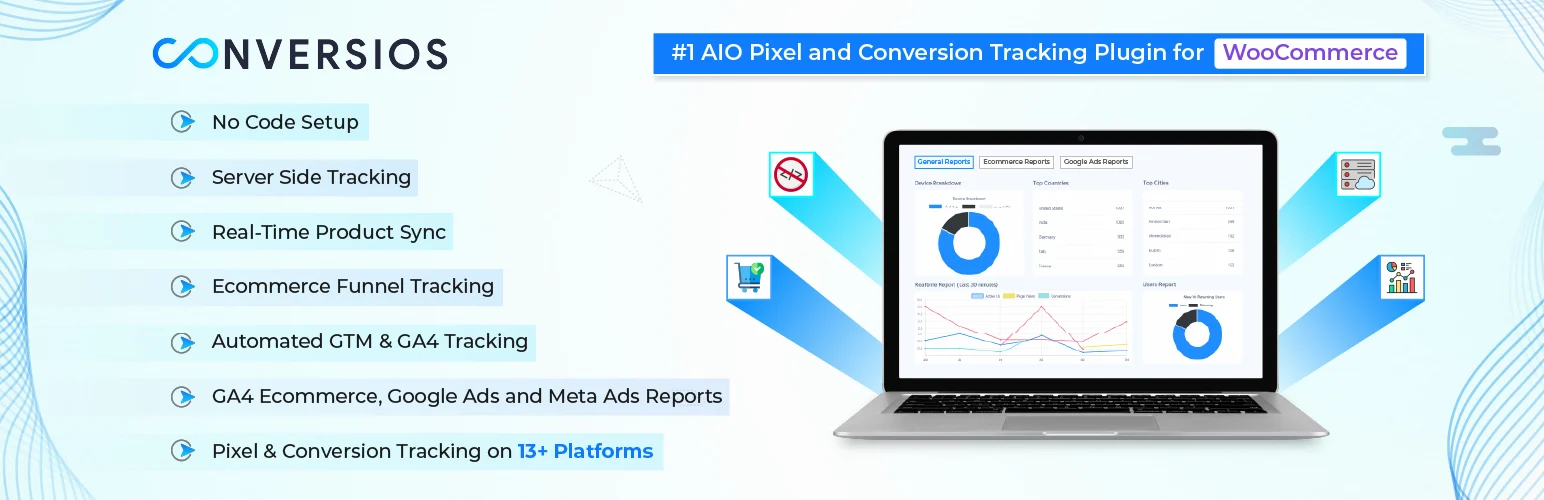
Conversios combines pixel installation with ecommerce data layers, product feeds and reporting. That makes it useful when your problem is not only adding a Meta or Google pixel, but keeping WooCommerce product and purchase data aligned across advertising tools. View the official plugin or pricing page.
What it tracks well
- Google Analytics 4 ecommerce tracking
- Google Ads events and remarketing
- Meta, TikTok and other pixel support
- Automated GTM and data-layer options
- Conversion API options on higher plans
- Product feed and reporting tools
Best for: WooCommerce marketers who prefer one commercial stack for ads, analytics, feeds and conversion tracking.
Pros: Wide ecommerce feature set; free entry point; server-side options available.
Cons: The platform can be more than you need if your only requirement is one browser pixel.
Pricing: Free plan available. All-in-One Pixel Pro is currently displayed from $89.10/year for one website under promotional pricing; regular pricing can change.
4. Meta for WooCommerce — Best Free Meta Pixel Plugin for WooCommerce
Meta for WooCommerce is the official Meta integration for WooCommerce. It can connect the store with Facebook and Instagram, install the Meta Pixel, synchronize catalog data and measure actions used for advertising. It is narrower than PixelYourSite, but that is an advantage for stores that mostly advertise inside Meta. View the official plugin or pricing page.
What it tracks well
- Official Meta Pixel connection
- WooCommerce catalog synchronization
- Facebook and Instagram commerce connection
- Dynamic ad data
- Purchase and customer-action measurement
- WhatsApp Business connection features
Best for: WooCommerce stores whose paid acquisition is centered on Facebook and Instagram.
Pros: Official Meta integration; free; combines catalog and pixel setup.
Cons: It is Meta-specific and therefore not a replacement for a multi-platform pixel manager.
Pricing: Free. The maintained plugin is currently distributed through WordPress.org / Meta.
5. Tracking Code Manager — Best Lightweight Manual Pixel Manager

Tracking Code Manager takes a simpler route. Instead of trying to understand every WooCommerce event, it gives administrators a controlled place to insert tracking snippets and choose where they load. That is useful for custom pixels, verification tags, niche ad networks or sites where developers already define the conversion logic. View the official plugin or pricing page.
What it tracks well
- Header and footer tracking-code placement
- Conditional code loading
- Support for custom pixels and scripts
- Per-page or sitewide placement options
- No theme-file editing required
- Useful for vendor scripts beyond major ad networks
Best for: Site owners who know which tracking snippets they need and want a cleaner alternative to editing theme files.
Pros: Flexible; lightweight concept; works with almost any vendor snippet.
Cons: It does not automatically build a sophisticated ecommerce event model for you.
Pricing: Free core plugin. Commercial upgrade availability may vary, so check the current vendor offering before purchasing.
How I Choose a Pixel Plugin Without Duplicating Events
Start by deciding who owns each event. If PixelYourSite sends the Meta Purchase event, do not also fire the same browser Purchase event through another plugin unless you have configured deduplication correctly. The same principle applies to Google Ads and TikTok. A cleaner tracking stack is usually more reliable than installing several overlapping WordPress pixel plugins.
Consent is the second check. If you serve visitors in regions where advertising storage requires consent, connect the pixel setup to your consent platform. Our WordPress cookie consent plugin comparison covers tools that can help manage that layer.
Conclusion
For most multi-platform sites, PixelYourSite is the easiest starting point among the WordPress pixel tracking plugins in this list. WooCommerce stores that care most about precise ecommerce events should look closely at Pixel Manager for WooCommerce, while Conversios makes more sense when feeds, reporting and server-side tracking are part of the same marketing stack. Meta for WooCommerce and Tracking Code Manager are better when the requirement is narrower.
Frequently Asked Questions
What is the best WordPress pixel tracking plugin?
PixelYourSite is my best overall choice for multi-platform tracking. Pixel Manager for WooCommerce is stronger when WooCommerce event accuracy is the main requirement, while Meta for WooCommerce is a good free option for Meta-first stores.
Do I need a pixel plugin if I already use Google Tag Manager?
Not always. Google Tag Manager can deploy pixels, but a dedicated ecommerce pixel plugin can create WooCommerce events and product parameters for you. Avoid running the same event through both systems unless deduplication is intentional.
Can WordPress pixel plugins track purchases?
Yes, ecommerce-focused plugins can send purchase events with values, currencies and product information. Always test the thank-you page and payment-gateway redirects to confirm the event fires once.
What is server-side or CAPI tracking?
Server-side tracking sends some conversion data from a server rather than relying only on the visitor browser. Meta calls its server interface Conversions API. Availability depends on the plugin and plan.
Will a tracking pixel slow down WordPress?
The plugin itself may be lightweight, but every advertising script adds network and JavaScript work. Load only the platforms you actually use and avoid duplicate tags.