



A small typo in a checkout address can become a returned parcel, a support ticket and a second shipping charge. The problem is worse on mobile, where customers type quickly and apartment, postcode and state fields are easy to miss. Address autocomplete reduces typing; address validation goes further by checking or standardizing the delivery address before the order is accepted.
The best WooCommerce address plugin depends heavily on where you ship. A global Google Places autocomplete tool solves a different problem from a postal-data lookup service built around Royal Mail or another national database.
TL;DR
Postcode/Address Validation by SkyVerge is the strongest established WooCommerce-specific choice when you want validation or postcode lookup with commercial support. AutoComplete Address Checkout is a practical Google Places option with Checkout Blocks support. Autocomplete Google Places is a simple free choice for standard WooCommerce fields and custom forms. Real Simple Autocomplete focuses on checkout-safe updates. SnapAddress is especially relevant for UK stores using Royal Mail PAF data.
Quick Comparison
| Plugin | Best for | Pricing |
|---|---|---|
| Postcode/Address Validation for WooCommerce | Established stores that want validation plus postcode lookup | $49/year for one year when checked. |
| AutoComplete Address Checkout for WooCommerce | Global Google Places autocomplete with block checkout support | Free core with a Pro upgrade. |
| Autocomplete Google Places | Free autocomplete across WooCommerce and custom forms | Free. |
| Real Simple Autocomplete for WooCommerce | Stores worried about checkout recalculation conflicts | Free on WordPress.org. |
| SnapAddress | UK stores that want Royal Mail PAF-based lookup | Plugin is free; the service uses lookup credits and offers 100 free lookups for testing. |
How I Chose These Plugins
I distinguished three jobs that are often mixed together: suggesting addresses while the customer types, filling WooCommerce billing/shipping fields, and validating the final address against a data provider. I also checked block-checkout support, provider requirements, geographic limits, data handling and whether the plugin clearly documents the external service it depends on.
1. Postcode/Address Validation for WooCommerce — Best for Established stores that want validation plus postcode lookup
Best for: Established stores that want validation plus postcode lookup
SkyVerge’s extension is the most established commercial option in this group. The WooCommerce Marketplace lists version 2.12.0 and 4,000+ active installs. It is designed to validate or look up addresses during checkout rather than merely making the address fields look nicer.
Key Features
- Address validation during checkout
- Address autocomplete and postcode lookup options
- WooCommerce-native checkout integration
- Supports multiple address providers depending on configuration
- Commercial updates and support
- Designed to reduce invalid shipping addresses before fulfillment
Pros
- Longer WooCommerce-specific track record
- Validation focus is stronger than autocomplete-only plugins
Cons
- Paid annual license
- Provider coverage and external service costs can vary by country
Pricing: $49/year for one year when checked.
2. AutoComplete Address Checkout for WooCommerce — Best for Global Google Places autocomplete with block checkout support

Best for: Global Google Places autocomplete with block checkout support
This plugin uses the Google Places API to suggest addresses and fill street, city, postcode, state and country fields. Its current documentation explicitly supports both classic and Gutenberg block checkout. It is a good fit when reducing typing is the main goal and Google Places has strong coverage in your markets.
Key Features
- Google Places address suggestions
- Automatic billing and shipping field fill
- Classic checkout support
- WooCommerce Checkout Blocks support
- Global address coverage through Google Places
- Pro country restriction options
Pros
- Easy autocomplete workflow on desktop and mobile
- Clear documentation of the external Google service used
Cons
- Requires a Google Maps/Places API key and billing setup
- Autocomplete is not the same as delivery-grade validation in every country
Pricing: Free core with a Pro upgrade.
3. Autocomplete Google Places — Best for Free autocomplete across WooCommerce and custom forms
Best for: Free autocomplete across WooCommerce and custom forms
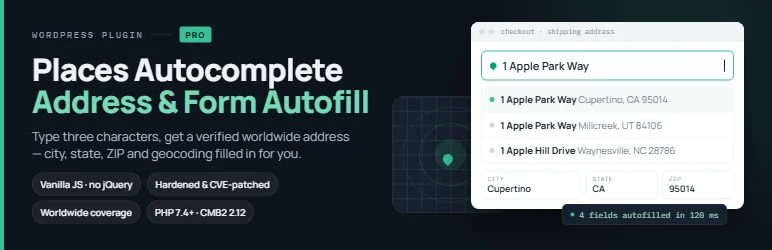
Autocomplete Google Places is a lightweight option when you need standard WooCommerce billing/shipping fields filled from Google Places and also want to target fields in forms such as Contact Form 7, Gravity Forms or Elementor. The current version no longer depends on jQuery.
Key Features
- Google Places autocomplete
- Fills street, city, state, postcode and country
- Targets standard WooCommerce billing and shipping fields
- Can target custom form fields by ID or class
- No jQuery dependency in the current 3.x line
- Free plugin with your own Google API key
Pros
- Useful outside checkout as well as inside WooCommerce
- Simple free setup for stores already using Google Maps APIs
Cons
- Requires Google API configuration
- Does not provide the same postal validation depth as dedicated validation services
Pricing: Free.
4. Real Simple Autocomplete for WooCommerce — Best for Stores worried about checkout recalculation conflicts
Best for: Stores worried about checkout recalculation conflicts
Real Simple Autocomplete addresses a technical problem that is easy to miss: when autocomplete fills several checkout fields quickly, WooCommerce can fire overlapping recalculation requests with incomplete address data. The plugin documents a request guard that waits until the full address is applied before allowing a coherent checkout update.
Key Features
- WooCommerce address autocomplete
- Google Places and OpenStreetMap data sources
- Fills core checkout address fields
- Checkout request guard during multi-field updates
- Designed around WooCommerce recalculation behavior
- Automatic update after the full address is applied
Pros
- Thoughtful handling of WooCommerce checkout AJAX behavior
- Alternative data-source flexibility
Cons
- Smaller adoption footprint than the established SkyVerge extension
- Still depends on third-party geocoding/autocomplete services
Pricing: Free on WordPress.org.
5. SnapAddress — Best for UK stores that want Royal Mail PAF-based lookup
Best for: UK stores that want Royal Mail PAF-based lookup
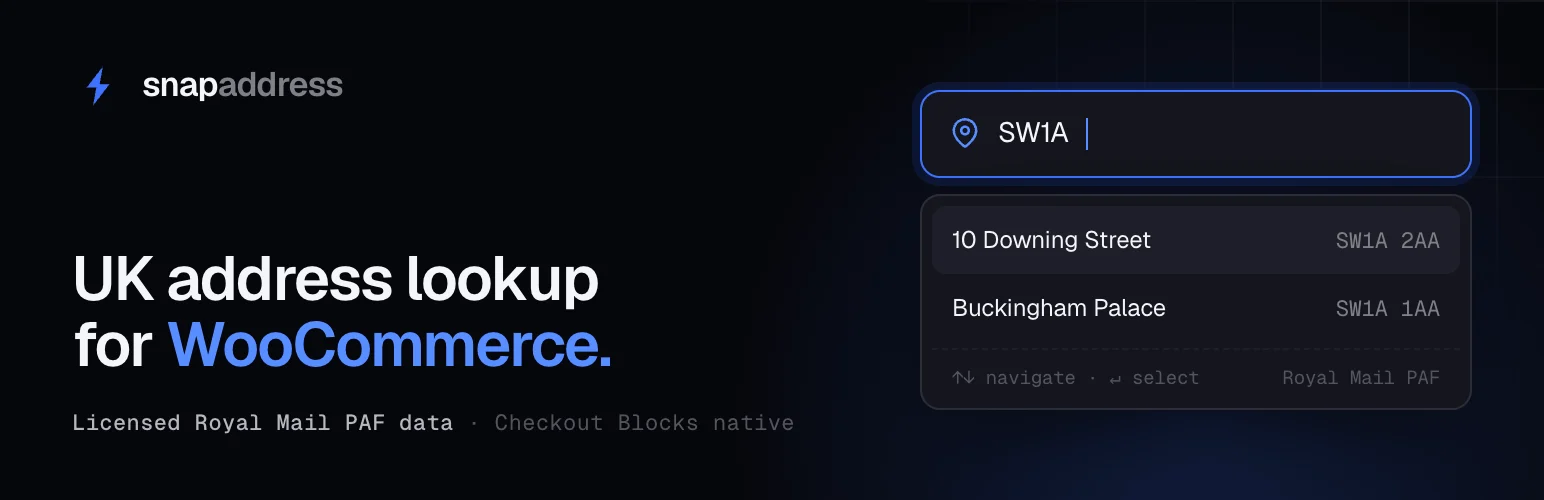
SnapAddress is deliberately country-specific rather than pretending every address database is global. It uses Royal Mail PAF data, does not require a Google Maps API key, and supports WooCommerce’s official Address Autocomplete Provider API for block and classic checkout.
Key Features
- Royal Mail PAF address data
- No Google Maps dependency
- WooCommerce Checkout Blocks support
- Classic checkout support
- API connection test in WooCommerce settings
- 100 free lookups for initial testing
Pros
- Strong fit for UK postcode/address lookup
- Uses WooCommerce’s address autocomplete provider approach
Cons
- Not a global solution
- Ongoing lookup usage depends on a separate service account
Pricing: Plugin is free; the service uses lookup credits and offers 100 free lookups for testing.
How to Choose the Right Plugin
If failed deliveries are expensive, prefer a validation/lookup product rather than autocomplete alone. Autocomplete speeds entry, but a suggestion being selectable does not always mean the carrier will accept the address exactly as entered.
Match the provider to your geography. Google Places is convenient for international stores, while Royal Mail PAF is more specific for UK delivery data. Also test your actual checkout type: classic shortcode checkout and Checkout Blocks do not always use the same hooks.
Review privacy disclosures because typed address fragments are usually sent to an external provider. Your checkout policy should reflect the service you use.
Related reading on PluginSuggest: WooCommerce checkout plugins, WooCommerce shipping plugins.
Autocomplete vs Validation: Choose the Right Layer
Autocomplete is mainly a data-entry improvement. It reduces typing and standardizes fields after a customer selects a suggestion. Validation is an operational control that asks whether the address matches a trusted postal or carrier data source. Stores shipping low-cost digital add-ons may only need autocomplete; stores sending expensive physical goods often have more to gain from true validation or postcode lookup.
Neither approach replaces customer review. Apartment numbers, building access instructions and newly created addresses can still be incomplete even when the street is recognized. Keep the address fields editable after selection and do not lock customers into a bad suggestion.
Checkout Compatibility Testing
Run tests on both billing and shipping addresses, including the option to ship to a different address. Test logged-in customers with saved addresses, guest checkout, country changes, tax recalculation and shipping-rate recalculation. Autocomplete that fills the fields correctly but fails to trigger shipping methods can still break checkout.
Checkout Blocks and classic checkout use different extension patterns. A plugin claiming WooCommerce support may only target the older shortcode fields. Confirm the exact checkout implementation on your live theme and retest after major WooCommerce updates.
Privacy and Provider Costs
Address tools usually send partial text to Google, a postal database or another external service. That has privacy and cost implications. Restrict API keys by domain where the provider supports it, monitor quota usage, and document the service in your privacy policy. For high-volume stores, lookup pricing can matter more over a year than the WordPress plugin license itself.
Address Data Quality After Checkout
Cleaner checkout data also improves fulfillment automation. Shipping-label tools, tax systems, fraud checks and warehouse exports all work better when country, state and postcode values are normalized. Review a sample of real orders after launch to confirm the plugin is improving data quality rather than merely making the checkout form faster.
International Checkout Edge Cases
International stores should test transliteration, apartment formats, territories and countries where state or postcode rules differ from the store’s home market. Restricting suggestions to supported shipping countries can reduce noise, but do not assume one provider has equal address quality everywhere. Sample real orders from your top markets before and after enabling the plugin.
Conclusion
SkyVerge’s Postcode/Address Validation is the strongest established choice when address quality matters more than simply reducing keystrokes. For Google Places autocomplete, AutoComplete Address Checkout is attractive because it documents current Checkout Blocks support. UK stores should look closely at SnapAddress if Royal Mail PAF data is more relevant than Google. Test any option with real addresses, apartment formats, postcode edge cases and your shipping-rate calculation before enabling it for every customer.
Frequently Asked Questions
What is the difference between address autocomplete and address validation?
Autocomplete suggests and fills an address while the shopper types. Validation checks or standardizes the address against a provider’s data, which is more useful for reducing delivery errors.
Does WooCommerce include address autocomplete by default?
WooCommerce core provides address fields, but autocomplete or provider-based validation generally requires an extension or integration.
Will Google Places prevent every invalid delivery address?
No. Google Places is excellent for suggestions and place data, but carrier-specific deliverability rules can still differ.
Do address plugins work with WooCommerce Checkout Blocks?
Some do and some do not. Check the plugin’s current documentation and test the exact block checkout used on your site.
Do I need a Google Maps API key?
Only for plugins that use Google Places. Alternatives such as SnapAddress use a different provider and therefore have different account and billing requirements.

