



WooCommerce gives each product one main stock quantity, which becomes limiting when the same SKU sits in several warehouses, stores, pickup points, or vans. Multi-location inventory plugins add location-level stock and, depending on the tool, routing, pricing, transfers, POS synchronization, and customer location selection.
TL;DR
For a WooCommerce-native location system, Multi Location Product & Inventory Management offers the broadest location controls. MultiWare Engine Lite focuses on warehouse operations and allocation. Multiloca Lite is a simpler location-stock option, while Storelly ERP connects WooCommerce to a wider ERP/POS workflow.
Quick comparison
| Plugin | Best for | Approach |
|---|---|---|
| Multi Location Product & Inventory Management | Detailed location rules | WooCommerce-native |
| MultiWare Engine Lite | Warehouse operations | Multi-warehouse engine |
| Multiloca Lite | Straightforward location stock | WooCommerce extension |
| Storelly ERP | ERP and POS synchronization | Connected SaaS/ERP |
How these multi-location plugins were evaluated
I compared whether each tool tracks stock at the product and variation level, how locations are selected, whether orders can be allocated or routed by location, and how much of the workflow stays inside WooCommerce. I also considered location-specific pricing, transfers, POS or ERP dependencies, HPOS support where documented, and the operational complexity added by each system.
What matters in multi-location inventory
The key difference is whether you only need separate stock counts or a full fulfillment workflow. Check variation support, checkout compatibility, stock allocation rules, transfers, location-based pricing, reporting, and whether an external platform is required.
1. Multi Location Product & Inventory Management for WooCommerce
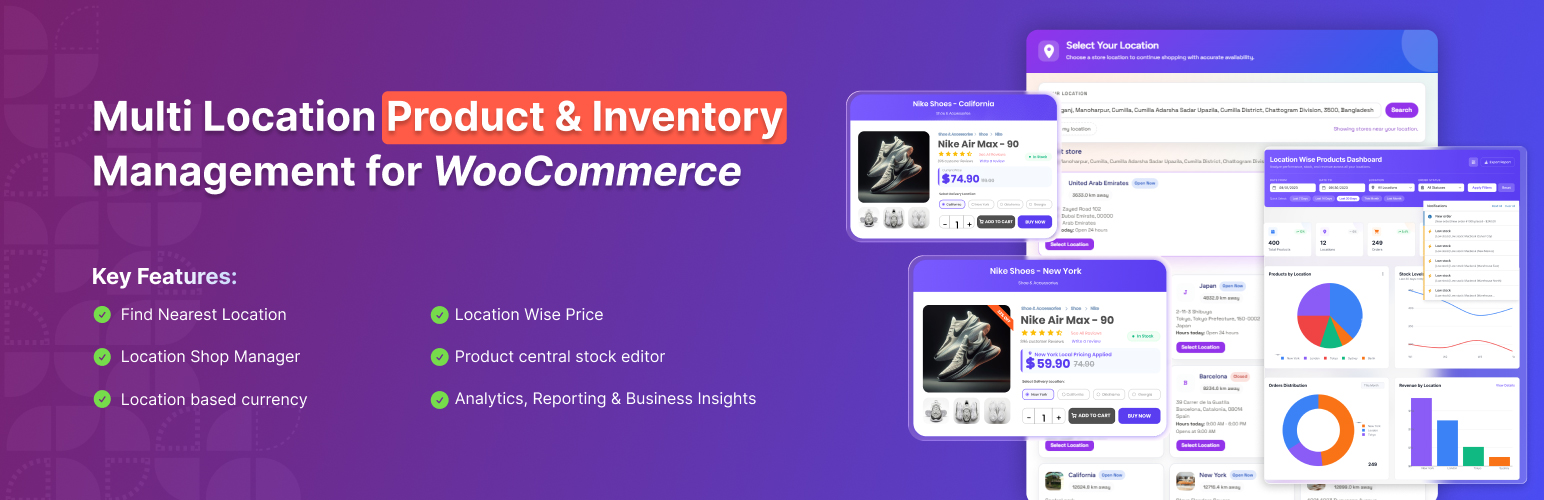
Best for: stores that need granular stock, pricing, visibility, and fulfillment controls by location.
Plugincy’s plugin is built around locations as a first-class WooCommerce concept. It can assign products to multiple locations, maintain separate quantities, and expose location context through product, cart, checkout, and order workflows. Its documentation also describes location-specific prices, purchase costs, backorders, import/export, REST endpoints, and manager permissions.
Key features
- Unlimited hierarchical locations
- Separate inventory for products and variations
- Location-based pricing and product availability
- Central Stock dashboard and bulk assignment
- CSV inventory workflows and REST/webhook support
Limitations: Its feature set is broad, so stores should test checkout, caching, shipping, and payment combinations on staging before rollout.
Pricing: A free WordPress.org version is available, with additional commercial features offered by the developer.
2. MultiWare Engine Lite
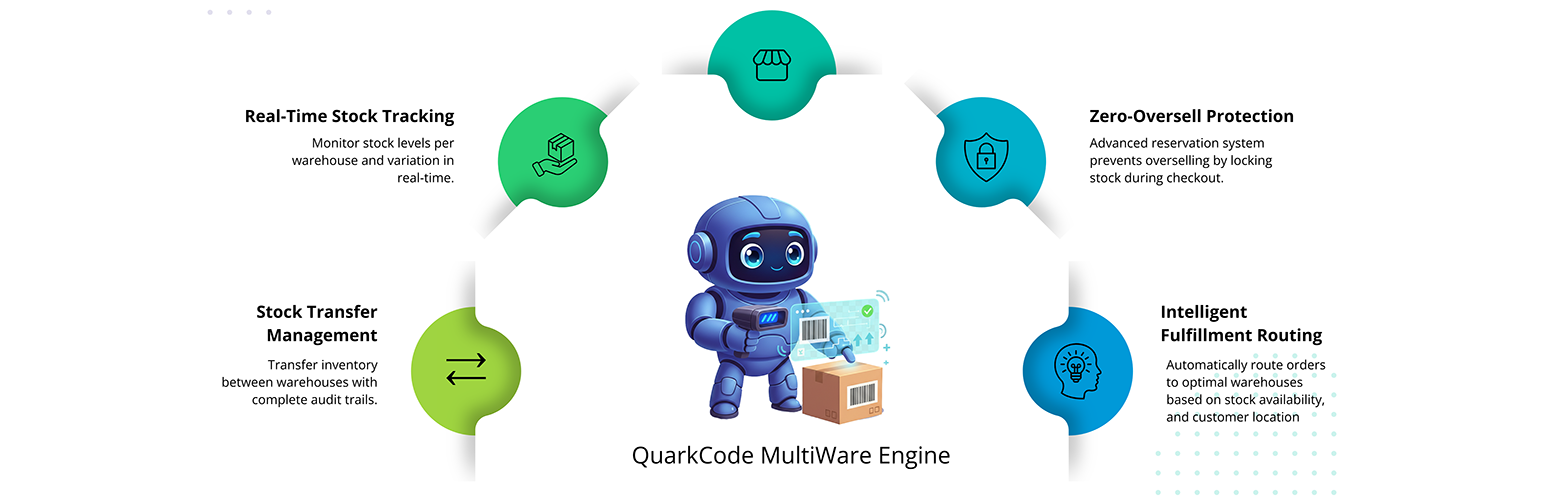
Best for: warehouse-focused stores that want allocation and operational inventory controls.
MultiWare Engine Lite turns a single WooCommerce inventory into a warehouse-aware setup. The plugin positions itself around warehouse locations, stock allocation, synchronization, barcode workflows, batch tracking, and analytics rather than simply adding a location label to products.
Key features
- Multiple warehouse locations
- Warehouse-specific stock allocation
- Real-time inventory synchronization
- Barcode-oriented inventory workflows
- Batch tracking and operational analytics
Limitations: Advanced warehouse workflows can add operational complexity, so define your fulfillment rules before enabling automatic allocation.
Pricing: A Lite edition is available on WordPress.org. Check the developer’s current plans for paid capabilities.
3. Multiloca Lite
Best for: smaller WooCommerce stores that need stock by location without a full ERP.
Multiloca Lite supports location-level inventory for simple and variable products and can display location availability on product pages. Its documentation also notes HPOS compatibility, while advanced import/export and location-specific pricing are positioned as Pro features.
Key features
- Inventory quantities by location
- Simple and variable product support
- Frontend location availability displays
- WooCommerce HPOS compatibility
- Multiple display styles for location information
Limitations: Some useful operational features, including advanced CSV tools and location-specific pricing, are reserved for the commercial version.
Pricing: Free Lite version on WordPress.org; Pro adds advanced functionality.
4. Storelly ERP
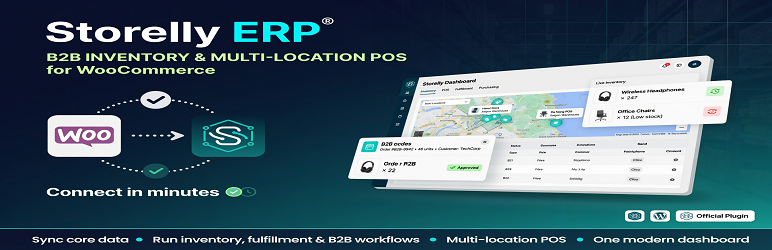
Best for: businesses that want WooCommerce connected to inventory, POS, B2B, and order operations.
Storelly takes a different approach: the WordPress plugin connects WooCommerce to the Storelly business platform. Products, inventory, categories, and orders can be synchronized, while locations and POS are managed as part of the broader Storelly workflow.
Key features
- Multi-location inventory through Storelly
- WooCommerce product and stock synchronization
- Order synchronization for fulfillment
- POS support
- B2B workflow support
Limitations: This is not a fully local WordPress-only solution; an active Storelly workspace and API connection are required.
Pricing: The WordPress connector is available from WordPress.org; Storelly service pricing should be checked on its official site.
How to choose
Choose a native WooCommerce plugin when you want WordPress to remain the operational center. Choose an ERP-connected option when inventory is only one part of a larger retail operation. For any multi-location system, test how stock is reduced after orders, refunds, cancellations, and partial fulfillment before moving live.
For stores that only need stronger stock counts and alerts without location routing, the broader WooCommerce stock management plugin guide may be a better starting point.
Final Take
Multi-location inventory is less about adding more stock fields and more about deciding which location owns each unit and each order. Start with the simplest workflow that matches your fulfillment model, then add routing, POS, pricing, or ERP features only when the business actually needs them.
FAQs
Can WooCommerce manage multiple warehouses by default?
Core WooCommerce tracks a main stock quantity per product or variation. Separate warehouse quantities normally require an extension or external inventory system.
Do multi-location plugins work with variable products?
Several do, including the options above, but variation-level stock behavior should be verified for your exact setup.
Can customers choose a store location?
Some plugins expose a frontend location selector or availability display. Others are designed mainly for backend warehouse operations.
Should I use an ERP instead of a WordPress plugin?
An ERP can make sense when inventory must stay synchronized with POS, purchasing, B2B, or several sales channels. A native plugin is often simpler for a WooCommerce-only operation.

