



Product pages often leave shoppers with questions that do not belong in a generic store FAQ. A product Q&A plugin can keep those answers beside the item, reduce repetitive pre-sale support, and give future shoppers useful context before checkout.
TL;DR
For WooCommerce Product Questions & Answers Plugins, choose around the workflow the store must run reliably rather than the longest feature list. I checked the options below against current WordPress.org listings and official product information before publication.
Quick Comparison
| Plugin | Best for | Pricing model |
|---|---|---|
| DreamFast Product Answers | store-managed product answers | Free version available; Pro adds category/global answers and management features. |
| Product QA for WooCommerce | customer-submitted questions | Free on WordPress.org at the time of review. |
| WaqFAQ for Products | lightweight per-product FAQs | Free on WordPress.org at the time of review. |
| Product Enquiry for WooCommerce | private pre-sale questions and quote requests | Free version available; Pro expands form, placement and multi-product enquiry features. |
How I Chose These Plugins
For this WooCommerce Product Questions & Answers Plugins roundup, I kept plugins only when they directly serve the workflow, have a current WordPress.org listing or official product presence, and offer a meaningfully different approach. Loosely related tools were excluded, and any requirement that matters to production should still be confirmed on the official product page before deployment.
1. DreamFast Product Answers
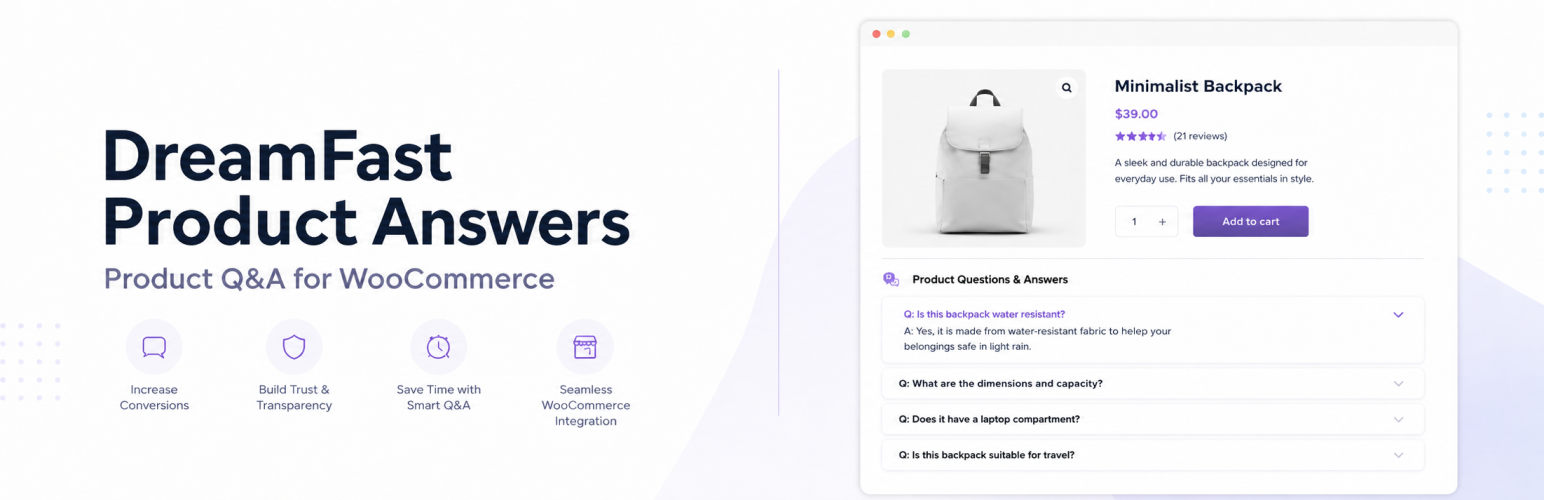
Best for store-managed product answers
DreamFast lets store owners add unlimited answers to individual products and display them in an accordion. The free edition includes product-level Q&A and placement/style controls, while Pro extends the model to category and store-wide answers.
What stands out
- A focused fit for the use case described above.
- Current WordPress.org listing was checked before inclusion.
- Designed to work inside a WooCommerce/WordPress workflow rather than as a generic unrelated tool.
Limitations to consider
Before using a WooCommerce Product Questions & Answers Plugins plugin on a production store, verify the exact free-versus-paid split, compatibility with the extensions that touch the same workflow, and whether the feature depends on an external service.
Pricing: Free version available; Pro adds category/global answers and management features.
2. Product QA for WooCommerce
Best for customer-submitted questions
Product QA is built around shopper questions rather than only merchant-written FAQs. Its current listing describes front-end question submission, answer management, moderation, category controls, and email notifications.
What stands out
- A focused fit for the use case described above.
- Current WordPress.org listing was checked before inclusion.
- Designed to work inside a WooCommerce/WordPress workflow rather than as a generic unrelated tool.
Limitations to consider
Before using a WooCommerce Product Questions & Answers Plugins plugin on a production store, verify the exact free-versus-paid split, compatibility with the extensions that touch the same workflow, and whether the feature depends on an external service.
Pricing: Free on WordPress.org at the time of review.
3. WaqFAQ for Products

Best for lightweight per-product FAQs
WaqFAQ stores product FAQs in a compact format and renders them as an accordion. It supports unlimited questions per product and advertises automatic FAQ structured data in its current WordPress.org listing.
What stands out
- A focused fit for the use case described above.
- Current WordPress.org listing was checked before inclusion.
- Designed to work inside a WooCommerce/WordPress workflow rather than as a generic unrelated tool.
Limitations to consider
Before using a WooCommerce Product Questions & Answers Plugins plugin on a production store, verify the exact free-versus-paid split, compatibility with the extensions that touch the same workflow, and whether the feature depends on an external service.
Pricing: Free on WordPress.org at the time of review.
4. Product Enquiry for WooCommerce
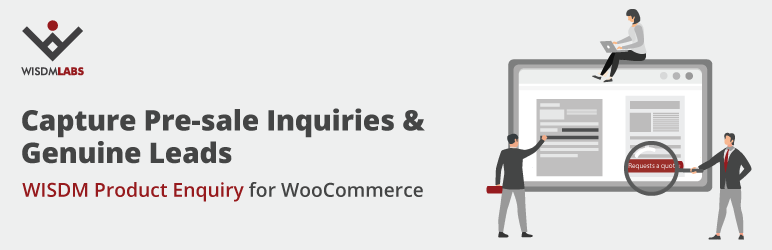
Best for private pre-sale questions and quote requests
WISDM Product Enquiry adds an enquiry or request-a-quote action to product pages. It is better suited to private buyer questions than a public community Q&A board, and the current version also offers an optional AI assistant connection.
What stands out
- A focused fit for the use case described above.
- Current WordPress.org listing was checked before inclusion.
- Designed to work inside a WooCommerce/WordPress workflow rather than as a generic unrelated tool.
Limitations to consider
Before using a WooCommerce Product Questions & Answers Plugins plugin on a production store, verify the exact free-versus-paid split, compatibility with the extensions that touch the same workflow, and whether the feature depends on an external service.
Pricing: Free version available; Pro expands form, placement and multi-product enquiry features.
If your goal is broader social proof rather than pre-sale questions, see our WooCommerce product review plugins. Stores that need negotiated pricing should instead compare request-a-quote plugins.
How to Choose
For WooCommerce Product Questions & Answers Plugins, start with the one store task that cannot fail. Compare compatibility, data ownership, automation requirements, and whether the free edition covers that task. On a live WooCommerce site, test the change on staging and back up relevant order, product, customer, or financial data before rollout.
Final Take
There is no universal WooCommerce Product Questions & Answers Plugins choice for every WooCommerce store. The better fit is the option whose core workflow matches the store’s operational requirement without duplicating another extension. If two products solve the same job, prefer the simpler stack and verify current support before committing.
FAQs
Are free WooCommerce plugins enough for this job?
For a basic WooCommerce Product Questions & Answers Plugins workflow, a free edition can be enough. Paid tiers become more relevant when the store needs automation, advanced controls, integrations, or higher-volume management.
Should I test these plugins on a staging site first?
Yes. A WooCommerce Product Questions & Answers Plugins plugin can affect product, order, customer, checkout, or account behavior, so staging is the safer place to test compatibility before a production change.
How were the plugins selected?
Each WooCommerce Product Questions & Answers Plugins option was checked for a current official listing and direct relevance to the workflow. I excluded tools that only overlap loosely with the search intent.
Can plugin features or pricing change?
Yes. WooCommerce Product Questions & Answers Plugins features, limits, pricing, and compatibility can change. Verify any production-critical detail on the official product or WordPress.org page before purchase or deployment.

