



Refunding every return back to a card sends money out of the store and can add payment-gateway friction. At the other end, repeat buyers may want to prepay a balance and check out faster without entering a card each time. WooCommerce does not provide a full customer wallet or reusable store-credit ledger by default.
Wallet and store credit overlap, but they are not identical. A wallet usually maintains an account balance that can be topped up or spent like a payment method. Store credit may be represented as a balance or coupon that can be issued after refunds, promotions or manual adjustments. This roundup covers both models in one place.
TL;DR
Wallet for WooCommerce (formerly TeraWallet) is the best free-first wallet choice and has 20,000+ active installs. Account Funds is the strongest official marketplace option for a managed balance, cashback and refunds to credit. Store Credit by Kestrel is better when you prefer credit-style coupons. WP Swings Wallet System offers a feature-heavy wallet with a $79/year Pro tier. DevDiggers Wallet & Store Credit is a newer option focused on top-ups, cashback and refund-to-wallet workflows.
Quick Comparison
| Plugin | Best for | Pricing |
|---|---|---|
| Wallet for WooCommerce (TeraWallet) | Free-first customer wallet and partial payments | Free core with commercial upgrades. |
| Account Funds | Official marketplace store balance with cashback and prepaid credit | $89/year when checked. |
| Store Credit for WooCommerce | Coupon-style store credit and gifting | $99/year when checked. |
| Wallet System for WooCommerce by WP Swings | Feature-heavy wallet with cashback and Pro controls | Free version; Pro starts at $79/year for one site when checked. |
| Wallet & Store Credit for WooCommerce by DevDiggers | Modern top-up, refund and cashback workflows | Free on WordPress.org with commercial expansion possible. |
How I Chose These Plugins
I compared balance storage, top-ups, partial payments, refunds to credit, cashback, admin balance adjustments, transaction history and how clearly each product separates store credit from normal coupon discounts. I also checked recent maintenance and WooCommerce compatibility because wallet plugins touch checkout, refunds and financial records.
1. Wallet for WooCommerce (TeraWallet) — Best for Free-first customer wallet and partial payments

Best for: Free-first customer wallet and partial payments
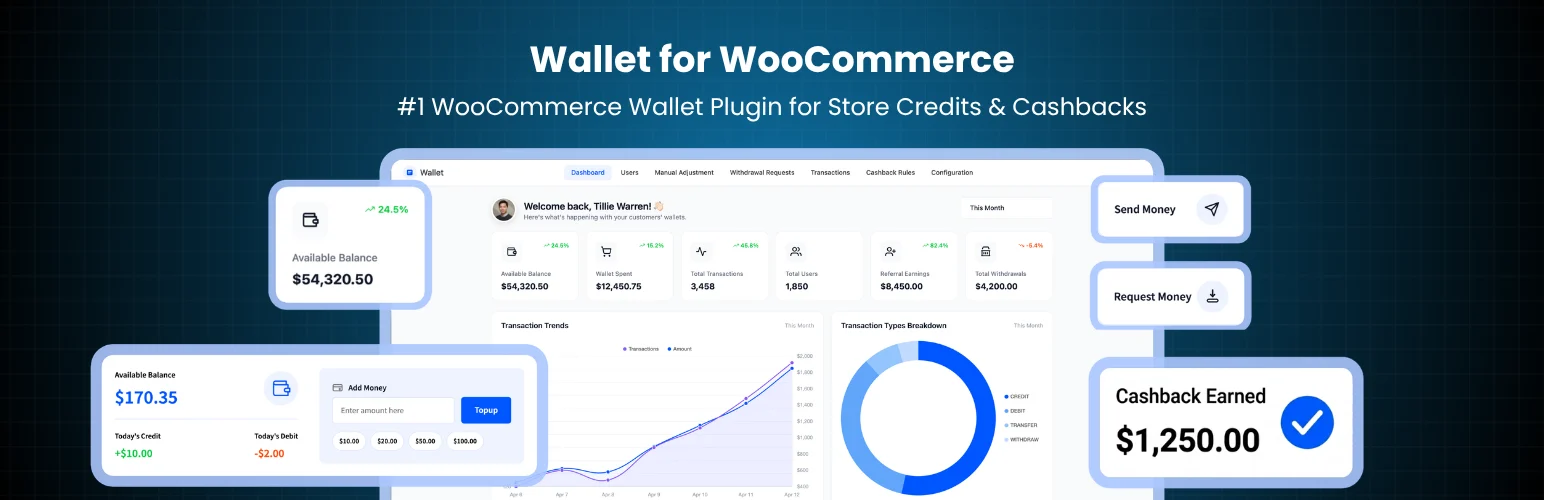
Wallet for WooCommerce has the strongest free-plugin adoption in this category. WordPress.org currently lists version 1.7.0, 20,000+ active installs, an update within the last day, and testing through WordPress 7.1. Customers can top up a wallet, use it as a WooCommerce gateway and optionally combine wallet balance with another payment method.
Key Features
- Customer wallet balance and transaction history
- Wallet top-up product
- Native WooCommerce wallet payment gateway
- Partial payment support
- Cashback rules
- Admin credit/debit adjustments and refund-to-wallet workflows
Pros
- Large install base and active maintenance
- Strong free feature set for a real wallet model
Cons
- Wallet systems add financial-account complexity to support and reconciliation
- Some advanced controls require commercial upgrades
Pricing: Free core with commercial upgrades.
2. Account Funds — Best for Official marketplace store balance with cashback and prepaid credit
Best for: Official marketplace store balance with cashback and prepaid credit
Account Funds is a commercial WooCommerce extension for keeping a reusable customer balance inside the store. The Marketplace lists version 4.4.1 and 1,000+ active installs. It can award cashback, issue refunds as store credit and sell prepaid credit products.
Key Features
- Customer account balance
- Cashback on purchases
- Rewards for actions such as signups or reviews
- Refunds issued as store credit
- Prepaid credit products and balance top-ups
- Partial payment support
Pros
- Broad balance and cashback feature set under an official marketplace product
- Useful for stores that want refunds and rewards in the same ledger
Cons
- Annual license cost
- Broader loyalty features may overlap another rewards plugin
Pricing: $89/year when checked.
3. Store Credit for WooCommerce — Best for Coupon-style store credit and gifting
Best for: Coupon-style store credit and gifting
Kestrel’s Store Credit extension is a better fit when you want credit to behave like a dedicated WooCommerce credit coupon rather than a payment wallet. The Marketplace lists version 5.1.5 and 4,000+ active installs. Customers can redeem credit at checkout and stores can send or sell credit for future purchases.
Key Features
- Store-credit coupons redeemable at checkout
- Send credit directly to customers
- Allow customers to gift credit to another person
- Credit can be sold as a store product
- WooCommerce-native coupon-style redemption
- Commercial updates and support
Pros
- Clear store-credit model without building a full wallet system
- Good fit for refunds, promotions and giftable credit
Cons
- Not the best choice when customers need cash-like wallet transfers or top-ups
- Annual subscription is higher than several wallet alternatives
Pricing: $99/year when checked.
4. Wallet System for WooCommerce by WP Swings — Best for Feature-heavy wallet with cashback and Pro controls

Best for: Feature-heavy wallet with cashback and Pro controls
WP Swings offers a wallet with payments, cashback, refunds and a substantial Pro layer. The vendor lists an August 2026 Pro update and compatibility with current WooCommerce versions. Pro can add payment requests, withdrawals, fees, negative balances and deeper referral features.
Key Features
- Wallet payment at checkout
- Cashback and refund-to-wallet options
- Partial payment support
- Admin wallet adjustments and reporting
- Pro payment requests and withdrawal workflows
- Pro BNPL, referral and fee controls
Pros
- Broad feature set for stores that want more than simple store credit
- Current commercial maintenance trail
Cons
- Many advanced features increase setup complexity
- Can overlap loyalty and referral plugins if you already run them
Pricing: Free version; Pro starts at $79/year for one site when checked.
5. Wallet & Store Credit for WooCommerce by DevDiggers — Best for Modern top-up, refund and cashback workflows
Best for: Modern top-up, refund and cashback workflows
This plugin combines the two intents in the article title directly: a customer wallet plus store-credit workflows. Customers can top up, spend from My Account and receive refunds into the wallet, while admins can credit/debit balances or import store credit by CSV.
Key Features
- Customer wallet top-ups
- Wallet payment gateway
- Refunds back to wallet balance
- Cart cashback rules
- Admin credit and debit controls
- CSV import for store-credit balances
Pros
- Good match for stores migrating existing credit balances
- Covers refunds and cashback without requiring coupon-style credit
Cons
- Newer public track record than TeraWallet
- Smaller ecosystem and fewer long-term operational references
Pricing: Free on WordPress.org with commercial expansion possible.
How to Choose the Right Plugin
Choose the accounting model before the plugin. A payment-style wallet is best when customers actively top up and spend balances. Coupon-style store credit is simpler when the main use case is refunds, compensation or promotional credit.
Decide whether partial payment is required. If a customer has $20 credit on a $75 order, the remaining $55 needs to pass cleanly to Stripe, PayPal or another gateway. Test taxes, shipping, refunds and cancelled orders in that mixed-payment path.
If you already use a loyalty plugin, avoid duplicating cashback and referral systems inside the wallet unless you deliberately plan which plugin owns each reward event.
Related reading on PluginSuggest: WooCommerce loyalty, points and rewards plugins, WooCommerce returns and RMA plugins, WooCommerce gift card plugins.
Choose a Balance Model You Can Explain
A wallet behaves most cleanly when customers can see one balance and a transaction ledger showing every credit and debit. Coupon-style store credit can be easier for occasional compensation, but it becomes confusing when customers have several credit coupons with different expirations. Decide whether your support team wants to troubleshoot a ledger or individual coupons before selecting the plugin.
If customers can top up their own wallet, clarify whether top-up money is refundable, withdrawable or spend-only. Those choices affect fraud risk and accounting. A store-credit system intended only for refunds should not accidentally become a peer-to-peer money-transfer product because an advanced wallet feature was enabled by default.
Refund and Partial-Payment Testing
Mixed payments are the hardest path. Test an order paid partly from wallet credit and partly through Stripe or PayPal, then run a partial refund and a full refund. Confirm which portion returns to the wallet and which portion returns through the gateway. Check the order notes and customer transaction history so support staff can reconstruct what happened later.
Also test taxes, shipping and fees. Some store-credit products apply only against product subtotal, while a wallet payment gateway may pay the entire order. That difference is important when you promise customers that a $50 balance can be used toward shipping or handling charges.
Migration and Reporting
If you already have customer balances in another plugin or spreadsheet, migration is a first-class requirement. CSV import can save hours, but verify customer matching, currency precision and duplicate prevention on a staging copy first. Keep an export of the old ledger so disputed balances can be traced after migration.
For reporting, separate promotional credit from customer-funded balance where possible. Giving someone $10 cashback is not economically identical to a customer depositing $10 of their own money. Clear reporting makes liability and marketing cost much easier to understand.
Security and Balance Integrity
Restrict who can manually edit balances in wp-admin and keep a transaction log for every adjustment. Wallet credit is effectively purchasing power inside the store, so an unexplained admin change can become a real financial dispute. Use separate staff roles where possible and avoid sharing administrator accounts.
Conclusion
Wallet for WooCommerce is the best starting point for most stores that want a real customer wallet without committing to a paid extension immediately. Account Funds is stronger for an official commercial balance system with cashback and prepaid credit, while Store Credit is cleaner when coupon-like credit matches the business model. Treat balances like financial data: test refunds, order edits, partial payments and imports before moving real customer credit into a new plugin.
Frequently Asked Questions
What is the difference between a WooCommerce wallet and store credit?
A wallet usually behaves like a stored account balance and payment method. Store credit may be represented as reusable credit or a special coupon applied to future orders.
Can customers pay partly with wallet balance and partly by card?
Some wallet plugins support partial payments. Verify the exact gateways and checkout blocks you use before launch.
Can I refund an order to store credit instead of the original payment method?
Yes, several plugins in this roundup support refunds to a wallet or account balance. Make the refund policy clear to customers.
Is store credit the same as a gift card?
They overlap, but gift cards are often purchased and gifted, while store credit is frequently issued after refunds, promotions or admin adjustments.
Do wallet balances expire?
That depends on the plugin and your configuration. Also check consumer-protection and accounting rules in the countries where you operate.


