



Before-and-after sliders are useful when a normal image gallery cannot show the change clearly. They work especially well for renovation projects, photography edits, design work, fitness progress, beauty results, product comparisons, and case studies.
The best WordPress before and after slider plugins in 2026 should be responsive, touch-friendly, easy to embed, and light enough that a visual comparison does not become a performance problem. I also prefer plugins that let you control labels, orientation, and the starting divider position.
If your main goal is a broader carousel or hero slider, use a dedicated WordPress slider plugin. For search visibility around image-heavy pages, our WordPress image SEO plugin guide is also useful.
TL;DR
- BEAF: best overall for flexible before-and-after sliders, galleries, and broad builder compatibility.
- Twenty20 Image Before-After: best established option for a straightforward image comparison workflow.
- Before After Image Comparison Slider for Elementor: best for Elementor users who want editing inside the page builder.
- WP Before After Image Slider: best for image and video comparisons with multiple embedding options.
- Before After Image Comparison by bPlugins: best Gutenberg-native choice for a focused comparison block.
Quick Comparison
| Plugin | Best for | Editing / control | Free version |
|---|---|---|---|
| BEAF | General use + galleries | Shortcode / builder integrations | Yes |
| Twenty20 Image Before-After | Simple established comparisons | Plugin UI / embed | Yes |
| Before After Slider for Elementor | Elementor sites | Elementor widget | Yes |
| WP Before After Image Slider | Image + video comparisons | Block / Elementor / shortcode | Yes |
| Before After Image Comparison | Gutenberg-native sites | Block editor | Yes |
How I Chose These Plugins
I compared current maintenance, WordPress compatibility, responsive behavior, touch interaction, builder support, Gutenberg support, orientation controls, labels, galleries, image handling, and whether the plugin adds only the assets needed for the comparison experience.
1. BEAF – Best Overall

BEAF is the most complete all-round option in this list. It supports standard before-and-after comparisons as well as galleries, and it works across Gutenberg, Elementor, Bricks, WPBakery, and other common WordPress setups.
The free version covers the core comparison workflow with horizontal or vertical layouts, labels, color controls, image alt tags, and shortcode output. The Pro version expands into filterable galleries, more preview styles, and video comparisons.
Key features
- Horizontal and vertical comparisons
- Unlimited sliders and galleries
- Gutenberg and major page-builder support
- Custom labels and colors
- Image alt-tag support
- Shortcode generator and gallery options
Best for: agencies, portfolios, service businesses, and sites that need more than one comparison layout
Keep in mind: The plugin has a broad feature set, so it is more than you need for a single lightweight comparison block.
2. Twenty20 Image Before-After – Best Established Simple Option

Twenty20 Image Before-After remains one of the more established WordPress comparison plugins by active-install count. Its appeal is simple: create an interactive draggable comparison without building a large gallery system around it.
It is a good fit for photographers, designers, and service businesses that want a familiar before-and-after presentation and do not need a complex content model.
Key features
- Interactive draggable comparison
- Responsive front-end behavior
- Touch-friendly interaction
- Simple before/after labels
- Multiple comparisons across a site
- Established user base
Best for: users who want a mature, straightforward image comparison plugin
Keep in mind: Its tested-with status trails the newest WordPress release, so verify it on staging before deploying to a critical production site.
3. Before After Image Comparison Slider for Elementor – Best for Elementor
Before After Image Comparison Slider for Elementor is built specifically for Elementor. You add the widget in the Elementor editor, select the two images, and preview the comparison while designing the page.
The free version covers the core comparison, responsive behavior, custom image dimensions, and live editing. More advanced orientation and styling controls are part of the paid tier.
Key features
- Native Elementor widget
- Live front-end preview
- Responsive and touch-friendly slider
- Unlimited comparisons
- Custom image dimensions
- Additional styling options in Pro
Best for: Elementor users who want the comparison managed directly in the builder
Keep in mind: The plugin depends on Elementor, and several advanced styling controls are premium.
4. WP Before After Image Slider – Best for Image and Video Comparisons
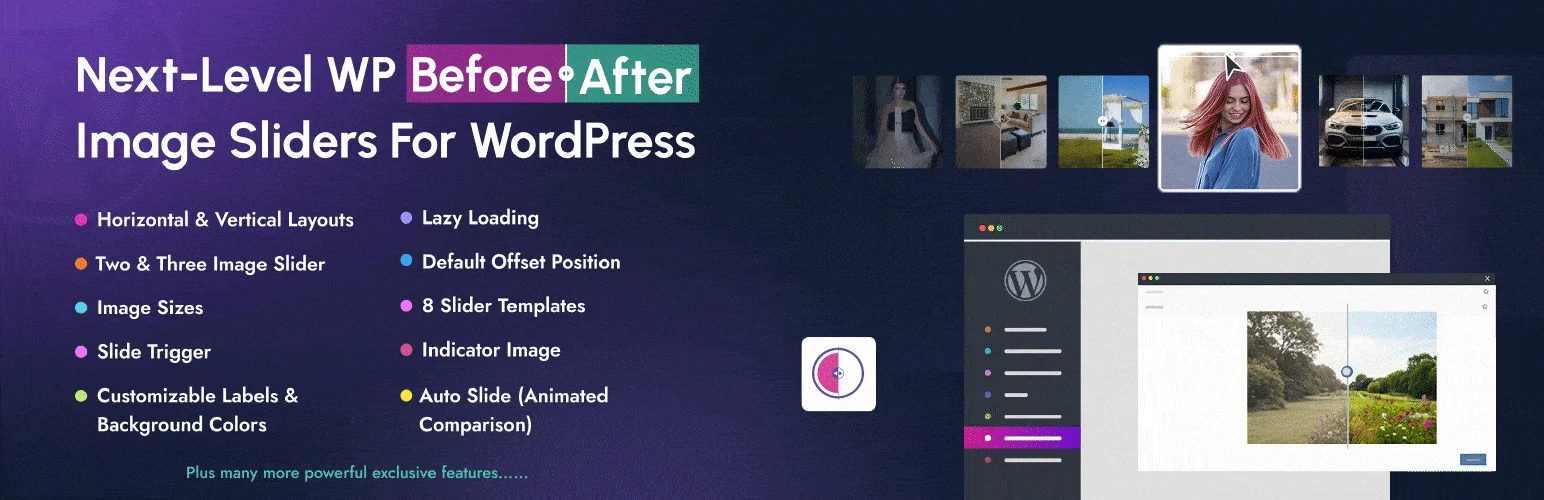
WP Before After Image Slider, also branded as BefTer, is a newer option with a wider media focus. It supports normal two-image comparisons and extends into multi-image and video-oriented layouts.
You can embed sliders through a Gutenberg block, Elementor widget, or shortcode. That makes it useful when one site uses different editing surfaces across posts, landing pages, and templates.
Key features
- Image comparison sliders
- Video comparison options
- Gutenberg block
- Elementor widget
- Shortcode embedding
- Multiple layouts and style controls
Best for: sites that want one comparison plugin for images, videos, and mixed editor workflows
Keep in mind: It has a smaller install base than the long-established options, so test theme and builder compatibility on your own stack.
5. Before After Image Comparison by bPlugins – Best Gutenberg-Native Option

Before After Image Comparison from bPlugins is a focused Gutenberg block for comparing two images. It is a strong choice if you want the feature to live directly in the block editor instead of managing sliders in a separate admin screen.
The block supports horizontal and vertical orientation, labels, captions, colors, and a draggable divider. Recent updates have also focused on reducing asset loading when the block is not present.
Key features
- Native Gutenberg comparison block
- Horizontal and vertical orientation
- Custom before/after labels
- Caption support
- Color controls
- Conditional asset loading improvements
Best for: Gutenberg-first sites that need a lightweight comparison block
Keep in mind: It is intentionally narrower than gallery-focused plugins, so it is not the best pick for large before-and-after portfolios.
Which Before & After Slider Plugin Should You Choose?
For most WordPress sites, BEAF is the easiest recommendation because it covers simple sliders, galleries, and multiple builders without locking you into one editor. If you already build everything in Elementor, the dedicated Elementor comparison plugin keeps the workflow inside the builder.
For a block-first site, bPlugins’ Before After Image Comparison is cleaner and more focused. Twenty20 remains a practical established option, while WP Before After Image Slider is worth considering when video comparisons or several embed methods matter.
Conclusion
For most users, BEAF gives the best balance of flexibility, editor compatibility, and portfolio features. Elementor users have a dedicated builder-first option, while Gutenberg users can keep things lighter with a native comparison block. Whichever plugin you choose, image size and mobile interaction matter as much as the visual effect itself.
Frequently Asked Questions
What is the best before and after slider plugin for WordPress?
BEAF is the best all-round option in this list because it supports sliders, galleries, multiple builders, labels, orientation controls, and a free core feature set.
Can I add a before and after slider in Gutenberg?
Yes. BEAF, WP Before After Image Slider, and Before After Image Comparison by bPlugins support Gutenberg workflows.
Do before and after sliders work on mobile?
The plugins listed here are designed for responsive layouts and touch interaction, but you should still test handle behavior and page scrolling on real phones.
Can I use before and after sliders with Elementor?
Yes. BEAF and WP Before After Image Slider include Elementor support, and Before After Image Comparison Slider for Elementor is built specifically for the builder.
Do before and after sliders affect page speed?
They can if they load large images or unnecessary scripts. Compress the source images, use modern formats when possible, and choose a plugin that avoids loading assets on pages where the slider is not used.

