



Sliders can make a homepage feel polished, but they can also become a performance problem fast. Large hero images, autoplay video, heavy animation libraries, and several slides above the fold can hurt loading speed and hide the one message visitors actually need to see.
I use sliders only when the content genuinely benefits from rotation or interaction. When I do, I want responsive controls, sensible lazy loading, accessible navigation, and enough design freedom without forcing every page to load a huge animation engine.
TL;DR: Best WordPress Slider Plugins in 2026
- Smart Slider 3 — best overall for flexible sliders with a strong free version.
- Slider Revolution — best for advanced animation and highly designed hero sections.
- MetaSlider — best easy free slider for straightforward image and content rotation.
- Soliloquy — best lightweight premium choice.
- Depicter — best modern visual slider builder.
- Master Slider — best classic touch-friendly layered slider.
1. Smart Slider 3 — Best Overall WordPress Slider Plugin
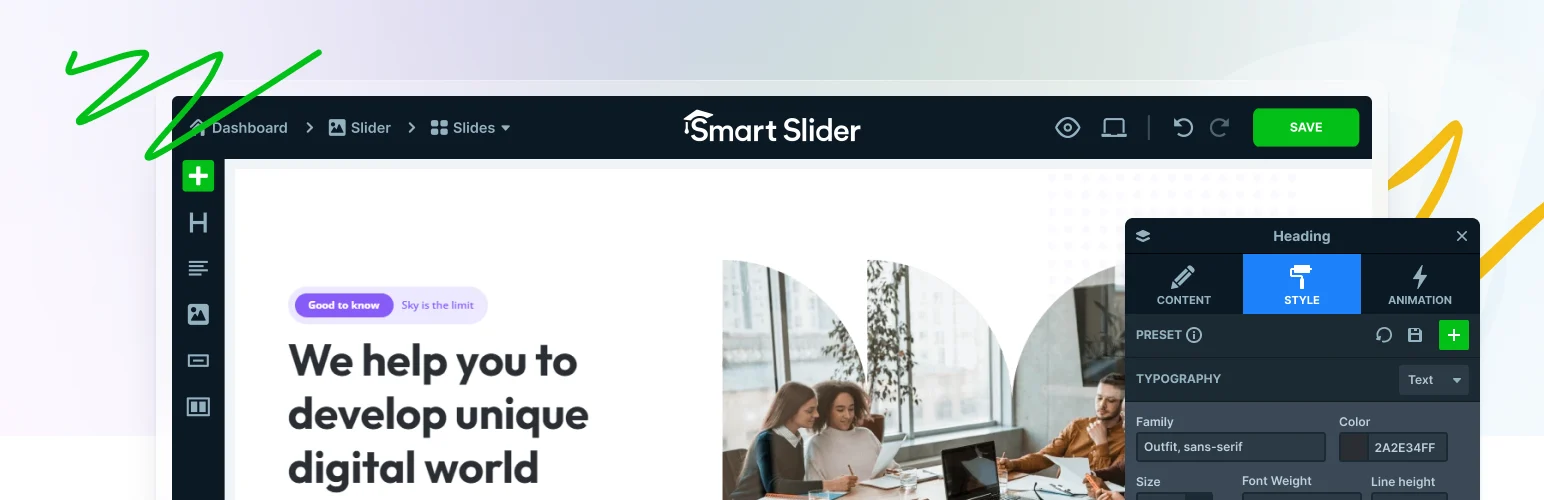
Smart Slider 3 is the easiest all-around recommendation because the free version already handles responsive image sliders, layered content, templates, and visual editing well. Pro adds more advanced animations, dynamic sources, extra layer types, and richer design options.
I like that I can build a normal hero or content slider without immediately paying. The interface also makes responsive positioning easier than plugins that treat every slide like a fixed desktop canvas.
Key features
- Drag-and-drop slide editor
- Layered text, image, and button content
- Responsive controls
- Template library
- Animation options
- Dynamic content in Pro
Pros: Strong free version, flexible design, good responsive workflow, broad documentation.
Cons: Complex layered sliders can still become heavy if you overbuild them.
Best for: Most business, portfolio, and content sites that need a flexible slider without a steep learning curve.
Pricing: Free core plugin; Pro licenses available from Smart Slider.
2. Slider Revolution — Best for Advanced Animation
Slider Revolution is closer to a visual animation tool than a basic image carousel. It can build layered hero sections, interactive scenes, animated text, video backgrounds, sliders, carousels, and full-screen presentations with a large template library.
I only choose it when the design genuinely needs that power. For a simple three-image carousel, it is excessive. For a campaign hero with carefully choreographed motion, it can do things most slider plugins cannot.
Key features
- Advanced layer editor
- Animation timeline
- Large template library
- Video and media backgrounds
- Responsive controls
- Sliders, carousels, and hero scenes
Pros: Extremely powerful visuals, premium templates, precise animation control.
Cons: Steeper learning curve; easy to hurt performance or usability with overly complex scenes.
Best for: Agencies and designers building high-impact campaign or hero sections.
Pricing: Premium plugin with annual licensing.
3. MetaSlider — Best Easy Free Slider
MetaSlider keeps the core job simple. You can select images from the media library, add captions and links, choose slider settings, and embed the result without learning a layered animation editor.
I like it for clients who only need a dependable image or content slider. A straightforward tool is often better than installing an animation suite that nobody wants to edit later.
Key features
- Responsive image and media sliders
- Multiple layout styles
- Gutenberg integration
- Drag-and-drop slide ordering
- Caption and link controls
- Advanced scheduling and dynamic options in Pro
Pros: Easy to learn, useful free version, good for normal content sliders.
Cons: Less creative freedom than Smart Slider or Slider Revolution.
Best for: Blogs, small businesses, and editors who need a simple reliable slider.
Pricing: Free version available with paid upgrades.
4. Soliloquy — Best Lightweight Premium Slider
Soliloquy focuses on responsive WordPress sliders without turning the editor into a motion-design application. It supports drag-and-drop creation, dynamic sliders, WooCommerce content, lightboxes, thumbnails, scheduling, and other marketing-friendly features in paid plans.
I would choose it for a publisher or marketer who wants a premium workflow that stays relatively straightforward. Its feature set is useful without encouraging every slide to become a complex animated scene.
Key features
- Drag-and-drop slider builder
- Responsive output
- Lazy loading
- Dynamic slider options
- Lightbox and carousel addons
- WooCommerce integrations on eligible plans
Pros: Clean premium workflow, useful marketing features, less overwhelming than animation-first tools.
Cons: Full functionality requires a paid license.
Best for: Publishers and businesses wanting a focused premium slider.
Pricing: Paid plans available from Soliloquy.
5. Depicter — Best Modern Visual Slider Builder

Depicter brings a newer, design-tool-style interface to sliders and hero sections. It supports responsive layers, animation timelines, templates, media, interactive elements, and dynamic content in a workflow that feels closer to modern visual design software.
I like it when a designer wants something more visual than MetaSlider but does not want to work inside Slider Revolution’s deeper ecosystem. The free tier makes it easier to test the editing experience before committing.
Key features
- Visual slide editor
- Ready-made templates
- Responsive controls
- Layer animations
- Dynamic content options
- Slider and hero layouts
Pros: Modern interface, strong visual editing, useful free tier.
Cons: Smaller ecosystem than long-established competitors; advanced functionality is premium.
Best for: Designers who want a modern layered slider and hero-building experience.
Pricing: Free version available with premium plans.
6. Master Slider — Best Classic Touch-Friendly Layered Slider

Master Slider has been around for years and focuses on responsive, touch-friendly sliders with image, video, layer, and navigation controls. It remains useful when you want a classic premium slider model without the full complexity of a visual animation platform.
I see it as a middle option: more control than a basic image slider, less ambition than a tool trying to build an entire interactive landing page.
Key features
- Touch and swipe navigation
- Layered slides
- Transition effects
- Thumbnail navigation
- Fullscreen layouts
- Responsive design
Pros: Familiar slider workflow, touch-friendly, good layered controls.
Cons: Less modern ecosystem and workflow than the leading visual builders.
Best for: Sites that need a classic responsive slider with layered content.
Pricing: Free/paid availability depends on edition and marketplace.
Slider Performance Rules I Follow
- Compress and properly size every slide image before upload.
- Keep the number of slides low when a static hero could communicate the message better.
- Avoid autoplay unless users have clear controls.
- Lazy-load slides that are not visible initially.
- Do not hide the page's only important CTA inside a rotating slide.
- Test Largest Contentful Paint and mobile interaction after adding a slider.
A slider is only one piece of the frontend. If page speed becomes a problem, compare the best WordPress speed optimization plugins and image optimization plugins before assuming the slider plugin alone is responsible.
Conclusion
Smart Slider 3 is the best overall fit for most WordPress sites because it balances a strong free version with serious design flexibility. Slider Revolution is unmatched when complex animation is the actual goal, while MetaSlider is easier for simple content. Soliloquy gives marketers a focused premium option, Depicter offers a modern visual workflow, and Master Slider remains a practical classic layered slider.
Frequently Asked Questions
What is the best free WordPress slider plugin?
Smart Slider 3 is the best free all-around option for many users because its free version includes a capable visual editor, responsive controls, and layered content.
Do sliders slow down WordPress?
They can. Multiple large images, video backgrounds, animation scripts, and preloaded slides increase page weight. A simple optimized slider can still perform well.
Are homepage sliders good for conversions?
Not automatically. Important messages often perform better when they stay visible instead of rotating away. Use a slider only when several pieces of content genuinely deserve the same space.
Which slider plugin is best for animation?
Slider Revolution is the strongest choice for advanced layered animation, interactive scenes, and cinematic hero sections. Smart Slider 3 and Depicter are easier alternatives for less complex motion.

