



Amazon’s Associates program remains a top way for bloggers and site owners to monetize content by recommending products. Integrating Amazon links into WordPress is made easy with specialized plugins.
These tools automatically generate affiliate links, display product boxes or tables, update pricing, and even geotarget links to visitors’ local Amazon stores. In this comprehensive guide, we cover the best WordPress plugins for Amazon affiliates, explaining their key features, pricing, and compatibility.
We also walk through joining the Amazon Associates program, list eligibility criteria, outline do’s and don’ts for using affiliate links, and share best practices (SEO, content strategy, plugin tips, and product selection) to maximize your Amazon earnings.
5 WordPress Plugins for Amazon Affiliate Marketing in 2026
Amazon affiliate plugins solve different jobs: inserting compliant product data, building product boxes and comparison tables, localizing Amazon stores, and keeping product links manageable. For Amazon specifically, I would prioritize tools built around Amazon’s approved linking/data workflows rather than generic link cloaking.
| Plugin | Best for | Key consideration |
|---|---|---|
| AAWP | Established Amazon product boxes and tables | Amazon data/API access and current vendor requirements |
| AzonPress | Product tables, boxes and Amazon-focused publishing | Verify current Amazon API/zero-API workflow before purchase |
| WZone | WooCommerce-style Amazon affiliate catalogs | Heavier store workflow than a normal review blog |
| AffiliateX | Gutenberg product blocks and comparison content | 9K+ installs; Amazon integration features vary by plan |
| AmaLinks Pro | Amazon product displays and CTA-focused content | Commercial Amazon-specific workflow |
1. AAWP — Best established Amazon display plugin
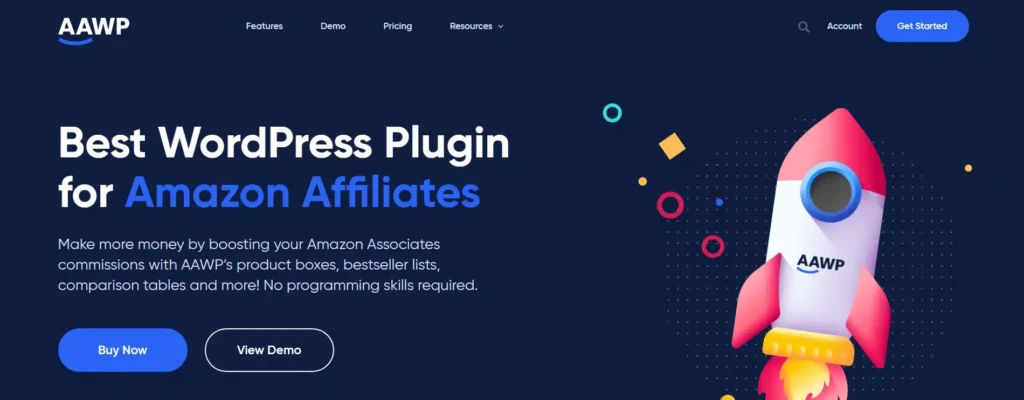
AAWP is built specifically for Amazon Associates content. It can create product boxes, comparison tables, bestseller lists and individual data fields while using Amazon product data in a structured WordPress workflow.
Best for: established Amazon-focused sites that want polished product displays and are comfortable meeting the current Amazon data/API requirements.
2. AzonPress — Best for Amazon comparison tables
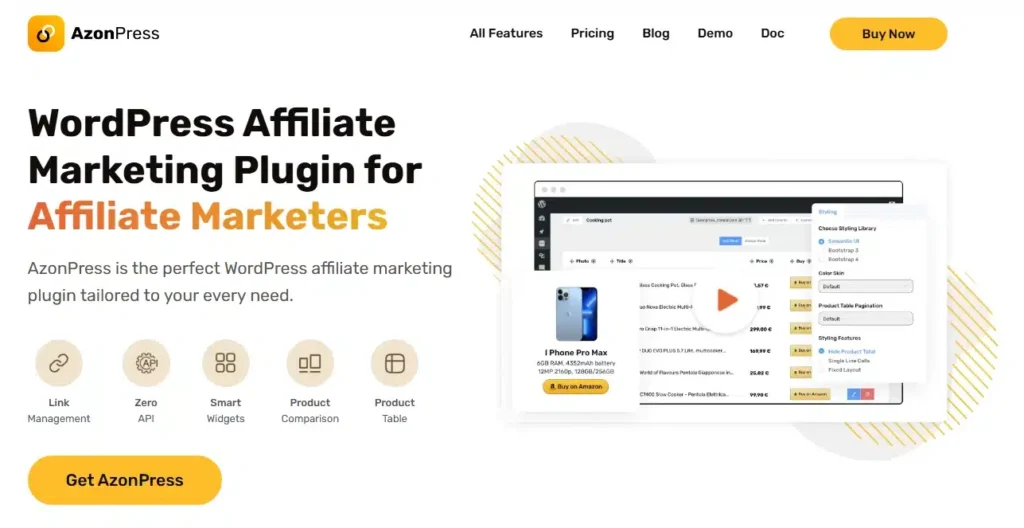
AzonPress focuses on Amazon product tables, boxes and affiliate publishing inside WordPress. It is a good fit when product comparison layouts are a central part of the site rather than an occasional call-to-action.
Best for: publishers that build listicles, product comparisons and product-box-heavy Amazon content.
3. WZone — Best for WooCommerce-style Amazon catalogs
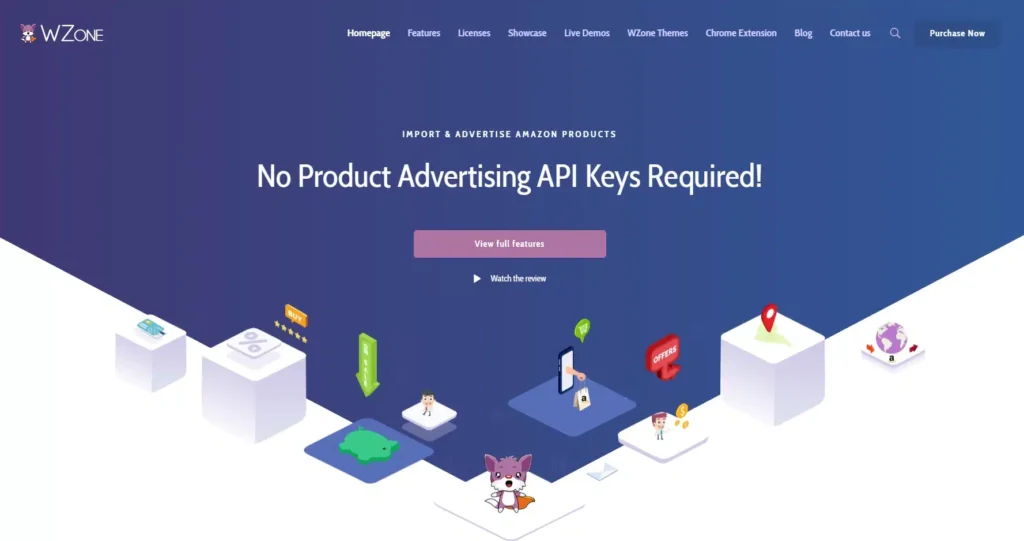
WZone is aimed at sites that want to organize Amazon affiliate products through a WooCommerce-style catalog. That can work for large catalog projects, but it is usually more infrastructure than a normal review or content site needs.
Best for: publishers intentionally building a catalog-style affiliate site around WooCommerce.
4. AffiliateX — Best Gutenberg-first Amazon affiliate blocks

AffiliateX has about 9,000 active installs and a current 2026 release. It provides affiliate-focused Gutenberg blocks for product boxes, comparison tables and calls to action, with Amazon integration features available in its current product stack.
Best for: Gutenberg publishers who want product-display blocks without building every comparison layout manually.
Official WordPress.org listing.
5. AmaLinks Pro — Best for CTA-focused Amazon product displays
AmaLinks Pro is an Amazon-focused commercial plugin for text links, image links, calls to action, product showcases and comparison content. It is useful when the main requirement is placing Amazon products cleanly inside editorial content rather than building a WooCommerce catalog.
Best for: review sites that want Amazon-specific display tools with a simpler editorial workflow.
Amazon Link Compliance Matters More Than Cloaking
Do not treat Amazon links like generic affiliate URLs. Amazon’s current participation requirements prohibit obscuring where Special Links originate and prohibit link-shortening or placements that make it unclear that the visitor is going to an Amazon site. If you use a general link-management plugin elsewhere on your site, do not automatically run Amazon Special Links through a branded cloaked redirect.
Also avoid manually copying Amazon product images, prices, star ratings or review text unless your use is allowed by Amazon’s current Program Content/API rules. Product data and policies can change, so use the official tools or a plugin that is designed to comply with the current Amazon Associates data workflow.
Read the Amazon Associates Operating Agreement and Participation Requirements before publishing.
How to Join the Amazon Associates Program
Before you can earn commissions, you must sign up for the Amazon Associates (Affiliate) program. The process is straightforward:
Prepare your site/app. Make sure your website (or YouTube channel, or mobile app) is live, publicly accessible, and filled with original content relevant to products you’ll promote. Amazon requires a functioning site with quality content before approving any affiliate application.
Go to Amazon Associates. Visit affiliate-program.amazon.com and click the “Join Now” (or “Sign up”) button. Log in with your existing Amazon account or create a new one (using a business account is recommended to keep personal and business finances separate).
Enter your details. Fill in your personal (or company) information, including name, address, and phone. You’ll also create a unique Tracking ID (store ID) for your website.
Add your website or platform. On the application, list all platforms where you plan to promote Amazon products: this includes your website domain, social media pages (Facebook fan page, YouTube channel, Instagram profile, etc.), or mobile apps. You can add multiple sites/apps (up to 50). For each, Amazon will ask if your site is intended for children under 13 (Amazon does not allow child-directed sites in the program).
Profile and channels. Next, Amazon will ask you to describe your websites and how you drive traffic. You’ll select categories for your site and explain your content strategy (e.g. blog reviews, product lists, social media posts).
Tax and payee info. Provide your tax identification (Social Security number or Employer ID, as required by your country) and payment method. Amazon will deposit commissions to you (usually via direct deposit or Amazon gift card, depending on location) when you reach the payment threshold.
Receive tracking links. Once the above is complete, you officially have an Associates account (though the final approval happens after you make sales). Amazon provides a “SiteStripe” toolbar for generating affiliate links, or you can access the Associates dashboard to create links and banners for your site.
After you sign up, Amazon will review your account during a 180-day “qualification period.” You must generate at least three qualifying sales in the first 180 days of your account’s life, or else Amazon will reject your application. (Note: qualifying sales mean other people buy products through your links; you cannot count your own purchases or sales generated outside of the affiliate links.)
The Amazon review will check that your site content is solid and that you have made those sales. Keep your site updated and transparent during this period. Once approved, you’ll continue earning commissions on future sales.
Eligibility and Approval Criteria for Amazon Affiliate Program
Amazon maintains strict guidelines for affiliates. To ensure you’re prepared:
Age and Tax Requirements: You must be at least 18 years old and have a valid tax ID or Social Security Number (US) to join. (Minors can participate only if a parent/guardian registers on their behalf.) Ensure you comply with all tax laws in your country – Amazon will need your tax info during signup.
Active Website/Platform: You need a live, functioning website (blog, news site, review site, etc.), mobile app, or accepted social media channel before applying. Amazon explicitly requires an active site as the destination for affiliate links. Your site should feature high-quality, original content that is relevant to the products you plan to promote. In practice, Amazon guidelines suggest having at least 10 well-written posts (updated recently, within 60 days) on your website to be eligible. (Sites with little or no content often get rejected.)
Content Quality: Avoid “thin” or duplicate content. Your site must offer value and unique insights to readers (plagiarized or aggregated content is not allowed). For example, if you focus on tech products, your posts should help customers understand products — not just copy the specs from Amazon. The Shopify guide notes that insufficient original content or a site that doesn’t offer a unique customer experience is a common cause for rejection. Also, make sure your site complies with Amazon’s content rules: no profanity, pornography, hate speech, or other disallowed material.
Traffic and Engagement: While Amazon doesn’t set a strict traffic minimum, having some regular visitors is important. They want to see genuine engagement (clicks, likes, shares, comments). You should have an audience that trusts your recommendations. (A newly launched site with no visitors will likely fail the review.) Use analytics to confirm you have baseline traffic.
Three Sales Rule: As mentioned, after sign-up you have 180 days to make 3 qualifying sales through your Amazon links. These must be purchases of products on Amazon that weren’t solely your personal orders. If you don’t meet this, Amazon will close your account. So plan content/promotion accordingly to drive those initial referrals.
Additional Criteria: Amazon disallows sites solely aimed at children, subscription pages, or non-public content. Your site must not require a login or be behind a paywall. Also, you cannot have multiple Associate accounts; one person = one account. If you have multiple sites, list them all under that one account.
By meeting these eligibility requirements – a real website with genuine content, meeting Amazon’s age/tax rules, and hitting the initial sales target – you set yourself up for Associates approval.
Amazon Affiliate Do’s and Don’ts
Amazon Associates policies are strict. Violating them can get your account shut down and forfeiture of commissions. Follow these guidelines carefully:
Do use the required disclosures. You must tell your visitors that your links are affiliate links. Amazon’s Operating Agreement requires the exact phrase: “As an Amazon Associate I earn from qualifying purchases.” This should appear on any page with Amazon links. It’s common to put this in the footer or near content. (Note: FTC rules also demand a disclosure before the first affiliate link on a page, so you often see a brief “affiliate links included” statement at the top of posts as well.) Also, if you share Amazon links on social media, include a disclosure or use hashtags like #ad/#affiliate.
Do follow link usage policies. Only place your Amazon affiliate links on approved platforms – your website or social media profiles listed in your Associate account. It’s now allowed to share links in email or direct messages if the recipient has opted in, but Amazon forbids using links in offline media (like print ads) or in eBooks/downloads/emails (including attachments). Always link directly to Amazon product pages or use the plugin tools (which automatically use your affiliate tag). Keep in mind Amazon’s trademark guidelines: do not use “Amazon” (or misspellings) in your domain, branding, or tags. For example, names like AmazonDealsBlog.com or amazn-coupons.com violate policy.
Don’t cloak or hide Amazon links. Amazon forbids any form of link cloaking or redirect that obscures the destination. In practical terms, do not use a shortener or redirect that hides the Amazon destination or makes it unclear that the visitor is going to Amazon. If a general affiliate-link manager is installed on the site, configure Amazon Special Links so they continue to follow Amazon’s current linking rules.
Don’t incentivize or manipulate clicks. You can’t promise any rewards or enter contests for clicking Amazon links. (For instance, “Click my link and get a gift!” is strictly forbidden.) You also cannot ask people to use your own links or make purchases through them. Buying products through your own affiliate link (even accidentally) is disallowed, as is encouraging friends or family to click your links. Amazon will detect this as fraud. The associate’s agreement explicitly bans obtaining commissions for your own purchases or for people you asked to buy.
Don’t violate content rules. Amazon prohibits certain content in affiliate sites. For example, do not use spammy or hateful language, copyrighted/stolen content, or target children (no adult or violent material for kids). Also avoid publishing sensitive events (like PR disasters) or misleading price statements. Always have factual, helpful content around your links.
Do comply on social platforms. If you share links on Facebook, Twitter, Instagram, YouTube, etc., ensure the post follows Amazon’s social media policy. Disclose affiliate status there too. (Amazon updated rules in 2024 to allow emails and direct messages if the recipient opted in.) In general, act transparently and do not spam links across groups or in comments.
Adhering to these rules is crucial. As one guide warns: Amazon’s Associates program is notorious for strict enforcement. Breaking terms (even unknowingly) can result in account termination and loss of all earned commissions. Always review Amazon’s Program Policies if in doubt.
Best Practices to Maximize Your Amazon Affiliate Earnings
To succeed as an Amazon affiliate, combine smart SEO/content strategy with savvy use of these plugins and the right products. Here are some best practices:
Niche and Content Quality: Focus on a clear niche (e.g. “outdoor grilling” or “wireless earbuds”) so you attract a targeted audience. Create high-quality, original content that solves problems or answers questions for that audience. This could include in-depth product reviews, how-to guides, comparison posts (“X vs Y”), top-10 lists, or tutorials. For instance, a blog post like “How to Set Up a Home Audio System” with recommended products can naturally include links. Always use user-focused language and write in an engaging, conversational tone.
Keyword Optimization: Perform thorough keyword research to identify what your audience is searching for. Use tools like Google Keyword Planner or SEMrush to find buyer-intent keywords (e.g. “best trail running shoes 2026,” “how to choose a laptop for gaming,” etc.). Target long-tail keywords where competition is lower but intent is clear. Incorporate these keywords into your page titles, headings, meta descriptions, and the content itself. On-page SEO is vital: use descriptive, keyword-rich headings, optimize images (alt text with keyword context), and write concise meta descriptions.
Technical SEO and UX: Ensure your site loads quickly and is mobile-responsive. Many readers will be browsing on phones or tablets. Use a good caching plugin and a fast theme. Improve site navigation (so visitors can easily find other product reviews). Use schema markup for product reviews to enhance search result snippets (star ratings, price) – this can boost click-throughs. In short, remove any roadblocks to a good user experience. A well-structured, fast site will rank higher and keep visitors engaged.
Link Building: Promote your content beyond your own site. Get backlinks by guest-posting on relevant blogs or forums, and share your articles on social media. High-quality backlinks from niche authorities will raise your Google rankings. (For example, link partnerships or being featured in round-ups can help.) Also, internally link between related posts on your site – this distributes “link juice” and keeps users exploring more of your affiliate content.
Choose Products Wisely: Only recommend products that match your niche and that your audience would find useful. Don’t just insert random items. For example, if your site is about photography, link to cameras, lenses, tripods, memory cards (not kitchen appliances). However, broaden your selection with related items. The WPManageNinja guide suggests including complementary products (“customers who bought X also bought Y”). For instance, alongside a DSLR camera review, link to camera bags, extra lenses, and memory cards. This gives readers more options and increases the chance of a sale.
Balance Price and Commission: Since Amazon pays a percentage, promoting some higher-priced items can yield more commission per sale. For example, electronics or furniture typically have higher prices, so even a small commission (3–5%) is decent money. The WPManageninja guide notes that commission depends on product price, so sprinkling in a few expensive products (like a high-end TV or gaming PC) can boost earnings. That said, don’t forget mid-range or everyday essentials; high-priced items often convert less frequently. A good strategy is to mix it up: have a few expensive items and a range of affordable, well-reviewed products.
Stay Relevant and Updated: Use seasonal trends to your advantage. Update posts for holidays (e.g. “Best Mother’s Day Gifts” before May, or “Black Friday 2026 Deals”). Amazon often raises commissions during Prime Day or holiday sales, so promote those deals. Keep an eye on trends in your niche (new product releases, tech specs updates) and refresh old posts. Many plugins (like AAWP and AzonPress) automatically update prices and availability via the API, ensuring your content doesn’t show outdated information.
Use Comparison Tables and Boxes: Visitors often appreciate structured comparisons. Several plugins (AAWP, AzonPress, AffiliateX and AmaLinks Pro) allow you to build comparison tables of top products. These tables can include images, pros/cons, and buy buttons for each item. They are especially effective in review posts (e.g. “Best XYZ Products Compared”). Comparison tables help users make quick buying decisions and click through to Amazon.
Leverage Plugin Features: Take full advantage of what your chosen plugin offers. For example:
Track and Test: Monitor which links and products perform best. Use your plugin’s built-in reporting (if available) or Google Analytics to see click-through rates and conversions. This data lets you refine: if certain products never sell, remove or replace them. If a particular link placement yields clicks, consider adding similar links elsewhere. Keep experimenting (A/B test headlines or layouts) to improve results.
By combining these strategies – SEO optimization, high-quality content, smart product choices, and effective use of plugins – you’ll maximize the chances that readers click your Amazon links and make purchases. Remember, affiliate marketing success often takes time and consistent effort.
Embedding Product Links Correctly
With the right plugins, embedding Amazon links becomes a matter of a few clicks. For example, AAWP and AmaLinks Pro let you automatically fetch product details (title, image, price) by searching or entering an ASIN, then insert a product box via shortcode. AzonPress and AffiliateX also support Gutenberg blocks, so you can click a block, search for a product, and place a styled box. These methods ensure that your links include your Associate tag and that product data stays updated. Use Amazon SiteStripe or an Amazon-focused plugin workflow to generate tagged Special Links. Keep the Amazon destination clear and do not pass Special Links through a cloaked redirect.
Optimize for Mobile Users
Many buyers shop on mobile. Ensure your affiliate content is mobile-friendly: use short paragraphs and bullet lists, and make “Buy on Amazon” buttons large and tappable. As Alliance Virtual Offices notes, responsive design and mobile-friendly content (like bullet points and clear CTAs) improve mobile conversions. Plugins such as AffiliateX and AzonPress produce responsive tables/boxes by default, but double-check on small screens. Also load times should be fast on mobile – optimize images and enable caching.
Use Google Analytics and Search Console
Set up Google Analytics and Search Console on your site. Track which pages drive the most traffic and which bring clicks to Amazon. You can create custom “events” in Analytics to count affiliate link clicks. Use this data to focus your efforts on the content that’s already attracting visitors. For example, if a particular blog post is popular but has few links, add more relevant affiliate links there.
Frequently Asked Questions
What is the best WordPress plugin for Amazon affiliates?
AAWP is a strong established choice for Amazon-focused product boxes and comparison tables. AffiliateX is attractive for Gutenberg-first publishing, while WZone fits a WooCommerce-style catalog.
Can I cloak Amazon affiliate links?
Do not use a redirect or short link that obscures the Amazon destination or makes it unclear that the link goes to Amazon. Follow the current Amazon Associates Operating Agreement and Participation Requirements.
Can I copy Amazon prices and product images manually?
Amazon Program Content has licensing and API rules. Use Amazon-provided tools or a compliant plugin/data workflow rather than manually copying dynamic prices, ratings or protected product content.
Do I need an Amazon API for every plugin?
No. Requirements differ by product and Amazon changes its data-access programs over time. Check the plugin’s current documentation and your Associates/API eligibility before buying.
For non-Amazon programs, compare the broader affiliate link management plugins. For search and content tracking, the WordPress analytics guide covers a separate part of the affiliate workflow.
Summary
AAWP, AzonPress, WZone, AffiliateX and AmaLinks Pro cover the main Amazon-focused WordPress workflows in this guide: product boxes, comparison tables, Gutenberg blocks, catalog-style publishing and Amazon-specific calls to action. Choose the smallest tool that matches how you publish, then verify its current Amazon data/API requirements before relying on dynamic product information.
Before diving in, ensure your site meets Amazon’s criteria (active site with original content, 3 sales in 180 days), and always follow Amazon’s strict linking rules (disclosures, no incentives, no cloaking). With compliant practices, quality content, smart SEO, and the right tools, you can turn your WordPress site into a powerful Amazon affiliate engine – boosting both traffic and commissions over time.