



A restaurant site has several jobs at once: show a readable menu, accept pickup or delivery orders, handle modifiers, collect payment, and sometimes manage reservations. A generic page builder rarely covers the operational parts well.
The tools below are restaurant-specific. If you only need appointments or service reservations, see our WordPress booking plugins instead.
TL;DR
GloriaFood is the easiest commission-free starting point for menus, ordering, and reservations. RestroPress is the strongest WordPress-native ordering system with a free core and paid operational extensions. Five Star Restaurant Menu is excellent for menu presentation with optional ordering, WPPizza is a flexible restaurant ordering system, and Food Store is a practical pickup/delivery option.
Quick Comparison
| Plugin | Best for | Free option |
|---|---|---|
| GloriaFood | commission-free menu, ordering, and reservations | Yes |
| RestroPress | WordPress-native food ordering workflows | Yes |
| Five Star Restaurant Menu | beautiful menus with optional ordering | Yes |
| WPPizza | flexible restaurant ordering inside WordPress | Yes |
| Food Store | simple pickup and delivery ordering | Yes |
How I Chose These Plugins
I compared food-menu management, modifiers, pickup and delivery, order handling, reservations, payment support, mobile experience, current maintenance, free-versus-paid limits, and whether the restaurant can keep operating without paying a percentage on every order.
1. GloriaFood — Best for commission-free menu, ordering, and reservations
The GloriaFood WordPress plugin connects a restaurant site to its menu, online ordering, and table-reservation system. Its core offering is positioned around commission-free orders and a guided setup.
Key features
- Visual restaurant menu builder
- Online pickup and delivery orders
- Table reservations
- Order notifications
- Menu photos and categories
- No commission on core ordering
Pros
- Very fast to launch
- Core ordering and reservations are free without per-order commission
Cons
- The operational system depends on GloriaFood’s service
- Advanced marketing or branded app needs may involve paid services outside the core plugin
Pricing
The core WordPress plugin and basic online ordering/reservation system are offered free with no commission on orders. Optional paid restaurant services may be available separately.
2. RestroPress — Best for WordPress-native food ordering workflows
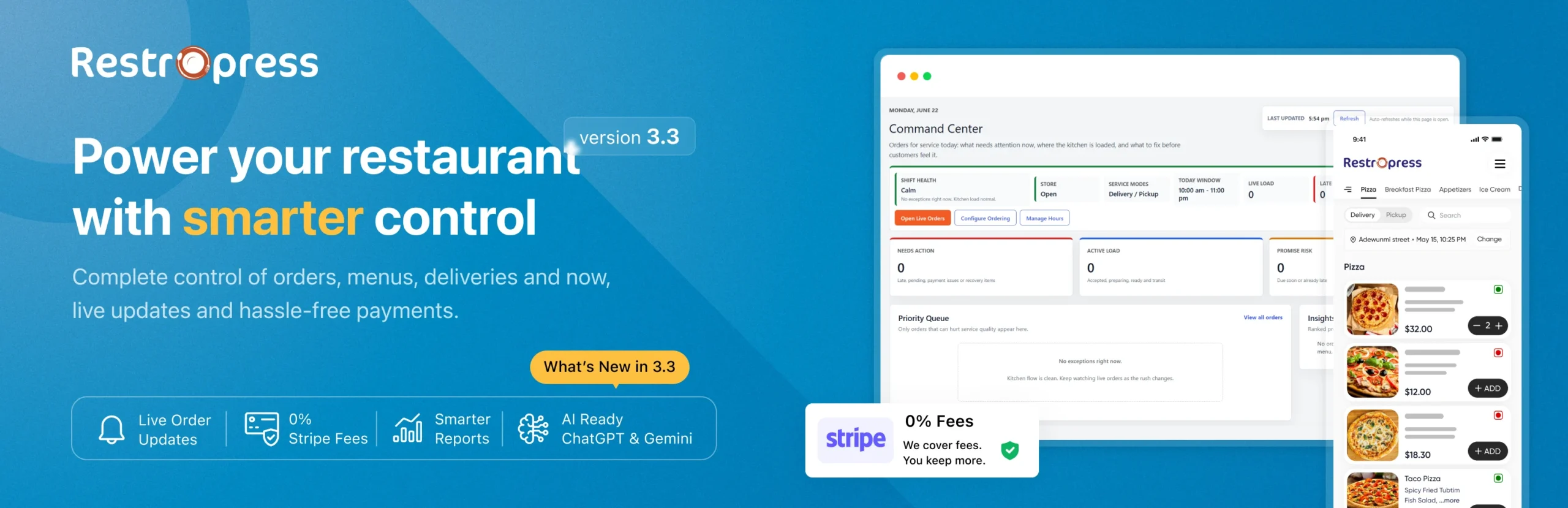
RestroPress turns WordPress into an online food ordering system with menu items, cart, pickup, delivery, payments, and an order-management dashboard. It also has paid apps and extensions for growing operations.
Key features
- Unlimited food items and orders in the free core
- Pickup and delivery workflows
- Menu cart and pre-orders
- Stripe and PayPal support in the current core plan
- Order management dashboard and notifications
- Extensions for apps, drivers, printing, SMS, and more
Pros
- Strong free operational core
- Can expand with restaurant-specific extensions
Cons
- Advanced restaurant operations can become extension-heavy
- More setup than a hosted ordering widget
Pricing
RestroPress currently lists a free Basic plan. Its Starter plan is shown at $199/year and adds operational tools such as apps, auto-printing, inventory features, SMS, and integrations.
3. Five Star Restaurant Menu — Best for beautiful menus with optional ordering
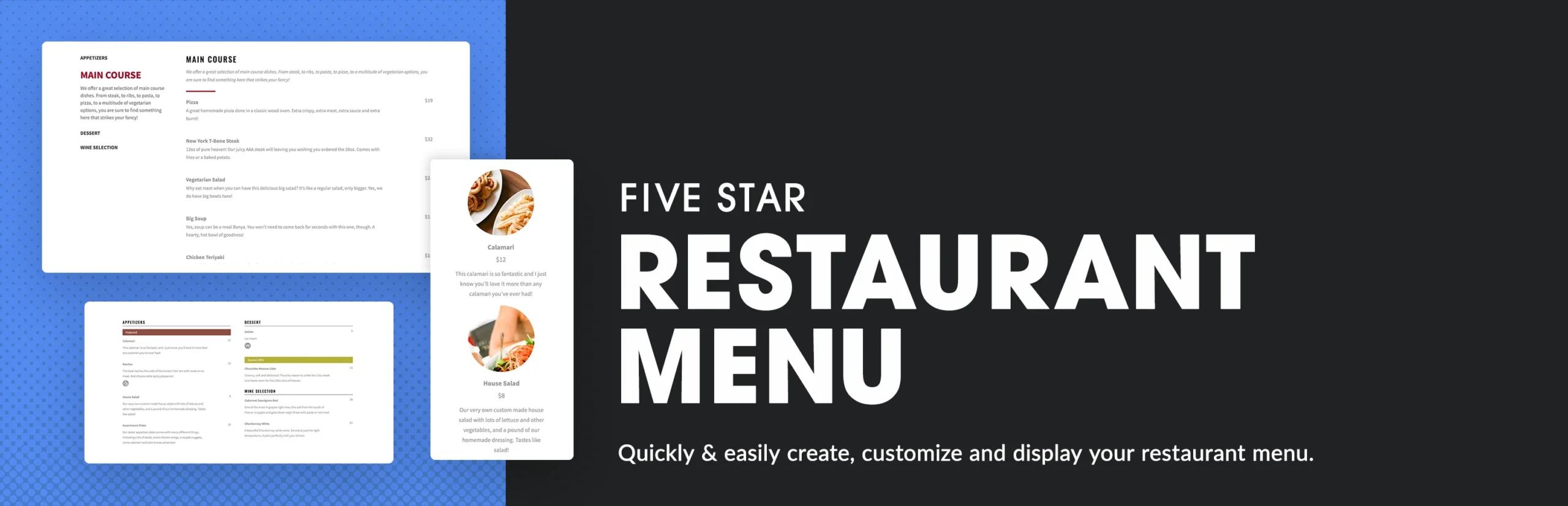
Five Star Restaurant Menu focuses on displaying structured food menus with categories and styling. Its premium version adds a cart-based ordering system and more advanced layout and field options.
Key features
- Structured food and drink menus
- Multiple menu styles and layouts
- Menu item images and descriptions
- Dietary icons and custom fields in premium
- Sorting and filtering options
- Premium ordering cart system
Pros
- Excellent menu presentation
- Easy fit for restaurants that primarily need a polished menu
Cons
- Full ordering is a premium feature
- Less operations-focused than RestroPress
Pricing
The free plugin covers menu creation. Five Star Plugins currently lists premium from $40 for a single-site license, with larger site-license options.
4. WPPizza — Best for flexible restaurant ordering inside WordPress

WPPizza is a long-running restaurant ordering plugin originally built for pizza shops but adaptable to many food businesses. It supports menu items, orders, taxes, delivery settings, and restaurant-specific extensions.
Key features
- Restaurant menu and ordering workflow
- Delivery and pickup configuration
- Order management
- Taxes and pricing options
- Shortcodes and theme integration
- Extension ecosystem for additional restaurant needs
Pros
- Flexible and highly configurable
- Excellent rating on WordPress.org
Cons
- Interface is more utilitarian than hosted restaurant platforms
- Some integrations require paid extensions or extra setup
Pricing
The core WPPizza plugin is free. Paid extensions are available separately for additional features and integrations.
5. Food Store — Best for simple pickup and delivery ordering
Food Store provides a straightforward food-ordering system for restaurants that need menu browsing, pickup or delivery, and a cart-style ordering flow without a large external platform.
Key features
- Food menu and item management
- Pickup and delivery options
- Cart-based ordering
- Add-ons and item customization depending on setup
- Responsive storefront workflow
Pros
- Simple restaurant ordering use case
- Free core plugin
Cons
- Smaller ecosystem than GloriaFood or RestroPress
- Advanced operational features may require add-ons
Pricing
Food Store is available free on WordPress.org, with premium add-ons or extensions offered by the developer depending on the feature needed.
Which One Should You Choose?
Choose GloriaFood when you want the quickest commission-free hosted ordering and reservation setup. Pick RestroPress for a more WordPress-native system that can grow with apps and extensions. Five Star is best for menu presentation, WPPizza for configurable ordering, and Food Store for a simpler pickup/delivery workflow.
Adoption, maintenance, and restaurant workflow checks
The five products still have enough adoption or market history to stay. Five Star Restaurant Menu has 5,000+ active installations, while RestroPress, WPPizza, and Food Store each have roughly 1,000+. GloriaFood remains a service-led ordering platform with about 7,000 WordPress installs, although its connector has a slower WordPress.org update cadence than the others, so verify compatibility on staging before relying on it for a live ordering flow.
Test the full customer journey, not only the menu page: opening hours, time zones, pickup slots, delivery zones, taxes, payment failures, kitchen notifications, mobile ordering, and what happens when the restaurant is closed. If reservations are more important than ordering, compare our booking plugins. For payments and local discovery, see our payment plugins and local SEO plugins.
Official references checked include RestroPress, Five Star Restaurant Menu, WPPizza, and Food Store.
Conclusion
The best WordPress restaurant plugin depends on what happens after a customer taps “Order.” Test modifiers, taxes, delivery zones, pickup times, failed payments, kitchen notifications, and mobile checkout before launch. A good-looking menu is only useful if the operational flow works during a busy service.
Frequently Asked Questions
What is the best WordPress restaurant plugin?
GloriaFood is the easiest all-in-one starting point, while RestroPress is stronger if you want a deeper WordPress-native ordering system.
Can WordPress accept restaurant orders without WooCommerce?
Yes. GloriaFood, RestroPress, WPPizza, and other restaurant plugins can run their own ordering workflows without WooCommerce.
Can I offer pickup and delivery?
Yes. Several plugins in this list support both, although delivery zones, fees, and scheduling differ by plugin.
Which restaurant plugin is best for a digital menu only?
Five Star Restaurant Menu is a strong choice when presentation is the priority and online ordering is optional.
Do these plugins charge commission per order?
Some restaurant systems advertise commission-free core ordering, but payment processor fees and optional service charges can still apply. Always check the current pricing model.