



Webhooks are one of the cleanest ways to make WordPress talk to another system. A form can send a lead to a CRM, WooCommerce can notify an external app about an order, and another service can trigger an action back inside WordPress without waiting for a manual sync.
The challenge is reliability. A useful webhook plugin needs payload control, authentication, logs, mapping, error visibility, and enough flexibility to work with the API on the other side. I ranked these tools around that job rather than around the total number of integrations they advertise.
If you need full workflow builders with conditions, delays, routers, and multi-step automations, see our best WordPress automation plugins guide. This list is specifically for webhook and API-centered work.
TL;DR: Best WordPress Webhook Plugins in 2026
WP Webhooks is the most webhook-focused option and my top pick for custom API work. Bit Flows is stronger when webhooks are part of a larger visual workflow, while Uncanny Automator and AutomatorWP are easier when the webhook connects existing WordPress plugin events.
- WP Webhooks – best overall for advanced webhook and API control.
- Bit Flows – best for webhooks inside visual multi-step workflows.
- Uncanny Automator – best for plugin-triggered webhook recipes.
- AutomatorWP – best open-source modular option.
- SureTriggers – best for WordPress-to-cloud app webhooks.
- WPGetAPI – best for consuming external REST APIs inside WordPress.
1. WP Webhooks
WP Webhooks is the specialist tool I would reach for first when the webhook itself is the core requirement. It can send data out of WordPress, receive webhook requests, run actions, map values, and connect WordPress to custom services without forcing everything through a fixed connector.
That flexibility is especially useful when working with n8n, Make, custom CRMs, internal tools, or APIs that are not covered by a normal plugin integration.
Key features
- Incoming and outgoing webhooks.
- WordPress triggers and executable actions.
- Payload mapping and custom data handling.
- Authentication and request controls.
- Workflow and integration utilities.
- Developer-friendly extension options.
Pros: Deep webhook control; ideal for custom APIs; flexible payload handling.
Cons: More technical than recipe-based plugins; unnecessary if you only need one simple preset integration.
Best for: Developers, agencies, and sites connecting WordPress to custom systems.
Pricing: Free version available with premium licenses for advanced features. Check WP Webhooks pricing.
2. Bit Flows
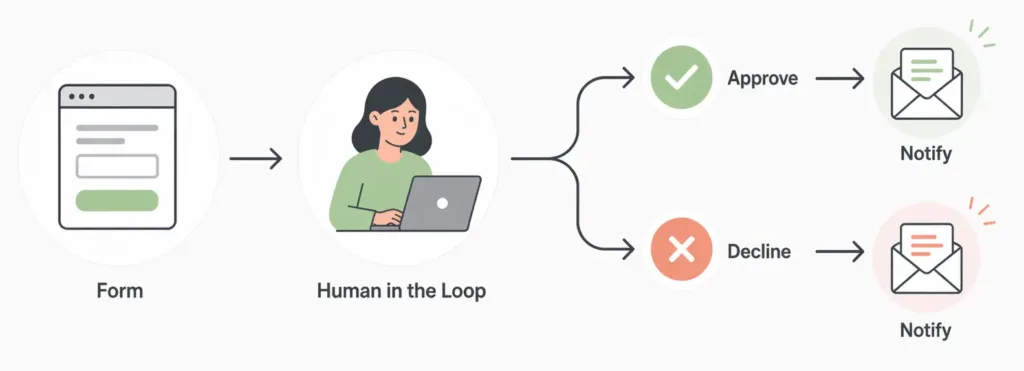
Bit Flows treats webhooks as one part of a larger automation system. You can use incoming webhooks as workflow triggers, send outgoing requests, then route, transform, repeat, delay, or pass the data through additional WordPress and SaaS steps.
I would choose it over a webhook-only plugin when the webhook is just the beginning of a more complex business process.
Key features
- Incoming webhook triggers.
- Outgoing webhook and API requests.
- Visual multi-step workflow builder.
- Routers, iterators, repeaters, and delays.
- 391+ integrations advertised on current paid plans.
- Self-hosted task execution inside WordPress.
Pros: Excellent for webhook plus workflow automation; self-hosted; visual data flow is easier to debug.
Cons: Larger tool than needed for a single webhook endpoint; server resources matter for heavy workloads.
Best for: WooCommerce, agencies, and operational workflows where webhook data needs several follow-up steps.
Pricing: Annual pricing currently starts at $59/year during the displayed promotion, with lifetime options available. See Bit Flows pricing.
3. Uncanny Automator
Uncanny Automator is easier when you want a familiar WordPress event to send a webhook without building a custom integration. A form submission, purchase, course completion, membership event, or user action can become the trigger for a recipe that sends data elsewhere.
The recipe model is friendlier for non-developers than a raw API tool, while still giving enough flexibility for many webhook-based integrations.
Key features
- Webhook actions inside automation recipes.
- Large collection of WordPress triggers.
- Multi-action and conditional recipes.
- External service connections.
- Scheduled and delayed actions on supported plans.
- Data tokens from connected WordPress events.
Pros: Easy for plugin events; broad WordPress integration support; less technical than a webhook-only tool.
Cons: Advanced webhook and automation features may require Pro; less control than WP Webhooks for unusual APIs.
Best for: Site owners connecting existing WordPress plugin events to external apps.
Pricing: Free version available with annual Pro plans. See current pricing.
4. AutomatorWP
AutomatorWP offers a similar trigger-action approach with an open-source core and modular add-ons. It works well when you want webhook support alongside a broader set of WordPress automations but prefer to buy only the premium modules you need.
Key features
- Open-source automation core.
- Webhook-related premium add-ons and integrations.
- WordPress trigger and action recipes.
- Filters and conditional logic.
- Modular add-on purchasing.
- Support for many WordPress plugins.
Pros: Flexible pricing model; strong WordPress coverage; good for modular automation stacks.
Cons: Webhook functionality is not as centralized as WP Webhooks; premium add-ons can increase the total cost.
Best for: Users who already like AutomatorWP’s open-source recipe model.
Pricing: Free core. Current access passes start at $149/year for 2 sites. Check AutomatorWP pricing.
5. SureTriggers
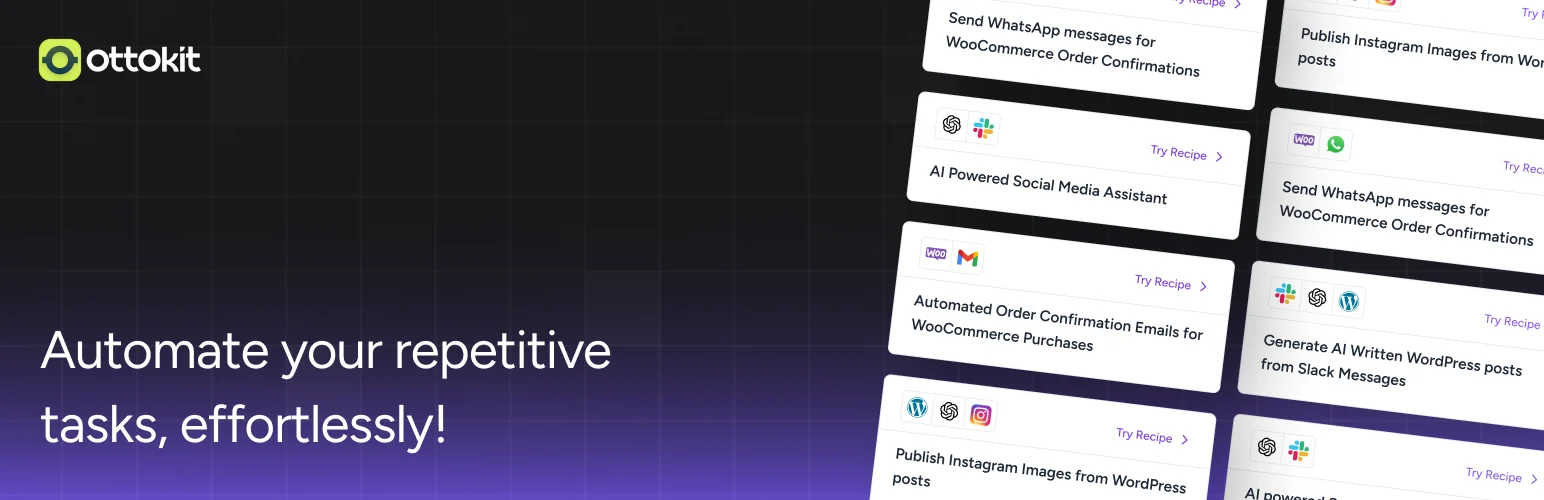
SureTriggers is useful when the webhook sits between WordPress and a broader SaaS stack. Its cloud-connected workflow model makes it easier to send data between WordPress, external apps, and webhook endpoints without maintaining every step on the WordPress server.
Key features
- Webhook triggers and actions.
- WordPress and SaaS app connections.
- Visual workflow builder.
- Filters and conditional steps.
- Data mapping between connected apps.
- Managed cloud execution for supported workflows.
Pros: Convenient for cloud app automation; user-friendly workflow interface; good SaaS connectivity.
Cons: Cloud dependency; task or plan limits need to be considered at scale.
Best for: Sites that need WordPress webhooks as part of a cloud-based app workflow.
Pricing: Free and paid plans are available. Check current SureTriggers limits.
6. WPGetAPI
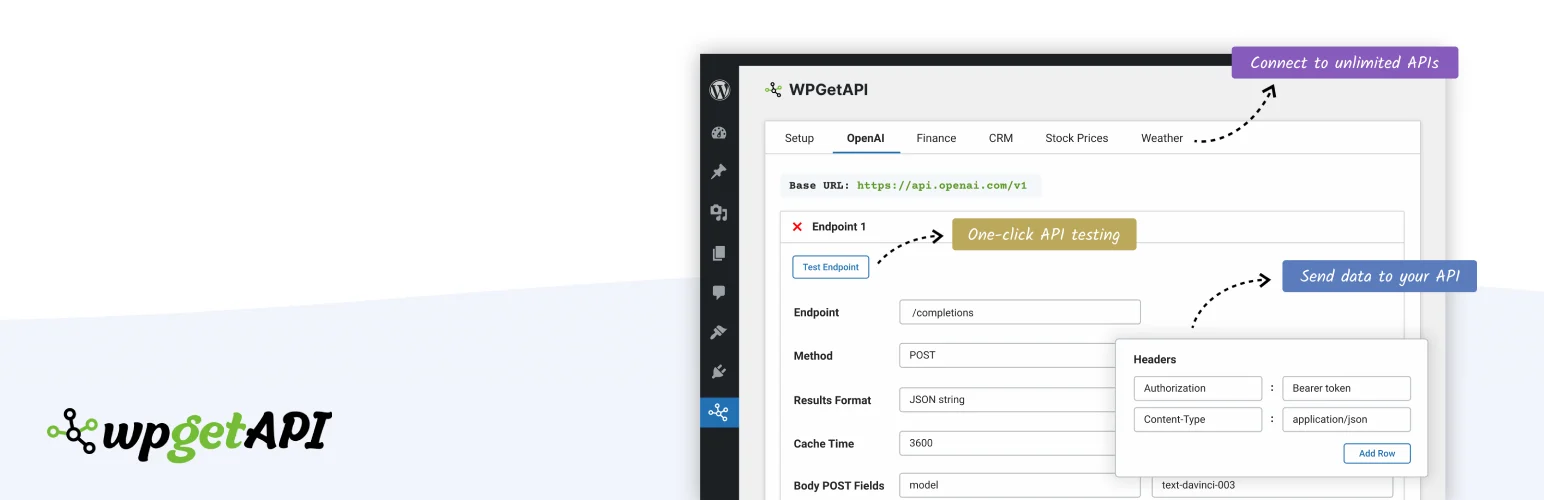
WPGetAPI approaches the problem from the other direction. Instead of mainly reacting to WordPress events, it helps WordPress call and consume external REST APIs, configure endpoints, map parameters, and use returned data inside the site.
I would pick it when the main requirement is pulling data into WordPress or interacting with a documented API rather than building general no-code automations.
Key features
- Configure external REST API endpoints.
- GET, POST, and other supported request methods.
- Headers, query parameters, and authentication settings.
- Shortcodes and functions for API data.
- Request testing inside WordPress.
- Premium extensions for advanced API workflows.
Pros: Focused API client workflow; useful for pulling external data into WordPress; easier than building custom request code.
Cons: Not a full automation platform; requires understanding the external API documentation.
Best for: WordPress projects that need to consume external REST APIs.
Pricing: Free version available with paid extensions and plans. Check WPGetAPI pricing.
What matters when choosing a webhook plugin
I look beyond whether a plugin can send POST requests. Good webhook tooling should let you inspect the payload, authenticate requests, map fields, log failures, retry or troubleshoot errors, and understand what happened when the service on the other end returns an unexpected response.
For business-critical data, test with staging payloads and failure cases before connecting production orders, payments, or customer records.
Conclusion
WP Webhooks is the strongest dedicated webhook plugin in this comparison because webhook and API flexibility are the core product. Bit Flows is the better option when the webhook is one step in a larger visual automation, while Uncanny Automator is easier for standard WordPress plugin events.
Choose based on the direction of the data and the complexity after the request. A simple outbound notification and a multi-step bidirectional API workflow are very different problems.
Frequently Asked Questions
What is the best webhook plugin for WordPress?
WP Webhooks is the best dedicated option in this list for incoming and outgoing webhook control. Bit Flows is better when you also need a visual multi-step automation workflow.
Can WordPress receive webhooks?
Yes. Plugins such as WP Webhooks and Bit Flows can expose incoming webhook endpoints that receive data and trigger actions inside WordPress.
Can WordPress send webhooks to n8n or Make?
Yes. You can send webhook payloads from WordPress to tools such as n8n, Make, Zapier, CRMs, and custom endpoints as long as the receiving service provides a compatible webhook URL.
Are webhooks secure?
They can be, but security depends on implementation. Use HTTPS, authentication or signatures where supported, validate incoming data, protect secrets, and avoid exposing sensitive information unnecessarily.
What is the difference between a webhook and an API?
A webhook usually pushes data automatically when an event occurs. An API is a broader interface that lets one system request or change data. Many WordPress integrations use both together.

