A sitemap plugin should make crawling easier, not give you two competing sitemap systems and another SEO setting to babysit. WordPress already creates a basic XML sitemap, and most full SEO plugins create a richer sitemap index too. So the right choice depends on whether you need a dedicated sitemap tool or you already run an SEO suite.
For this 2026 shortlist, I focused on WordPress XML sitemap plugins that are actively maintained, work with current WordPress versions, and give you practical control over posts, taxonomies, images, news content, exclusions, or sitemap structure. I would not install more than one sitemap generator at the same time. For important sites, it is also worth monitoring sitemap and SEO changes so a broken or unexpectedly reduced sitemap is caught quickly.
TL;DR: Which XML Sitemap Plugin Should You Pick?
- XML Sitemap Generator for Google: my pick for a simple, proven, dedicated XML sitemap plugin.
- Dynamic XML Sitemaps Generator for Google: better when you need image, video, news, multilingual, or advanced sitemap controls.
- Rank Math: the sensible choice if you already use Rank Math for SEO and want sitemaps inside the same plugin.
- Yoast SEO: a reliable no-extra-plugin option for sites already using Yoast.
Quick Comparison
| Plugin | Best for | Special sitemap support | Pricing |
|---|---|---|---|
| XML Sitemap Generator for Google | Simple dedicated sitemaps | XML, image, news, video, HTML, RSS | Free |
| Dynamic XML Sitemaps Generator for Google | More sitemap controls | XML, image, video, news, multilingual | Free core; Pro available |
| Rank Math | Sites already using Rank Math | Post types, taxonomies, images, news/video in higher tiers | Free core; Pro available |
| Yoast SEO | Sites already using Yoast | XML sitemap index with content-type controls | Free; Premium optional |
Before You Install a Sitemap Plugin
Check whether your current SEO plugin already creates a sitemap. Running Rank Math, Yoast, AIOSEO, or SEOPress alongside a separate sitemap generator can create duplicate sitemap endpoints or conflicting inclusion rules. If your existing SEO plugin already gives you the control you need, keep the stack simpler and use that.
A dedicated sitemap plugin makes more sense when you do not want a full SEO suite, when you publish special content such as news or video, or when you need sitemap controls your SEO plugin does not expose.
1. XML Sitemap Generator for Google: Best Dedicated Choice

XML Sitemap Generator for Google by Auctollo has been around for years and remains one of the simplest ways to add a dedicated sitemap system without installing a full SEO plugin. It automatically updates the sitemap when you publish content and supports pages, posts, custom post types, taxonomies, custom URLs, images, news, video, HTML, and RSS sitemap formats.
The biggest advantage is focus. If all you want is a WordPress XML sitemap plugin, it does not bury the feature inside a large SEO dashboard. The plugin is free under the GPL. View the official WordPress.org listing.
Features
- Automatic XML sitemap generation and updates
- Support for custom post types and taxonomies
- Image, news, video, HTML, and RSS sitemap support
- Custom URL support
- Search-engine notification workflow
Best for: bloggers, business sites, and publishers that want a dedicated sitemap plugin without a full SEO suite.
Pricing: Free.
Pros: Focused, mature, easy to configure, and supports more than a basic post/page sitemap.
Cons: If you already use a full SEO plugin, installing it only for sitemaps is usually redundant.
2. Dynamic XML Sitemaps Generator for Google: Best for Advanced Sitemap Types
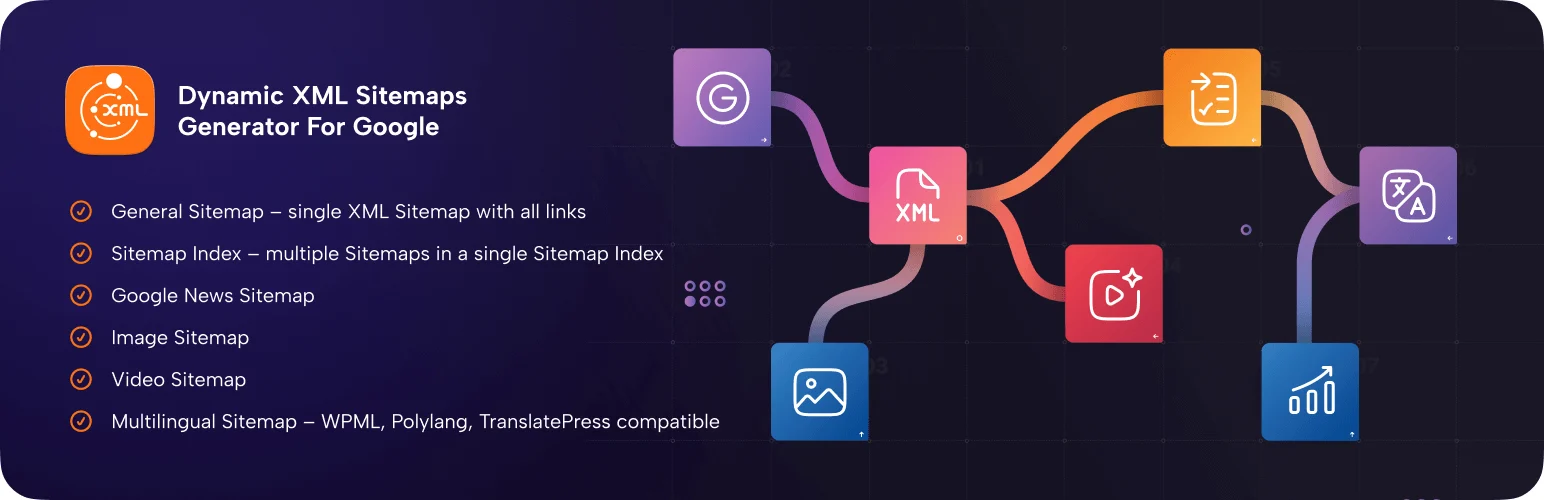
Dynamic XML Sitemaps Generator for Google by WP Grim is the more feature-heavy dedicated option in this list. It can build a sitemap index and separate sitemaps for images, videos, Google News, multilingual content, WooCommerce content, and other post types.
I would choose it over a basic sitemap plugin when I need granular inclusion rules, custom sitemap URLs, robots.txt integration, IndexNow support, WP-CLI, or richer media sitemap options. See the WordPress.org plugin page.
Features
- Sitemap index and multiple inner sitemaps
- Image, video, Google News, and multilingual sitemaps
- WooCommerce and custom post type support
- robots.txt integration and IndexNow support
- Caching, WP-CLI, and import/export options
Best for: larger sites, multilingual sites, WooCommerce stores, and publishers with image, video, or news content.
Pricing: Free core plugin; Pro adds deeper exclusions and premium sitemap controls.
Pros: Broad sitemap coverage and more control than most lightweight sitemap plugins.
Cons: More settings than a small brochure site needs, and some advanced controls sit behind Pro.
3. Rank Math: Best if It Is Already Your SEO Plugin

Rank Math includes XML sitemap generation in its SEO plugin, so I would not add another sitemap plugin to a site that already uses Rank Math unless there is a very specific missing requirement. You can control sitemap content for post types and taxonomies, manage image handling, and tie sitemap inclusion to the same indexing decisions you make elsewhere in Rank Math.
That integration is the real benefit: no duplicate SEO stack, fewer settings to keep in sync, and one place to manage indexing. Read Rank Math’s sitemap documentation.
Features
- XML sitemap index generated from SEO settings
- Post type and taxonomy inclusion controls
- Image sitemap options
- Automatic coordination with noindex settings
- Integration with the rest of Rank Math SEO
Best for: sites that already use Rank Math and want sitemap management inside the same SEO workflow.
Pricing: Sitemap functionality is available in the free plugin; Rank Math also offers paid plans.
Pros: No extra plugin, strong indexing integration, and easy control for most WordPress sites.
Cons: Overkill if you only want a sitemap and do not need Rank Math’s other SEO features.
4. Yoast SEO: Best for Existing Yoast Sites
Yoast SEO also creates XML sitemaps automatically, including a sitemap index that separates content by type. For most sites already running Yoast, that is enough. You can control whether content types and taxonomies appear by changing their search appearance and indexing settings.
The sitemap feature is included in Yoast SEO Free. Premium adds other SEO functionality, but you do not need Premium just to create a standard XML sitemap. Read Yoast’s XML sitemap guide.
Features
- Automatic XML sitemap index
- Separate sitemaps by content type
- Works with Yoast indexing controls
- Automatic updates as content changes
- No separate sitemap plugin required
Best for: WordPress sites already using Yoast SEO.
Pricing: XML sitemaps are included free; Yoast SEO Premium is optional.
Pros: Reliable, automatic, and integrated with existing SEO settings.
Cons: Less attractive as a sitemap-only installation because Yoast is a full SEO suite.
How I Would Choose
If the site already uses Rank Math or Yoast, I would keep the sitemap inside that SEO plugin. If the site does not use an SEO suite, XML Sitemap Generator for Google is the cleanest dedicated option. For news, video, multilingual, or more complex sitemap structures, Dynamic XML Sitemaps Generator gives you more room to configure the output. You can pair this with our WordPress SEO plugins comparison and local SEO plugin guide when deciding whether you need a full SEO stack.
Conclusion
The best WordPress XML sitemap plugin is often the one you already have. Rank Math and Yoast cover most normal sites well. If you want a standalone solution, XML Sitemap Generator for Google keeps things simple, while Dynamic XML Sitemaps Generator is better for complex media, news, multilingual, or WooCommerce sitemap requirements.
Frequently Asked Questions
Does WordPress create an XML sitemap without a plugin?
Yes. WordPress core includes a basic XML sitemap. A plugin becomes useful when you want more control, richer sitemap types, or tighter coordination with SEO indexing settings.
Should I use two sitemap plugins at the same time?
Usually no. Two sitemap generators can create duplicate endpoints and conflicting inclusion rules. Pick one sitemap system and disable the others.
Do XML sitemaps improve rankings directly?
No. A sitemap does not create rankings by itself. It helps search engines discover and crawl eligible URLs more efficiently, especially on larger or frequently updated sites.
Which XML sitemap plugin is best for images or video?
Dynamic XML Sitemaps Generator is the strongest dedicated choice here for image and video sitemap control. Some SEO suites also offer media sitemap features depending on plan and configuration.
Do I need to submit my sitemap to Google?
It is good practice to submit the sitemap index in Google Search Console. Google can discover sitemaps in other ways, but Search Console also lets you monitor processing and errors.