



Product comparison matters most when buyers are choosing between similar items with meaningful differences: specifications, dimensions, compatibility, materials, capacity, ratings, or price. If the comparison table only repeats the product title and price, it adds clutter instead of reducing decision friction.
I look for fast add/remove interactions, useful attribute selection, mobile behavior, difference highlighting, persistent compare lists, search or popup access, and compatibility with block themes and modern WooCommerce templates.
These five are strong current choices. For finding products before comparison, see our WooCommerce product filter plugins and WooCommerce product search plugins.
TL;DR
- YITH WooCommerce Compare: best overall for a proven side-by-side comparison table with a very large install base and broad theme compatibility.
- WPC Smart Compare: best for fast modern comparison UX, compare bars, sidebars, quick tables, and flexible button placement.
- WCBoost – Products Compare: best lightweight high-install alternative for stores that want a simple compare workflow without a larger suite.
- Products Compare for WooCommerce by BeRocket: best for popup comparison, custom taxonomies, difference highlighting, and advanced compare-page controls.
- Addonify – Compare Products: best for smaller stores wanting a clean dedicated comparison plugin with a simple interface.
Quick Comparison
| Plugin | Best for | Free version | Standout feature |
|---|---|---|---|
| YITH WooCommerce Compare | Proven all-round comparison | Yes | Large install base and table workflow |
| WPC Smart Compare | Modern interactive UX | Yes | Compare bar/sidebar/quick table |
| WCBoost – Products Compare | Lightweight comparison | Yes | Simple focused workflow |
| BeRocket Products Compare | Advanced display controls | Yes | Popup and taxonomy comparison |
| Addonify Compare Products | Simple dedicated compare feature | Yes | Clean side-by-side comparison |
How I Chose These Plugins
I compared current maintenance, active installation footprint, WooCommerce compatibility, attribute handling, comparison-table usability, mobile behavior, difference highlighting, persistent lists, block-theme support, custom taxonomy options, and how easy it is to place compare buttons without editing templates.
1. YITH WooCommerce Compare – Best Overall

YITH WooCommerce Compare remains the safest general recommendation because it has a large active install base and a simple mental model: shoppers add products to a compare list and view them side by side in a structured table.
I would use it when you want the standard comparison pattern customers already understand. It works especially well for electronics, appliances, tools, beauty products, and any catalog where attributes are important to the purchase decision.
Key features
- Side-by-side product comparison table
- Compare buttons on shop and product pages
- Product attributes in comparison rows
- Theme and WooCommerce compatibility
- Customizable compare layout
- Premium controls for more advanced presentation
Pros: Mature, widely used, easy for customers to understand, and supported by an established WooCommerce vendor.
Cons: The free workflow is conventional rather than especially innovative, and advanced styling/features sit in Premium.
Best for: Most WooCommerce stores that want a proven product-comparison pattern.
Pricing: Free version available with a commercial Premium edition.
2. WPC Smart Compare – Best for Modern Interactive Comparison
WPC Smart Compare for WooCommerce has one of the strongest modern interfaces in this category and a large active install base.
Its current releases include compare bars, sidebars, a quick comparison table on single product pages, search/popups, button-placement controls, and flexible settings for what the table displays. I prefer it when the comparison journey should feel more interactive than a single standalone table page.
Key features
- Compare buttons on archive and product pages
- Floating compare bar and sidebar
- Quick comparison table
- Search popup and product adding controls
- Custom fields and display settings
- WPML and theme integration options
Pros: Modern UX, active development, large install base, and several ways to surface comparison without forcing shoppers to leave the product page immediately.
Cons: More settings than a store needs if all you want is one basic compare page.
Best for: Stores that want a more interactive comparison journey across shop, product, and floating UI surfaces.
Pricing: Free core plugin with a commercial Premium edition.
3. WCBoost – Products Compare – Best Lightweight High-Install Alternative
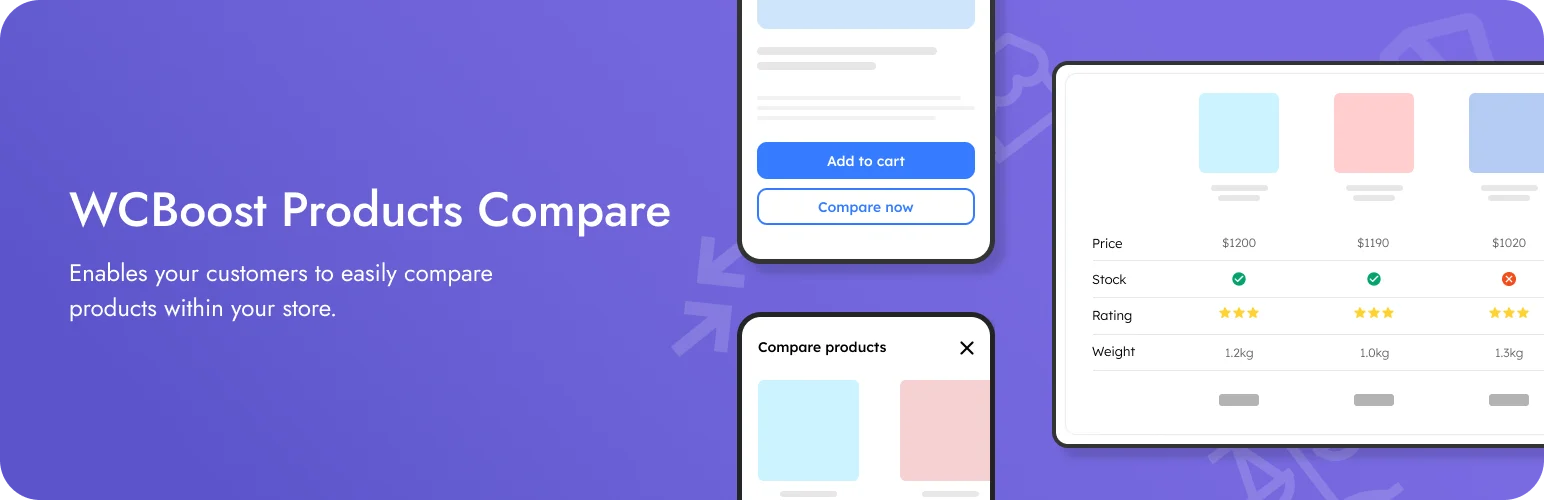
WCBoost – Products Compare is a focused comparison plugin with a substantial active install base but a narrower feature scope than the larger YITH and WPC ecosystems.
I would choose it when the site owner wants the compare function to stay simple and isolated. A focused plugin can be easier to maintain than a broader merchandising suite if product comparison is the only missing feature.
Key features
- Add-to-compare controls
- Side-by-side comparison table
- WooCommerce attribute display
- Simple customer compare workflow
- Lightweight focused feature set
- Current WooCommerce compatibility
Pros: Focused, popular enough to be proven, and simpler than the feature-heavy alternatives.
Cons: Fewer advanced comparison surfaces and customization options than WPC Smart Compare.
Best for: Stores that want a straightforward product-comparison feature without extra marketing modules.
Pricing: Free core plugin.
4. Products Compare for WooCommerce by BeRocket – Best for Advanced Display Controls

Products Compare for WooCommerce by BeRocket gives you more control over how the comparison appears and which product data shoppers can evaluate.
The plugin supports popup comparison, custom taxonomies, difference-only views, compare-page customization, and add-to-cart actions from the table. I would use it for catalogs where the standard WooCommerce attributes are not enough.
Key features
- Popup and full-page comparison
- Custom taxonomy comparison
- Show differences only
- Add-to-cart from comparison table
- Custom compare page URL
- Advanced table customization
Pros: Strong display control and useful custom-taxonomy support for structured product catalogs.
Cons: Smaller active install base and a busier settings experience than simpler plugins.
Best for: Stores with detailed product taxonomies or technical specifications that need more comparison control.
Pricing: Free version available with commercial features from BeRocket.
5. Addonify – Compare Products – Best Simple Dedicated Alternative

Addonify – Compare Products for WooCommerce is a smaller dedicated comparison plugin that focuses on giving visitors a clean side-by-side decision tool without requiring a larger plugin family.
I would test it on a smaller store where the owner wants a simple comparison feature and prefers a modern dedicated plugin over an older all-purpose extension.
Key features
- Add and remove products from compare list
- Side-by-side comparison layout
- Product attribute comparison
- Dedicated comparison page
- Simple configuration
- Free focused workflow
Pros: Straightforward and focused on the core comparison job.
Cons: Smaller ecosystem and install base than YITH, WPC, or WCBoost.
Best for: Smaller WooCommerce stores that want a clean dedicated compare feature.
Pricing: Free core plugin.
Which WooCommerce Product Comparison Plugin Should You Choose?
YITH is the safest conventional choice. WPC Smart Compare is better when you want a more interactive compare bar/sidebar experience. WCBoost keeps things lightweight, BeRocket is stronger for technical/custom-taxonomy comparisons, and Addonify is a simple dedicated alternative.
Do not compare every available field. A good comparison table highlights the attributes that actually change the buying decision. On mobile, test whether the table remains readable without forcing customers through an endless horizontal-scroll experience.
Conclusion
Product comparison is useful when it reduces uncertainty. YITH is my first conventional choice, WPC Smart Compare has the best interactive direction, and the other three fit simpler or more technical catalogs. Keep the comparison focused on buying criteria rather than trying to display every product field WordPress can expose.
Frequently Asked Questions
What is the best WooCommerce product comparison plugin?
YITH WooCommerce Compare is the safest general-purpose option. WPC Smart Compare is better if you want a more modern interactive comparison bar, sidebar, and quick table.
Do product comparison plugins work with variable products?
Many do, but variation attributes and values can be handled differently. Test the exact product type and attributes you want customers to compare.
What should I include in a WooCommerce comparison table?
Include the attributes that affect the purchase decision: price, dimensions, compatibility, capacity, materials, important features, and other category-specific specifications.
Are comparison tables useful on mobile?
They can be, but wide tables are difficult on small screens. Choose a plugin with responsive behavior and test real products on common phone widths.
Should every WooCommerce store add product comparison?
No. Comparison is most useful when products are similar enough that buyers need help evaluating meaningful differences. It adds little value to catalogs with highly distinct products.

