



Barcode data becomes a real operational problem when WooCommerce moves beyond a small catalog. Retailers need consistent GTIN, EAN or UPC values for marketplaces, product feeds, warehouse labels and physical scanning, but WooCommerce does not turn that identifier data into a complete barcode workflow by itself. This guide focuses on plugins that manage product identifiers or generate usable barcode labels—not generic QR-code tools.
TL;DR
EAN for WooCommerce is the strongest all-around choice for stores that need mature GTIN/EAN management. Print Labels with Barcodes is better when the main job is printing physical product or order labels. EAN, UPC and ISBN for WooCommerce is a clean option built around WooCommerce’s native global unique ID field, while Barcode Generator for WooCommerce is a simpler label/display tool for smaller stores.
Quick Comparison
| Plugin | Best for | Pricing |
|---|---|---|
| EAN for WooCommerce | GTIN/EAN management at scale | Free core + Pro |
| Print Labels with Barcodes | printing product and order labels | Free + paid add-ons/edition |
| EAN, UPC and ISBN for WooCommerce | native WooCommerce GTIN display and barcode rendering | Free + Pro |
| Barcode Generator for WooCommerce | simple barcode generation and storefront display | Free |
How I Chose These WooCommerce Barcode Plugins
I separated product-identifier management from label printing because they solve related but different jobs. I checked current WordPress.org availability, recent updates, WooCommerce relevance, variation support, barcode formats, bulk workflows and whether the plugin is still maintained. I also excluded general QR-code plugins and product-feed tools that only pass identifiers through without helping you manage them.
1. EAN for WooCommerce — Best for GTIN/EAN management at scale
EAN for WooCommerce by Algoritmika has the strongest adoption in this narrow category, with 10,000+ active installs when checked. It is designed around GTIN-family identifiers and gives store owners a practical way to save, generate, search and expose EAN values across a WooCommerce catalog. It is the first option I would test when marketplace compliance and identifier hygiene matter more than decorative barcode output.
Key features
- Manage EAN/GTIN identifiers from WooCommerce products
- Supports common identifiers including EAN, UPC and ISBN workflows
- Works with product variations
- Bulk-oriented tools for larger catalogs
- Can display identifiers on store and order surfaces
- Search products by identifier
- Actively maintained and tested with current WordPress releases
What I like
The plugin is established, focused, and broad enough for stores that need identifiers for feeds, marketplaces and internal operations. Its WooCommerce-specific workflow is more useful than a standalone barcode image generator.
Limitations
Some advanced generation, bulk and display controls sit in the commercial edition. Stores that mainly need printable shelf labels may prefer a printing-first tool.
Pricing
A free version is available on WordPress.org, with additional features offered in Pro. Check the current official listing before purchase or deployment.
2. Print Labels with Barcodes — Best for printing product and order labels
This plugin from UkrSolution is built for a different problem: turning WooCommerce data into labels staff can actually print and use. It can place SKU, price, product attributes, order/customer data and barcodes on label layouts. That makes it a better fit for stock rooms, packing desks and retail operations than a plugin focused only on storing GTIN values.
Key features
- Generate printable barcode labels for WooCommerce products
- Create order-related labels
- Use product data such as SKU, price and attributes
- Flexible label layouts for common printing workflows
- Supports bulk label generation
- Designed for physical inventory and fulfillment use
- Works directly from WooCommerce data
What I like
The printing workflow is the differentiator. If staff need sheets or labels for picking, shelving or packaging, it solves a more practical problem than simply showing an EAN on the product page.
Limitations
It is not primarily a master-data tool for GTIN governance. You still need clean identifiers in WooCommerce before printing useful labels.
Pricing
A free WordPress.org plugin is available; commercial options are offered for expanded barcode and printing workflows. Check the current official listing before purchase or deployment.
3. EAN, UPC and ISBN for WooCommerce — Best for native WooCommerce GTIN display and barcode rendering
This newer plugin is notable because it reads and writes WooCommerce’s standard _global_unique_id field rather than inventing a separate identifier store. It supports EAN-8, UPC-A, EAN-13 and ITF-14 rendering, product variations and structured-data output. That makes it attractive for stores that want identifiers to stay aligned with WooCommerce’s native product model.
Key features
- Uses WooCommerce’s native global unique ID field
- Supports EAN-8, UPC-A, EAN-13 and ITF-14
- Works with simple and variable products
- Variation barcode display can update with selection
- Adds appropriate GTIN data to product structured data
- Includes barcode appearance controls
- Can place barcode output with a shortcode
What I like
Using WooCommerce’s native identifier field reduces data fragmentation. The schema integration is also useful for stores that care about product data consistency.
Limitations
It has a smaller adoption history than EAN for WooCommerce, and several storefront/custom-label controls are reserved for Pro.
Pricing
The core plugin is free on WordPress.org and the developer offers a Pro upgrade. Check the current official listing before purchase or deployment.
4. Barcode Generator for WooCommerce — Best for simple barcode generation and storefront display
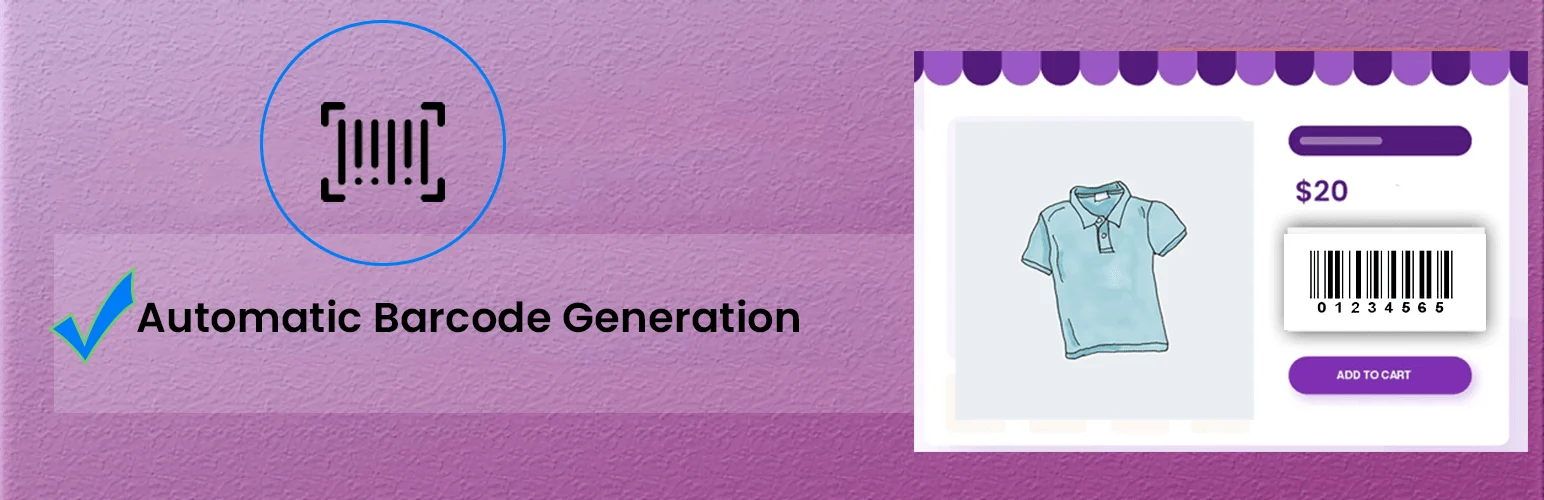
Barcode Generator for WooCommerce is a lighter choice for stores that want to generate barcodes, display them with products and support basic inventory workflows without adopting a larger identifier-management system. Its smaller install base means I would test it carefully on staging, but it remains actively available and relevant to the exact use case.
Key features
- Generate barcodes for WooCommerce products
- Display barcode output on product pages
- Supports printable barcode use cases
- Works with WooCommerce product data
- Designed for inventory-oriented workflows
- Current WordPress.org availability
What I like
The focused scope can be easier for a small catalog that does not need a full GTIN management layer.
Limitations
Its adoption and track record are much smaller than the leading options, so I would not choose it for a complex catalog without testing exports, variations and print output first.
Pricing
The WordPress.org edition is free. Check the current official listing before purchase or deployment.
GTIN Management vs Barcode Printing: Know Which Problem You Have
These plugins overlap, but they are not interchangeable. A GTIN or EAN management plugin helps you store and reuse official product identifiers consistently across products, variations, feeds and schema. A barcode-printing plugin turns a value such as SKU, EAN or UPC into a scannable label for physical operations. Some tools do both, but deciding which workflow matters most will usually narrow the field immediately.
For marketplace and Google Shopping workflows, start by making sure every product has the correct identifier and that variations can carry their own values. For warehouse or retail-floor workflows, test label dimensions, thermal-printer support, scanning reliability, bulk printing and how easily staff can regenerate a damaged label. If you need both, use one plugin as the source of truth for identifiers and avoid maintaining the same EAN in two unrelated custom fields.
How to Choose a WooCommerce EAN, UPC or Barcode Plugin
Start by deciding whether your source of truth is the identifier or the printed label. Marketplace sellers usually need reliable GTIN/EAN storage first. Warehouses and physical retailers may care more about label templates, bulk printing and scanner-friendly output. If you sell variations, verify that every variation can carry its own identifier and that imports/exports preserve it.
Also test how the plugin interacts with Google Merchant Center feeds, marketplace connectors and WooCommerce’s native global unique ID. Avoid storing the same GTIN in several unrelated custom fields. That creates mismatches that are difficult to diagnose later.
Which WooCommerce Barcode Plugin Should You Pick?
If your biggest problem is product data, start with EAN for WooCommerce. Its larger install base and identifier-first workflow make it the safer choice for catalogs that need GTIN, EAN, UPC or ISBN values attached consistently to products and variations. If your biggest problem is physical fulfillment, Print Labels with Barcodes is more practical because staff can turn WooCommerce product and order data into usable labels for sheets or thermal printers.
EAN, UPC and ISBN for WooCommerce is worth testing when you want to work with WooCommerce’s native global unique ID field and also render barcodes on the storefront. Barcode Generator for WooCommerce is the simpler option for stores that mainly need basic barcode generation without a broader data-management layer.
Before choosing, create a staging product with multiple variations and different identifiers. Test product search, variation switching, barcode output, structured data, feeds, label printing and scanner readability. That small test reveals more than a feature checklist because barcode workflows often fail at the handoff between catalog data and physical operations.
Conclusion
For most stores, EAN for WooCommerce is the safest starting point because it combines adoption with a mature identifier workflow. Choose a printing-first plugin when labels are the operational bottleneck, and prefer native WooCommerce GTIN storage when long-term data portability matters.
Frequently Asked Questions
Does WooCommerce support GTIN or EAN natively?
Modern WooCommerce includes a global unique ID field that can store product identifiers, but plugins can add generation, bulk editing, display, schema and barcode-printing workflows around that data.
Is EAN the same as UPC?
They are related GS1 barcode standards but use different formats and lengths. Your plugin should support the identifier required by your sales channel or product region.
Do I need a barcode plugin for Google Shopping?
Not necessarily. Google primarily needs correct product identifiers in your feed. A barcode plugin is useful when it helps you store and expose that data consistently.
Can variations have different barcodes?
Yes, and they often should. Verify variation-level support before choosing a plugin if size, color or pack variations have separate GTINs.
For broader inventory operations, compare our WooCommerce stock management plugins and product feed plugins.

