



The default WooCommerce shop grid works for a basic store, but it gets limiting when you want to feature specific products on a homepage, campaign page, category landing page, or seasonal sale. A good WooCommerce product grid plugin gives you more control over which products appear, how the cards look, and how shoppers browse them without forcing you to rebuild your whole theme.
I compared four established options that are built specifically for WooCommerce product displays. I looked at their grid tools, filtering and query controls, layout flexibility, Gutenberg or shortcode workflow, current maintenance, ratings, and whether the free version is useful on a real store.
TL;DR: Best WooCommerce Product Grid Plugins
WowStore is my best overall pick if you use Gutenberg and want much more than a simple grid. WooProduct Slider is better if you mainly need polished grids, sliders, carousels, and product showcases without turning your site into a full store-builder project. Product Slider, Product Grid, Product Masonry is a practical shortcode-based choice, while Product Carousel Slider & Grid Ultimate works well for smaller promotional sections and curated product collections.
Quick Comparison
| Plugin | Best for | Active installs | WordPress.org rating | Free version |
|---|---|---|---|---|
| WowStore | Gutenberg store building and advanced product grids | 4,000+ | 4.6/5 | Yes |
| WooProduct Slider | Dedicated grids, sliders, carousels, and showcases | 20,000+ | 4.7/5 | Yes |
| Product Slider, Product Grid, Product Masonry | Shortcode-based grids and masonry layouts | 9,000+ | 4.3/5 | Yes |
| Product Carousel Slider & Grid Ultimate | Campaign and landing-page product sections | 6,000+ | 4.3/5 | Yes |
How I Chose These WooCommerce Product Grid Plugins
I did not rank plugins just because they include the word “grid” in the name. A useful WooCommerce grid plugin should help you control real store content such as featured products, sale items, categories, best sellers, or selected products. It should also give you a reasonable way to manage responsive columns and card details without custom code.
- WooCommerce focus: The plugin should work with WooCommerce products directly, not just generic WordPress posts.
- Layout control: I looked for responsive grids plus useful alternatives such as sliders, lists, or masonry where relevant.
- Product queries: Category, featured, sale, best-selling, or manually selected product controls are more useful than a static grid.
- Editing workflow: Gutenberg blocks, visual builders, or manageable shortcodes all work, but the setup should be realistic for a store owner.
- Maintenance: All four picks had current WordPress.org listings and recent maintenance signals when checked.
This roundup is specifically about visual product grids. If you sell wholesale products, restaurant items, spare parts, or large catalogs where shoppers need to compare many fields at once, a WooCommerce product table plugin may fit better.
1. WowStore — Best Overall WooCommerce Product Grid Plugin
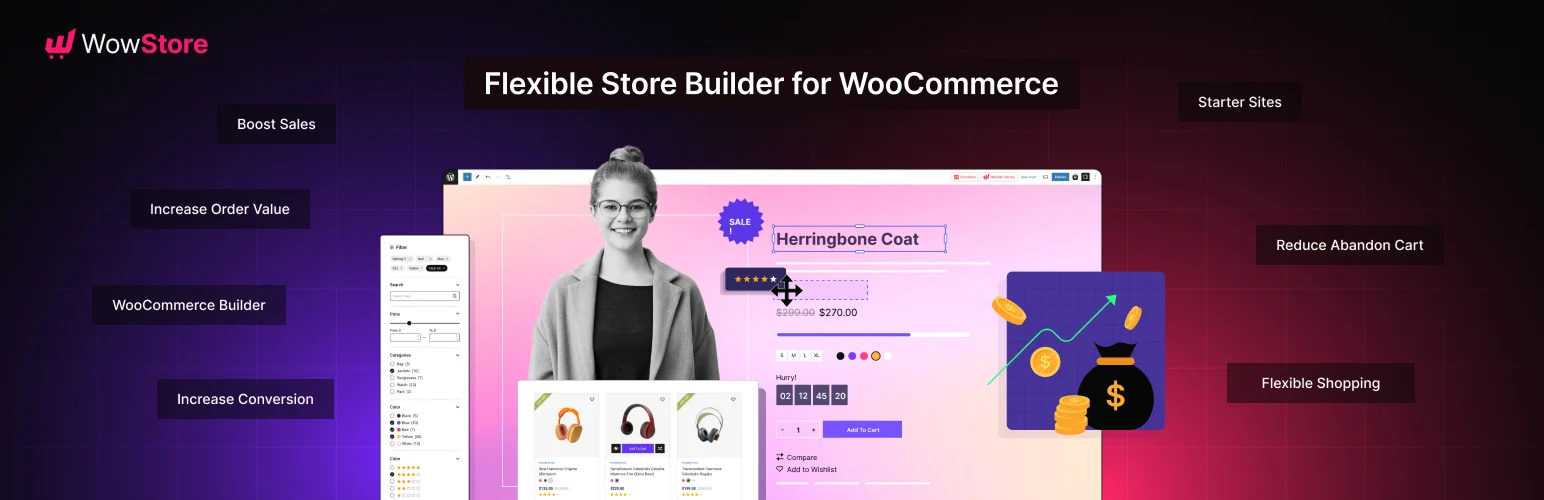
WowStore (formerly ProductX) is the strongest option here if your store uses the block editor and you want product grids to be part of a larger WooCommerce design system. It is not just a “drop one grid into a page” plugin. It includes multiple product grid blocks, product lists, sliders, category blocks, filtering, pagination, search, and WooCommerce builder tools.
That wider scope is useful when you want to build custom shop or landing-page sections without relying on a separate page builder. You can create grids for different product groups and control the surrounding store experience from Gutenberg. The tradeoff is that WowStore has more settings than a lightweight grid-only plugin, so it can feel excessive if you only need one simple product section.
Key features
- Multiple WooCommerce product grid block designs
- Product list, slider, category, search, and filtering blocks
- Gutenberg-based WooCommerce builder for store templates
- Pagination and Ajax-style product browsing options
- Quick view, wishlist, compare, variation swatches, and other store features
- Responsive controls for building mobile-friendly product sections
Pros
- Much more flexible than a basic grid shortcode.
- Good fit for stores already using Gutenberg for layout work.
- Useful free version with a broad WooCommerce block set.
- Actively maintained, with version 4.5.6 listed on WordPress.org when checked.
Cons
- More features and settings than you need for a single simple grid.
- Using many extra WooCommerce modules can add complexity, so enable only what your store needs.
Pricing
WowStore has a free version on WordPress.org. The developer lists WowStore Pro from $49 per year for one site before temporary discounts, with lifetime plans also available. Always check the current vendor price before purchasing.
Best for: Store owners who want advanced WooCommerce product grids and broader Gutenberg store-building controls in one plugin.
2. WooProduct Slider — Best Dedicated Grid and Slider Plugin

WooProduct Slider from ShapedPlugin is a better fit when your main goal is presenting products attractively rather than rebuilding WooCommerce templates. Despite the name, it supports product sliders, carousels, grid galleries, and other display styles.
This is the most established dedicated display plugin in the list by active installations. It had 20,000+ active installs, a 4.7/5 WordPress.org rating, and was tested with WordPress 7.1 when I checked. That does not guarantee compatibility with every theme, but it is a useful maintenance signal.
Key features
- Responsive product grid and gallery layouts
- Product sliders and carousels for featured collections
- Controls for product title, price, rating, buttons, and sale elements
- Product selection and filtering options for targeted showcases
- Pagination and load-more style options in the broader feature set
- Design controls for spacing, columns, navigation, and presentation
Pros
- Focused on product presentation, so it is easier to understand than a full WooCommerce builder.
- Strong choice when you need both grids and carousels across marketing pages.
- Large active-install base compared with the other dedicated grid plugins here.
Cons
- Some advanced layouts and controls are reserved for the paid version.
- If you only need to change the default shop archive, confirm that the plugin’s workflow matches that goal before buying.
Pricing
A free version is available on WordPress.org. ShapedPlugin also offers a Pro edition with additional templates and controls. Pricing changes with license count and promotions, so check the official product page for the current amount.
Best for: Stores that mainly need polished product grids, sliders, and carousels on homepages, landing pages, and promotional sections.
3. Product Slider, Product Grid, Product Masonry — Best for Shortcodes and Masonry Layouts
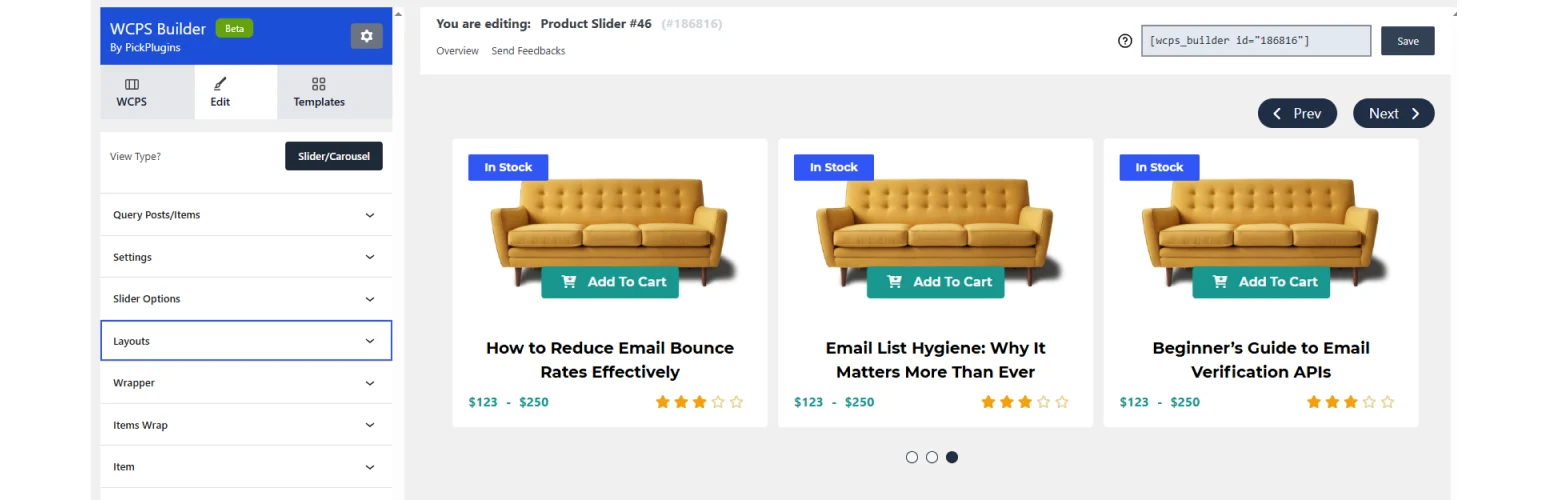
Product Slider, Product Grid, Product Masonry by PickPlugins takes a more traditional WordPress approach. You create a product display in its settings, configure the layout, then place it where you want using a shortcode.
I would look at this one when you want a reusable grid or masonry section without adopting a larger WooCommerce builder. It had 9,000+ active installations and version 1.13.63 on WordPress.org when checked. The plugin also received security-related updates during 2026, which is a reminder to keep display plugins updated like any other WooCommerce extension.
Key features
- WooCommerce product grid layouts
- Masonry presentation for less uniform product-card arrangements
- Carousel and slider options
- Shortcode-based placement on pages and posts
- Controls for responsive display and product queries
- Reusable product-showcase configurations
Pros
- Good fit if you prefer shortcodes over adding a large block library.
- Masonry gives you another visual option beyond a standard equal-row grid.
- Can be reused across multiple pages after the display is configured.
Cons
- The admin workflow feels more traditional than a modern inline Gutenberg block experience.
- Its WordPress.org rating is lower than WooProduct Slider, so I would test the exact layout you need before committing.
Pricing
The core plugin is free on WordPress.org. Check the developer’s current site if you need commercial add-ons or additional functionality beyond the free release.
Best for: Store owners who want shortcode-driven WooCommerce grids, sliders, or masonry sections that can be reused across pages.
4. Product Carousel Slider & Grid Ultimate — Best for Promotional Product Sections

Product Carousel Slider & Grid Ultimate for WooCommerce from wpWax focuses on a straightforward job: create a product carousel, slider, or grid, choose which products should appear, and embed the result in your content.
It is particularly useful for homepage collections, “latest products” sections, featured items, sale campaigns, or category-specific landing pages. You can build different displays for different promotions rather than relying on the same WooCommerce archive everywhere.
Key features
- WooCommerce product grids, sliders, and carousels
- Gutenberg block plus shortcode-based placement
- Product selection by categories and other product criteria
- Grid pagination support
- Quick-view support in its feature set
- Responsive controls and style settings for product cards
Pros
- Focused workflow that is easier to adopt than a full store builder.
- Useful for creating multiple campaign-specific product displays.
- Free version is available for testing before you consider Pro.
Cons
- Some styling and merchandising options are Pro-only.
- Its WordPress.org “tested up to” value was 6.9.7 when checked, so test carefully if your store is running a newer WordPress release.
Pricing
The free plugin is available on WordPress.org, with a paid Pro version for additional layouts and controls. wpWax pricing has changed over time, so I would verify the current license price on the vendor site instead of relying on an old figure.
Best for: Stores that want simple, reusable product grid or carousel sections for campaigns and landing pages.
WooCommerce Product Grid vs Product Gallery vs Product Table
These three layout types solve different problems. A product grid is best for browsing collections and merchandising several products at once. A WooCommerce product gallery plugin improves the images and media on an individual product page. A product table makes a large catalog easier to scan, filter, and compare in rows.
For a normal fashion, beauty, electronics, or general retail store, I would usually keep a visual grid as the primary browsing layout. For wholesale ordering or spec-heavy catalogs, a table can be faster. You can also combine a grid with a WooCommerce quick view plugin so shoppers can inspect product details without leaving the collection page.
What to Check Before Installing a Product Grid Plugin
- Mobile columns: A four-column desktop grid should collapse cleanly on tablets and phones.
- Image consistency: Mixed product-image ratios can make cards jump in height. Standardize image crops where possible.
- Add-to-cart behavior: Test simple and variable products, especially if the grid includes direct purchase buttons.
- Filtering and pagination: If you use Ajax filters or load-more buttons, make sure URLs, browser history, and indexing behavior still make sense.
- Theme styling: Product buttons, typography, sale badges, and spacing should not fight with your theme. If merchandising labels matter, see our guide to WooCommerce product badge plugins.
- Performance: Avoid loading sliders, quick view, filters, wishlists, and animation modules you are not actually using.
Which WooCommerce Product Grid Plugin Should You Choose?
Choose WowStore if you use Gutenberg and want the most control over product layouts plus the surrounding WooCommerce store design. Choose WooProduct Slider if product presentation is the main goal and you want a mature dedicated grid/slider plugin.
Product Slider, Product Grid, Product Masonry makes more sense when you prefer a shortcode workflow or specifically want masonry layouts. Product Carousel Slider & Grid Ultimate is a practical option for smaller product showcases and marketing sections.
Whichever one you choose, install only one product-display plugin for the same job. Then test it on staging with your theme, variable products, caching setup, and important WooCommerce extensions before changing a high-traffic shop page.
Conclusion
The best WooCommerce product grid plugin is the one that gives you enough control without adding a second store-building system you do not need. WowStore is the most capable overall pick for Gutenberg stores, while WooProduct Slider is easier to recommend when you simply want better product showcases. The other two options are worth considering for shortcode, masonry, or campaign-specific layouts.
If you are still planning the wider store stack, our guide to the best WordPress eCommerce plugins can help you separate core commerce tools from optional display and marketing add-ons.
Frequently Asked Questions
What is the best WooCommerce product grid plugin?
WowStore is the best overall choice in this roundup if you use Gutenberg and want advanced grid controls plus broader WooCommerce builder features. WooProduct Slider is a better fit when you mainly want dedicated grids, sliders, and carousels.
Can I change the default WooCommerce product grid without coding?
Yes, but the method depends on the plugin. Some tools focus on product sections that you insert into pages, while broader WooCommerce builders can also help redesign shop and archive templates. Check whether the plugin supports the exact page you want to change.
How many products should I show in a WooCommerce grid?
There is no universal number. Start with a clean desktop layout of three or four products per row and reduce the column count on smaller screens. For long catalogs, use pagination, filtering, or load-more behavior instead of forcing dozens of products into one initial view.
Will a product grid plugin slow down WooCommerce?
It can if the plugin loads heavy sliders, animations, filters, quick-view scripts, or many product images on every page. Keep unused modules disabled, optimize product images, and test the finished page with your caching and performance setup.
Should I use a product grid or a product table?
Use a product grid when visual browsing and product imagery matter. Use a product table when shoppers need to compare many items, attributes, prices, or quantities quickly, such as in wholesale, restaurant, spare-parts, or B2B stores.

