



WordPress can look perfectly healthy while its background jobs are quietly late. Scheduled posts, WooCommerce subscriptions, backups, email queues, cleanup jobs, and plugin syncs often depend on WP-Cron or a related scheduler. When those jobs stop firing, the symptom usually appears somewhere else first.
That is why I treat cron management as an operations problem, not just a developer utility. The best WordPress cron management plugins should tell you what is scheduled, what is late, what failed, and—when appropriate—let you run or change an event without editing the database manually.
TL;DR: WordPress Cron Plugins I’d Pick in 2026
- WP Crontrol: best overall for viewing, running, pausing, editing, and exporting WP-Cron events.
- Advanced Cron Manager: best for deeper cron diagnostics and execution logging with Pro.
- CronVitals: best for monitoring missed jobs and receiving failure alerts over time.
- WP-Cron Status Checker: best for a simple health check and run-history view.
Quick Comparison: WordPress Cron Management Plugins
| Plugin | Best for | Manages events | Run history | Pricing |
|---|---|---|---|---|
| WP Crontrol | General WP-Cron control | Yes | Limited current-state view | Free |
| Advanced Cron Manager | Management + diagnostics | Yes | PRO | Free; paid PRO |
| CronVitals | Monitoring and alerts | No | 30 days free | Free; Pro $49/year |
| WP-Cron Status Checker | Health/status monitoring | No | Free limited; PRO extended | Free; paid PRO |
Why Cron Problems Need Their Own Tool
A normal error log tells you that code failed. A cron tool answers a different set of questions: Was the task scheduled at all? When was it supposed to run? Did WordPress miss the schedule? Is the hook still registered? Is the site relying on visitor traffic to trigger WP-Cron? Those details are especially important on membership, ecommerce, automation, and newsletter sites.
If your site already runs many background workflows, pair cron visibility with a broader WordPress automation plugin strategy and keep webhook-heavy processes documented with the right webhook tools.
1. WP Crontrol — Best Overall Cron Manager

WP Crontrol is the first plugin I would install when I need to understand what WP-Cron is doing. It exposes scheduled hooks, arguments, recurrence, callbacks, and next-run times in a familiar WordPress admin screen.
Its biggest advantage is control without unnecessary complexity. You can run an event immediately, pause or resume it, edit or delete it, add custom schedules, and export the event list to CSV. Recent versions also understand Action Scheduler events, which makes it useful on WooCommerce-heavy sites.
Key features
- View all scheduled cron events with hooks, arguments, callbacks, and next run times
- Run, pause, resume, edit, or delete events
- Create new cron events and custom schedules
- Bulk delete cron events
- CSV export for auditing
- Warnings for missed schedules and cron-system problems
Pros: Free, mature, actively maintained, and broad enough for most troubleshooting.
Cons: It is primarily a manager, not a historical monitoring platform; careless editing can break plugin workflows.
Pricing: Free.
Best for: Most WordPress site owners, developers, and WooCommerce administrators.
2. Advanced Cron Manager — Best for Deep Diagnostics
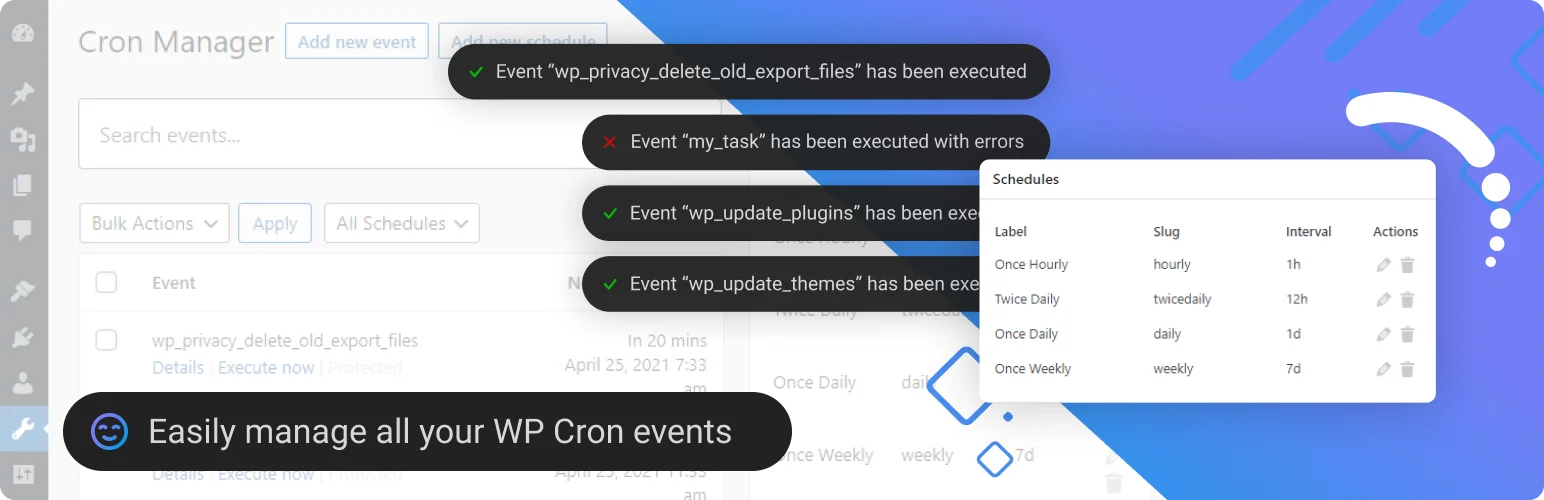
Advanced Cron Manager covers the same core management problem but becomes more interesting when you need to know what actually happened during a cron execution. The free version can view, search, run, pause, add, remove, and bulk-manage events.
The PRO layer adds execution history, performance measurements, fatal-error catching, event listeners, custom debug data, rescheduling, and more advanced scheduling rules. It can also guide you toward a real server cron instead of relying entirely on page-load WP-Cron triggers.
Key features
- Search and filter scheduled events
- Run, pause, add, remove, and bulk-manage cron jobs
- Manage custom schedules and server-scheduler setup
- PRO execution logger with timestamps and status
- PRO memory and execution-time statistics
- PRO fatal-error catcher and event listeners
Pros: Excellent balance between cron management and developer-grade diagnostics.
Cons: The most valuable diagnostic features require PRO, and it intentionally does not execute arbitrary PHP inside events.
Pricing: Free core; Advanced Cron Manager PRO is sold as an annual license, with current price shown at checkout.
Best for: Developers and agencies investigating intermittent or resource-heavy cron failures.
3. CronVitals — Best for Monitoring and Failure Alerts
CronVitals approaches cron from the opposite direction: it watches jobs instead of trying to manage them. It records each run, identifies missed schedules, catches fatal errors, and gives you a 30-day history in the free version.
That makes it useful after you have already configured cron correctly and want to know when reliability changes. The paid tier adds Action Scheduler monitoring, Slack and webhook alerts, external heartbeat monitoring, CSV export, and weekly summaries.
Key features
- Automatic monitoring of registered WP-Cron jobs
- Missed-run detection with configurable threshold
- Fatal error logging with file and line details
- 30-day run history and reliability data in free version
- Email failure alerts
- PRO Action Scheduler monitoring, Slack/webhooks, and external heartbeat
Pros: Strong observability without modifying your cron jobs; generous free monitoring.
Cons: Very new plugin with a tiny install base, and it does not replace a cron manager such as WP Crontrol.
Pricing: Free; Pro starts at $49/year for one site.
Best for: Teams that care more about ongoing cron reliability and alerts than editing events.
4. WP-Cron Status Checker — Best for Basic Cron Health Checks
WP-Cron Status Checker focuses on one question: is WP-Cron actually running and completing jobs? It can surface cron health in the dashboard, log hook executions, and notify you when a task appears to fail or take too long.
The free tier keeps only a small amount of run history, so I see it as a lightweight specialist rather than a full operations console. It is still useful when you want a quick way to confirm that cron can run and to receive basic failure notifications.
Key features
- Dashboard WP-Cron health status
- Logs cron hooks and completion status
- Detects long-running or incomplete jobs
- Email notifications for failures
- Works with multisite scenarios
- PRO extends log retention and notification frequency
Pros: Focused, easy to understand, and useful for validating cron health.
Cons: Free history is limited and it offers much less event-management control than WP Crontrol or Advanced Cron Manager.
Pricing: Free core; a paid annual PRO version is available.
Best for: Site owners who mainly want confirmation and basic alerts that WP-Cron is still functioning.
Which Cron Plugin Should You Use?
For active troubleshooting, I would start with WP Crontrol. For deeper execution logging, Advanced Cron Manager PRO is stronger. For ongoing monitoring after the site is stable, CronVitals adds the most useful alerting layer. On busy sites, also review database bloat because failed or duplicated background jobs can leave unnecessary records; our database optimization plugin comparison covers that side of maintenance.
Conclusion
Cron plugins are most valuable before a missed task becomes a customer-facing problem. WP Crontrol is my general recommendation, Advanced Cron Manager is stronger for diagnostics, and CronVitals is the most interesting monitoring-focused option. Choose based on whether you need to manage events, investigate failures, or watch reliability over time.
Frequently Asked Questions
What is the best WordPress cron management plugin?
WP Crontrol is the best starting point for most sites because it is free, actively maintained, and lets you inspect and manage scheduled events without touching the database.
Does WordPress need a cron plugin to run scheduled tasks?
No. WordPress includes WP-Cron. A cron plugin adds visibility, management, monitoring, or diagnostics; it does not create the underlying scheduling system.
Why are my WordPress scheduled tasks running late?
WP-Cron is commonly triggered by page requests, so low traffic, blocked loopback requests, hosting restrictions, fatal errors, or overloaded queues can make tasks late.
Should I replace WP-Cron with a real server cron?
For sites that need predictable timing, a real system cron can be more reliable. Test the setup carefully and confirm your host supports it before disabling normal WP-Cron spawning.
Can deleting a cron event break WordPress?
Yes. Plugins and WordPress core rely on scheduled hooks. Remove or pause an event only when you understand which component registered it and what the task does.

