
RecommendedFreemium
Build contact, lead, payment, registration, multistep, conversational, file-upload, and workflow forms with a flexible WordPress form builder.

This WPForms review is for WordPress users who value a guided drag-and-drop form builder, templates, and a large paid integration ecosystem. WPForms Lite can build useful contact and payment forms without a license, and the current AI Form Builder is available in both Lite and paid versions. The bigger limitation is entry management: WPForms Lite does not store form entries in the WordPress database.
I would choose WPForms when ease of setup matters and the site is likely to grow into conditional logic, file uploads, multi-page forms, marketing integrations, payment workflows, surveys, signatures, user registration, or other paid form features. I would compare the long-term renewal cost carefully before upgrading, because current WPForms pricing uses a large first-year discount.
Best fit: WPForms makes the most sense for businesses and site owners that want an easy WordPress form builder with templates, AI-assisted setup, and a large addon ecosystem. I would choose a different option for users who require free local entry storage or want advanced paid workflows without higher recurring license costs.

WPForms is built around a visual drag-and-drop form builder rather than manually writing form tags or HTML. You can start from templates, add fields visually, configure notifications and confirmations, and embed the form with the WPForms block or other supported page-builder workflows.
The current product also includes an AI Form Builder that can generate and refine a form from a plain-language prompt. Because WPForms AI is available in Lite as well as paid versions, it is useful for drafting the form structure before you decide whether the final workflow needs premium fields or addons.

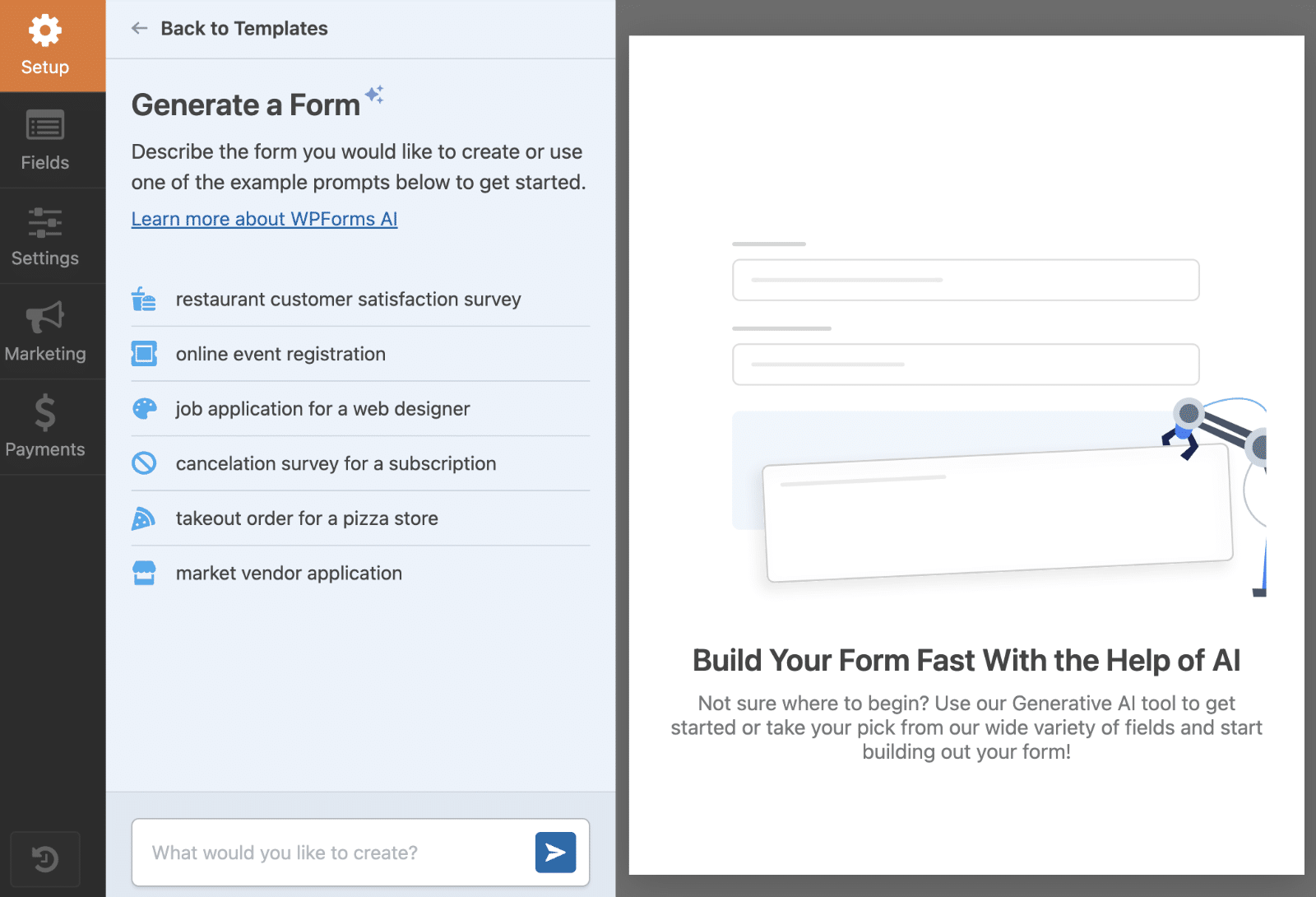


The drag-and-drop builder is still the main reason to consider WPForms. It reduces setup friction for contact forms, feedback forms, lead forms, payment forms, and other common workflows. Paid plans expand the template library and advanced field set, but the core builder experience is available before you purchase.
WPForms AI can generate a ready-to-edit form from a prompt and then refine it through follow-up instructions. The feature is currently available in WPForms Lite and paid versions. I would use AI to speed up the first draft of a form, then manually verify required fields, notifications, privacy wording, payment settings, and storage behavior before publishing.
WPForms Lite currently supports Stripe, Square, and PayPal Commerce payment workflows. The important cost detail is that Lite adds a 3% WPForms platform fee to transactions, in addition to the payment processor’s own charges. An active WPForms Pro license removes the additional WPForms transaction fee for the supported Pro payment workflow.
WPForms Lite does not store entries in the WordPress database, so you cannot simply open WPForms > Entries and browse or export all submissions on the free version. You can still send notification emails. Lite Connect can optionally back up new entries to WPForms servers so they can be restored after upgrading, but current documentation says those backups have a one-year retention window.
This is one of the most important points in a WPForms review because a site can build a form successfully and only later discover that local entry management is a paid feature.


Paid plans add the workflows that usually move a site beyond a basic form: local entry management, conditional logic, file uploads, multi-page forms, advanced fields, integrations, automation, and more. Higher plans extend into recurring payments, surveys and polls, signatures, save and resume, user registration, post submissions, geolocation, Google integrations, CRM connections, webhooks, and other specialist capabilities.
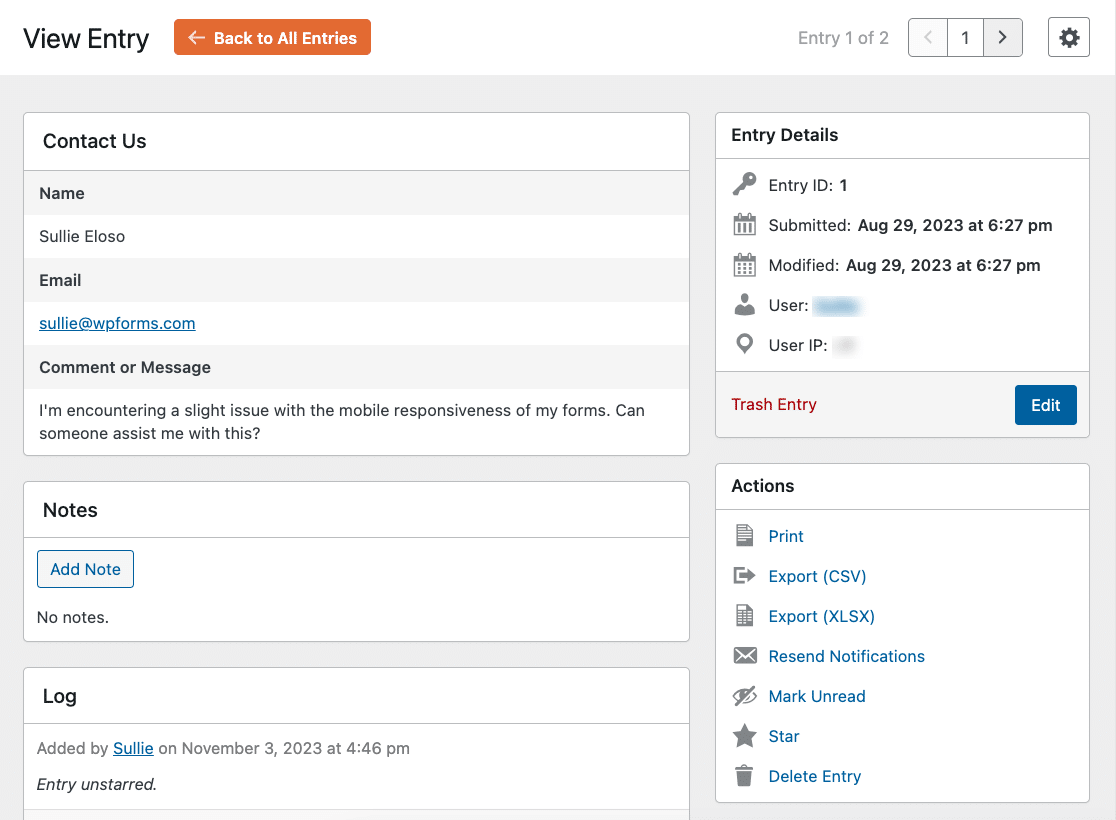

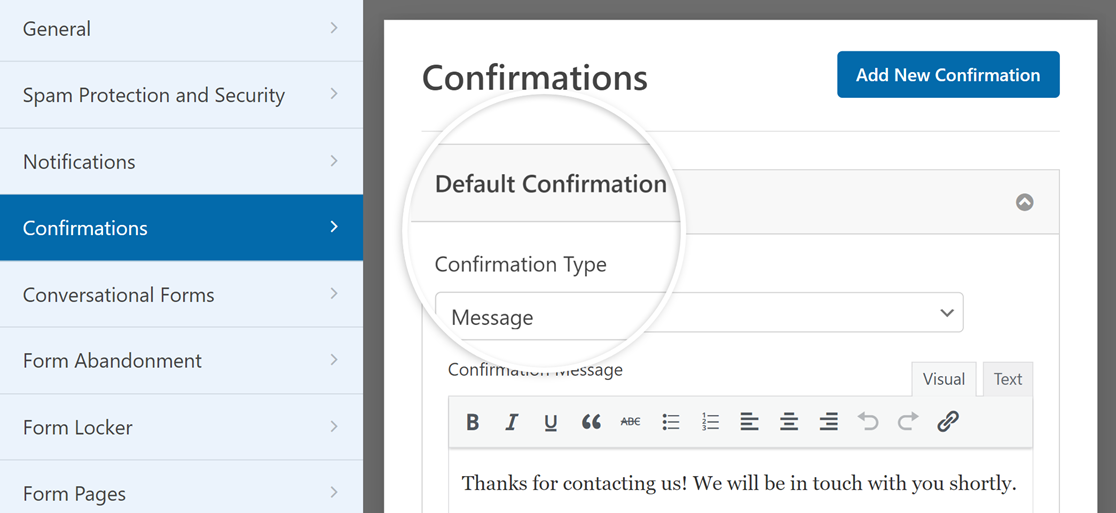
The builder is easy enough that it can hide an important fact: a production form is more than the visible fields. You also need to decide where the submission is stored, who receives notifications, what the visitor sees after submitting, how spam is handled, which integrations receive the data, and how failures are discovered. I would review those layers before publishing any form tied to sales, support, registration, or payment.
WPForms can send notification emails based on a submission, but a configured notification is not proof of inbox delivery. Verify the recipient, From address, Reply-To behavior, conditional notification rules, and actual mail delivery through the site’s SMTP or transactional email setup. For important forms, I prefer having both a stored entry and a notification so an email problem does not erase the business record.

Smart Logic is useful when the visitor should only see fields relevant to an earlier answer. A quote form can reveal product-specific questions, an application can branch by role, and a support form can collect different diagnostics by issue type. The main design goal should be reducing irrelevant questions, not creating a maze of rules. Once a form has many nested conditions, document the branches and test every path after changes.
WPForms makes it possible to collect payments without building a full WooCommerce store, which is useful for donations, deposits, simple services, registrations, and one-off products. On Lite, the additional WPForms platform fee matters alongside the processor fee. On paid plans, check which gateway and recurring-payment features are included in the chosen tier before the form is launched.
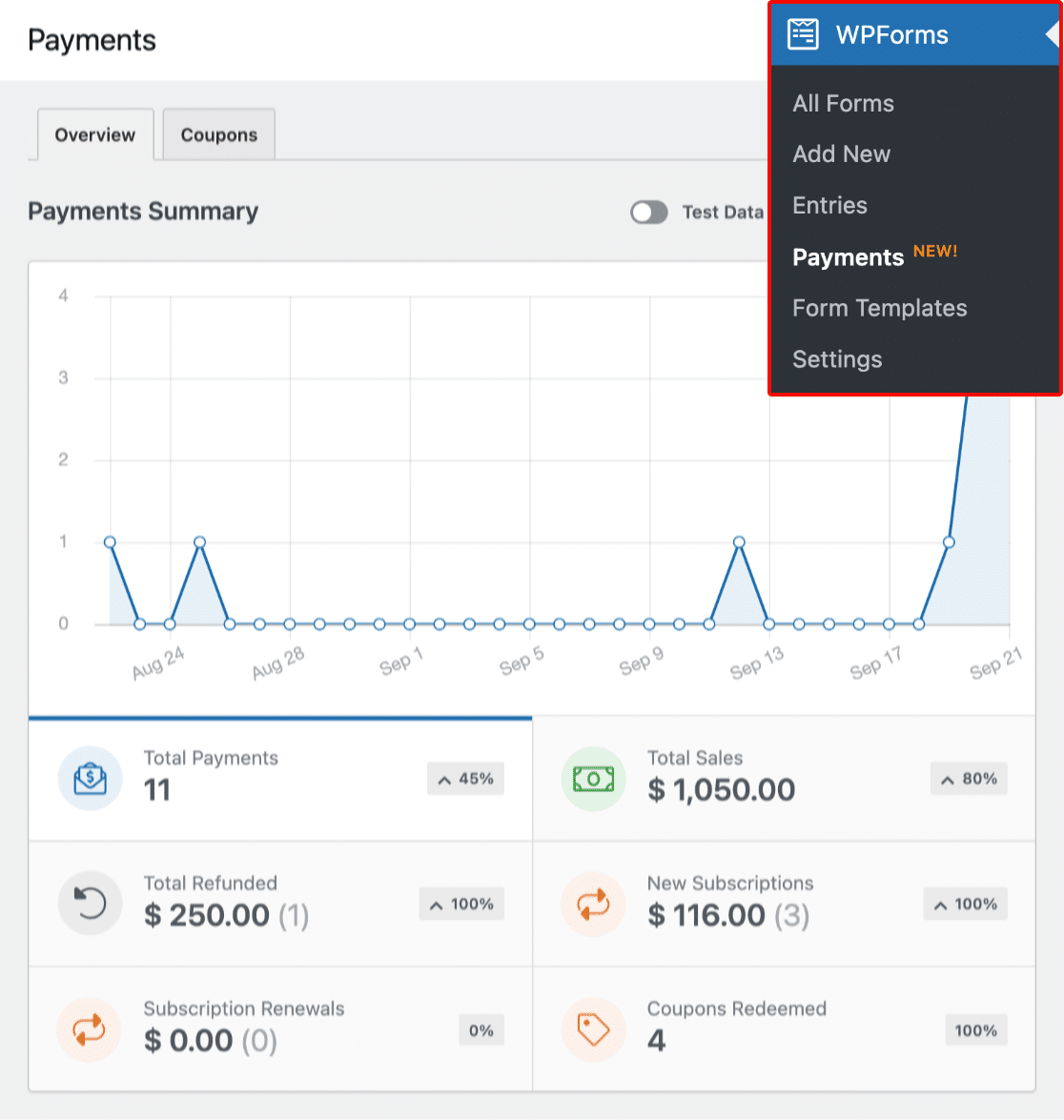
I would also test failed and abandoned payment scenarios, confirmation messages, receipt notifications, and the administrator’s ability to locate the related form entry. A successful test payment is only one part of the workflow.
If submissions become customer records, applications, legal consents, or support history, define how long they should remain in WordPress and who can access them. WPForms entry tools make review and export convenient on paid plans, but convenience should be paired with a retention policy. Keeping every entry forever can increase privacy exposure and database size without adding business value.
WPForms Lite makes sense for a simple contact form when email notifications are enough, or for a basic payment form when the 3% WPForms platform fee is acceptable. Lite is also a practical way to evaluate the builder and use WPForms AI before paying.
A paid plan makes sense when you need entry storage and exports, conditional logic, file uploads, multi-page forms, advanced integrations, more payment control, or any workflow where form submissions must become durable operational data inside WordPress. WPForms Pro becomes especially relevant for payment sites because the active Pro license removes the extra WPForms platform fee.
The WPForms Lite vs Pro decision is therefore less about whether you can build a form and more about how submissions, payments, integrations, and long-term data need to be managed.
The biggest free-version trade-off is entry storage. Lite Connect can back up entries remotely if enabled, but that is not the same as having a local WordPress entry database available from day one. If submission history is business-critical, decide the storage model before launching the form.
The second trade-off is payment cost. WPForms Lite lowers the barrier to accepting Stripe, Square, or PayPal Commerce payments, but the extra 3% WPForms platform fee can become material as transaction volume grows. At that point, the paid-license cost should be compared with the platform fees you would otherwise pay.
The third trade-off is renewal pricing. WPForms frequently runs first-year promotions on paid plans, so the checkout discount can change over time. The regular listed prices are much higher, so I would evaluate the plan at its normal renewal cost rather than treating the first-year promotion as the permanent price.
Pricing checked October 16, 2026. WPForms Lite is free. The current official pricing lists Basic from $49.50/year for one site as an introductory price, with a regular price of $99/year. Higher tiers add broader integrations, payment, automation, survey, registration, and multi-site features. Promotional percentages can change, so I would compare the regular renewal price for the tier you actually need.
The important cost comparison is not only Lite versus paid. It is the regular renewal cost of the tier that includes your required features versus the cost of combining a different form plugin, payment tool, automation service, or CRM. For payment-heavy Lite sites, also compare the paid license with the extra 3% WPForms platform fee that applies to supported Lite transactions.
The synchronized PluginSuggest profile currently lists WPForms 2.0.2.2. Before updating a production site with complex forms, export or document important settings and test conditional logic, payment connections, notifications, integrations, and entry views after the update. Forms often connect several external systems, so a small configuration regression can affect more than the form layout itself.
This WPForms review is strongest for users who want the form-building process to feel simple even when the final workflow becomes complex. The builder, templates, WPForms AI, payment options, and paid addon ecosystem give it a clear path from basic contact forms to more advanced business forms.
I would not overlook the two cost boundaries: WPForms Lite does not provide local entry storage, and Lite payment transactions can carry an extra 3% WPForms platform fee. If those limits matter, evaluate WPForms pricing at the regular paid renewal price before committing.
Yes. WPForms Lite is free and includes the drag-and-drop builder, WPForms AI, form notifications, spam protection, and supported payment integrations.
No. WPForms Lite does not store form entries in the WordPress database. Lite Connect can optionally back up new entries remotely for later restoration after a paid upgrade.
Current WPForms documentation says Lite Connect backups have a one-year retention window.
Yes. Current Lite documentation supports Stripe, Square, and PayPal Commerce. WPForms adds a 3% platform fee on Lite transactions in addition to the processor’s own fees.
Pricing checked October 16, 2026: WPForms Basic is currently listed from $49.50/year introductory for one site, with a regular price of $99/year. Promotions can change.
Yes. The current WPForms AI Form Builder documentation says form generation is available in both WPForms Lite and paid versions.
Yes. WPForms documents an additional 3% platform fee on supported Lite payment transactions, on top of the payment processor’s own fees. An active eligible paid license removes that extra WPForms fee.
Build contact, lead, payment, registration, multistep, conversational, file-upload, and workflow forms with a flexible WordPress form builder.
Builds contact, payment, survey, registration, and workflow forms with conditional logic, reporting, AI, and integrations.
Ninja Forms review covering Free vs Plus/Pro/Elite, AI Form Builder, submissions, multi-step forms, pricing, security changes, and key trade-offs.
Log in or create an account to continue.